loadr
loadr is a load testing platform in a single binary. It combines the two dominant traditions in load testing:
- Scriptable & precise: scriptable tests, open/closed load models with precise executors, a first-class metrics engine with thresholds as pass/fail criteria, and a great CLI experience.
- JMeter's breadth: rich assertions (response code, body, JSONPath, XPath, size, duration), extractors (regex, boundary, CSS, XPath), timers (constant, uniform, gaussian, constant-throughput), CSV data sets, cookie management, and broad protocol coverage.
…and adds what both lack: declarative YAML test definitions validated by a JSON Schema, a plugin system (sandboxed WASM components and native libraries), built-in distributed execution with mathematically correct percentile aggregation, and a built-in management web UI.
A taste
name: smoke
defaults:
  http: { base_url: https://api.example.com }

scenarios:
  api:
    executor: constant-arrival-rate
    rate: 100
    duration: 5m
    pre_allocated_vus: 50
    flow:
      - request:
          url: /search?q=widgets
          extract: [ { type: jsonpath, name: first, expression: "$.results[0].id" } ]
          checks: [ { type: status, equals: 200 } ]
      - request: { url: "/items/${first}" }

thresholds:
  http_req_duration: [ "p(95)<300" ]
  http_req_failed: [ "rate<0.01" ]
loadr run smoke.yaml # exit code 0 when thresholds pass, 99 when not
How the pieces fit
| Component | What it does |
|---|---|
loadr run | run a test locally (standalone mode) |
loadr controller + loadr agent | distribute one test across a fleet |
loadr validate | lint a test file with line/column diagnostics |
loadr convert | import JMeter .jmx files and k6 scripts |
loadr report | render an HTML report from saved results |
| Web UI | live dashboards, test editing, fleet management |
| Plugins | new protocols, outputs, extractors, assertions, services |
Continue with Installation, or jump to the YAML reference, the JS API, or the migration guides.
Installation
Release binaries
Download the archive for your platform from the
GitHub releases, unpack
it and put loadr on your PATH:
curl -sSL https://github.com/levantar-ai/loadr/releases/latest/download/loadr-x86_64-unknown-linux-gnu.tar.gz | tar xz
sudo mv loadr-*/loadr /usr/local/bin/
loadr version
Builds are published for Linux (x86_64, aarch64), macOS (Intel & Apple
Silicon) and Windows — each with a SHA256 checksum and SLSA build provenance
you can verify with gh attestation verify.
From source (Cargo)
cargo install --git https://github.com/levantar-ai/loadr loadr-cli
Rust 1.85+ is required. There are no system dependencies — protobuf compilation happens in-process (protox), TLS is rustls, and the JS engine (QuickJS) is compiled in.
Shell completions
loadr completions bash | sudo tee /etc/bash_completion.d/loadr
loadr completions zsh > "${fpath[1]}/_loadr"
loadr completions fish > ~/.config/fish/completions/loadr.fish
Editor support for test files
Generate the JSON Schema once and point your editor at it for autocomplete and inline validation — see JSON Schema & editor setup:
loadr schema > loadr.schema.json
Your first test
Create first.yaml:
name: first-test
defaults:
  http:
    base_url: https://httpbin.org
    timeout: 10s

scenarios:
  smoke:
    executor: constant-vus
    vus: 5
    duration: 30s
    flow:
      - request:
          name: get anything
          url: /anything?hello=loadr
          checks:
            - { type: status, equals: 200 }
            - { type: jsonpath, name: echoed arg, expression: "$.args.hello", equals: loadr }
      - think_time: { type: uniform, min: 500ms, max: 1500ms }

thresholds:
  http_req_duration: [ "p(95)<2000" ]
  checks: [ "rate>0.99" ]
Validate it first — loadr's validator reports precise positions and suggests fixes for typos:
$ loadr validate first.yaml
✓ first.yaml is valid (1 scenario, 1 request)
Run it:
$ loadr run first.yaml

  first-test — 1 scenario(s), 30.0s

  checks.....................: 100.00% — ✓ 214 ✗ 0
    ✓ status is 200 (107 / 107)
    ✓ echoed arg (107 / 107)
  http_req_duration..........: avg=312.44ms min=287.12ms med=305.81ms max=512.20ms p(90)=341ms p(95)=367ms p(99)=489ms
  http_reqs..................: 107 (3/s)
  iterations.................: 107 (3/s)
  vus........................: value=5 min=5 max=5

  thresholds:
    ✓ http_req_duration: p(95)<2000 (observed: 367.21)
    ✓ checks: rate>0.99 (observed: 1.00)
The exit code is 0 when all thresholds pass and 99 when any fail — wire it
straight into CI.
What just happened
constant-vuskept exactly 5 virtual users iterating for 30 seconds — a closed load model (new iterations start only when the previous finishes).- Each iteration ran the
flow: one HTTP request, two checks, then a random pause between 500 ms and 1.5 s. - Checks record pass/fail into the
checksmetric without failing the request (useassert:for failures). The threshold overchecksis what gates the run.
Next steps
- Watch it live:
loadr run --ui first.yamlthen openhttp://127.0.0.1:6464. - Save machine-readable results:
loadr run --summary-export results.json first.yaml. - Browse
examples/— 15 runnable tests covering every feature.
The CLI
loadr <COMMAND>

Commands:
  run          Run a test (standalone, or submit to a controller)
  validate     Validate test files and print diagnostics
  convert      Convert JMeter .jmx or k6 .js files to loadr YAML
  controller   Run the distributed-mode controller
  agent        Run a load-generating agent
  plugin       List, install, enable, disable and inspect plugins
  report       Render an HTML report from a summary JSON file
  schema       Print the JSON Schema for test definitions
  completions  Generate shell completions
  version      Print version information
Global flags: -q/--quiet (errors only), -v/--verbose (repeat for more),
--no-color.
loadr run
loadr run test.yaml                         # run locally
loadr run -e staging test.yaml              # apply the env.staging overrides
loadr run --vus 50 --duration 2m test.yaml  # override single-scenario load
loadr run --ui test.yaml                    # serve the live web UI during the run
loadr run --summary-export out.json test.yaml
loadr run --output json=samples.jsonl test.yaml   # ad-hoc output (repeatable)
loadr run --quiet test.yaml                 # summary only, no live progress
loadr run --controller host:6464 test.yaml  # submit via the controller's API port
| Exit code | Meaning |
|---|---|
| 0 | run finished, all thresholds passed |
| 1 | error (invalid test, I/O, ...) |
| 99 | run finished but thresholds failed |
| 130 | interrupted (Ctrl-C twice; first Ctrl-C stops gracefully) |
Selecting scenarios by tag
Tag scenarios in YAML with the scenario-level tags map, then run only the
ones you want with --tags / --exclude-tags. (These same tags are also
attached to the scenario's metric samples.)
scenarios:
  smoke_read:
    executor: shared-iterations
    vus: 2
    iterations: 10
    tags: { suite: smoke, kind: read }     # name → value pairs
    flow: [ { request: { url: /api/v1/items } } ]
  full_write:
    executor: ramping-vus
    stages: [ { duration: 1m, target: 30 } ]
    tags: { suite: full, kind: write }
    flow: [ ... ]
The filter matches against tag values, not the tag names:
--tags a,b— keep a scenario if it carries at least one of these values (any-match / OR). Omit--tagsto start from every scenario.--exclude-tags a,b— drop a scenario if it carries any of these values.- Exclude always wins: a scenario matched by both
--tagsand--exclude-tagsis dropped. - Both flags take a comma-separated list and may be repeated.
- If the filter leaves no scenarios, the run fails with an error rather than running nothing.
loadr run --tags smoke test.yaml                 # only scenarios tagged `smoke`
loadr run --tags read,write test.yaml            # tagged `read` OR `write`
loadr run --tags full --exclude-tags write test.yaml  # full load, reads only
loadr run --exclude-tags smoke test.yaml         # everything except smoke
After filtering, loadr prints how many of the original scenarios remain
(unless --quiet).
loadr validate
$ loadr validate broken.yaml
error at line 12, column 5 (scenarios.api.executor): `constant-arrival-rate` requires `pre_allocated_vus`
error at line 18, column 9 (scenarios.api.flow[0].request.url): `${vars.api_kye}` is not defined under `variables:` — did you mean `api_key`?
2 error(s), 0 warning(s)
--format json emits diagnostics as JSON for editor/CI integration.
loadr convert
loadr convert plan.jmx -o converted.yaml
loadr convert k6-script.js -o converted.yaml
Conversion warnings (unsupported constructs, things to review) print to
stderr; the output always passes loadr validate.
loadr plugin
loadr plugin list                      # discovered plugins + enabled state
loadr plugin install ./my-plugin-dir  # copy into the plugins directory
loadr plugin info my-extractor
loadr plugin disable my-extractor
loadr plugin enable my-extractor
The plugins directory is ~/.loadr/plugins (override with
LOADR_PLUGINS_DIR or --plugins-dir).
loadr report
loadr run --summary-export results.json test.yaml
loadr report results.json -o report.html
Produces a self-contained HTML file: interactive time-series charts
(throughput, latency p50/p95/p99, active VUs, error rate) plus the aggregate
metric tables, latency percentiles, and check and threshold outcomes —
shareable with people who don't run loadr. No network assets; the charts are
inline SVG drawn by a small inline script. See HTML reports
for the chart details and the timeline schema.
Test definition overview
A loadr test is one YAML file. Every top-level key:
name: my-test                # display name (optional)
description: what it does    # free text (optional)

defaults: { ... }            # request defaults: base URL, headers, timeouts, TLS, tags
env: { ... }                 # named environment overlays (-e <name>)
variables: { ... }           # static values: ${vars.name}
secrets: { ... }             # values from env/file: ${secrets.name} (redacted)
data: { ... }                # CSV / inline data sources: ${data.source.column}
metrics: { ... }             # custom metric declarations
js: { ... }                  # embedded JavaScript module + limits

scenarios: { ... }           # REQUIRED: the workloads
thresholds: { ... }          # pass/fail criteria over metrics
outputs: [ ... ]             # exporters: jsonl, csv, prometheus, influxdb, otlp, statsd
plugins: [ ... ]             # plugins to load
Unknown keys are rejected with a did-you-mean suggestion. Durations are
strings like 300ms, 30s, 1m30s, 1h (bare numbers mean seconds).
Defaults
defaults:
  http:
    base_url: https://api.example.com   # joined with relative request URLs
    headers: { User-Agent: loadr/0.1 }
    timeout: 30s                        # per request (default 30s)
    follow_redirects: true              # default true
    max_redirects: 10
    version: auto                       # auto | http1 | http2 | http2-prior-knowledge
    compression: true                   # Accept-Encoding + auto-decompress
    keep_alive: true                    # reuse connections within a VU
    proxy: http://proxy.internal:3128
    cookies: true                       # automatic per-VU cookie jar
    tls:
      insecure_skip_verify: false
      ca_file: ./ca.pem                 # extra trusted roots
      cert_file: ./client.pem           # mTLS client certificate
      key_file: ./client-key.pem
      server_name: override.sni.name
  tags: { team: payments }              # added to every sample
  think_time: { type: uniform, min: 1s, max: 2s }   # default pause after each request
Minimal complete test
scenarios:
  s:
    executor: constant-vus
    vus: 1
    duration: 10s
    flow:
      - request: { url: https://example.com/ }
Everything else is optional. See the following chapters for each block, or
generate the JSON Schema (loadr schema) for the exhaustive picture.
Scenarios & executors
A test has one or more scenarios, all running concurrently (offset with
start_time). Each scenario picks an executor — the algorithm that
schedules iterations. loadr implements all seven executor types with identical
semantics.
scenarios:
  my_scenario:
    executor: ramping-vus        # which scheduling model
    # ... executor-specific knobs ...
    start_time: 30s              # delay after test start (default 0)
    graceful_stop: 30s           # time for in-flight iterations to finish (default 30s)
    exec: myJsFunction           # JS function to run per iteration (optional)
    flow: [ ... ]                # declarative steps per iteration (optional; needs flow and/or exec)
    pacing: { iterations_per_second: 10 }   # constant-throughput governor
    think_time: { type: constant, duration: 1s }  # default pause after each request
    tags: { kind: api }          # tags on all samples from this scenario
The scenario tags map (name → value) is attached to every sample from the
scenario, and its values also drive loadr run --tags / --exclude-tags
scenario selection — see Selecting scenarios by tag.
Closed-model executors
New iterations start only when a VU finishes its previous one — throughput depends on response times (a coordinated-omission-prone model; use open models to control offered load).
constant-vus
executor: constant-vus
vus: 50
duration: 5m
ramping-vus
VU count follows linear ramps between stage targets.
executor: ramping-vus
start_vus: 0
stages:
  - { duration: 2m, target: 100 }   # ramp 0 → 100
  - { duration: 5m, target: 100 }   # hold
  - { duration: 1m, target: 0 }     # ramp down
graceful_ramp_down: 30s             # grace for iterations on de-allocated VUs
per-vu-iterations
Each VU runs exactly N iterations.
executor: per-vu-iterations
vus: 10
iterations: 100        # per VU → 1000 total
max_duration: 10m      # safety cap (default 10m)
shared-iterations
A pool of N iterations split dynamically among VUs (fast VUs do more).
executor: shared-iterations
vus: 10
iterations: 1000       # total
max_duration: 10m
Open-model executors
Iterations start on schedule regardless of completion — the offered load
is what you configured, and saturation shows up as dropped_iterations
instead of silently lower request rates.
constant-arrival-rate
executor: constant-arrival-rate
rate: 100              # iteration starts per time_unit
time_unit: 1s          # default 1s (rate: 6000 + time_unit: 1m ≡ 100/s)
duration: 10m
pre_allocated_vus: 50  # workers created up front
max_vus: 200           # pool may grow to this before dropping iterations
ramping-arrival-rate
executor: ramping-arrival-rate
start_rate: 10
time_unit: 1s
pre_allocated_vus: 50
max_vus: 500
stages:
  - { duration: 2m, target: 100 }   # linear rate ramp
  - { duration: 5m, target: 100 }
externally-controlled
VU count is set at runtime — from the web UI's run page, the controller API, or programmatically. Great for exploratory "turn the dial" testing.
executor: externally-controlled
max_vus: 500
duration: 30m          # optional; omit to run until stopped
Graceful stop semantics
When a scenario's schedule ends (or the run is stopped), no new iterations
start; in-flight iterations get graceful_stop (default 30s) to finish before
being cancelled. ramping-vus additionally applies graceful_ramp_down to
VUs being de-allocated mid-iteration during a downward ramp.
Requests
The flow: of a scenario is a list of steps, each a single-key mapping:
request, think_time, js, or group.
flow:
  - request:
      name: create order          # metric tag (defaults to the URL string)
      protocol: http              # inferred from URL scheme when omitted
      method: POST                # default GET (POST when a body is present)
      url: /orders                # absolute, or relative to defaults.http.base_url
      params: { source: loadtest }    # query string parameters
      headers:
        X-Idempotency-Key: "${js: crypto.uuidv4()}"
      body: ...                   # see below
      timeout: 10s                # per-request override
      follow_redirects: false     # per-request override
      tags: { endpoint: orders }  # extra metric tags
      extract: [ ... ]            # see Extraction
      assert: [ ... ]             # failures mark the request failed
      checks: [ ... ]             # recorded only
  - think_time: { type: uniform, min: 1s, max: 3s }
  - js: "session.counterAdd('orders_created', 1)"
  - group:
      name: checkout              # nested samples get group="::checkout"
      steps: [ ... ]
Bodies
body: 'raw string with ${interpolation}'
# or structured (exactly one key):
body: { json: { sku: "W-1", qty: 2, note: "${vars.note}" } }   # sets Content-Type
body: { file: ./payload.bin }                                  # loaded at start
body: { form: { user: alice, pass: "${secrets.pw}" } }         # urlencoded
body:
  multipart:
    - { name: meta, value: '{"kind":"avatar"}', content_type: application/json }
    - { name: file, file: ./avatar.png, filename: avatar.png }
JSON bodies interpolate every string leaf; a leaf that is only ${expr}
keeps its JSON type when the value parses as JSON ("${count}" → 7, not
"7").
Protocol-specific blocks
Non-HTTP requests use the same step with an extra options block — see the protocol chapters:
- request: { url: wss://x/ws, ws: { send: ["hi"], receive_count: 1 } }
- request: { url: grpc://x:50051, grpc: { service: pkg.Svc, method: M, reflection: true, message: {...} } }
- request: { url: /graphql, protocol: graphql, graphql: { query: "...", variables: {...} } }
- request: { url: tcp://x:7000, socket: { send_text: "PING\n", read_bytes: 64 } }
- request: { url: postgres://u:p@db/app, sql: { query: "SELECT * FROM t WHERE id=$1", params: ["1"] } }  # needs the PostgreSQL plugin
SQL is delivered as native protocol plugins, not built in: install the PostgreSQL plugin (
loadr plugin install postgres, advisory-clean) or the MySQL plugin (loadr plugin install mysql) and list it underplugins:. Thesql:block above is the same once the relevant plugin is installed ($1, $2, …placeholders for PostgreSQL,?for MySQL).
Cookies
With defaults.http.cookies: true (the default) every VU has its own cookie
jar: Set-Cookie responses are stored (RFC 6265 domain/path/secure/expiry
matching) and sent automatically. Manual control is available from JS:
session.cookieSet(url, name, value), session.cookieGet(url, name),
session.cookiesClear().
Flow control
Beyond a straight sequence of steps, a flow can loop, branch and choose at
random — covering Gatling's repeat/during/asLongAs/doIf/randomSwitch
and Locust's weighted-task model in declarative YAML.
repeat — a fixed number of times
flow:
  - repeat:
      times: 3
      counter: attempt          # 0-based loop index, readable from JS (default `index`)
      steps:
        - request: { url: /poll }
        - think_time: { type: constant, duration: 1s }
while — as long as a condition holds
The condition is a JavaScript expression evaluated in the VU's runtime before
each pass. max_iterations (default 10000) prevents runaway loops.
flow:
  - js: "session.vars.page = 0"
  - while:
      condition: "Number(session.vars.page) < 5"
      max_iterations: 20
      steps:
        - request: { url: "/feed?page=${page}" }
        - js: "session.vars.page = Number(session.vars.page) + 1"
if / else — branch on a condition
flow:
  - if:
      condition: "response && JSON.parse(session.vars.cart||'{}').items > 0"
      then:
        - request: { method: POST, url: /checkout }
      else:
        - request: { url: /cart/empty }
(else is optional.)
random — weighted / uniform / round-robin branches
The headline Locust paradigm (@task(weight)) and Gatling's switches. Each
branch's samples are tagged with the branch name (or branch-<n>).
flow:
  - random:
      strategy: weighted          # weighted (default) | uniform | round_robin
      choices:
        - weight: 70
          name: browse
          steps:
            - request: { url: /search?q=widget }
        - weight: 25
          name: add_to_cart
          steps:
            - request: { method: POST, url: /cart, body: { json: { sku: W-1 } } }
        - weight: 5
          name: checkout
          steps:
            - request: { method: POST, url: /checkout }
| Strategy | Behaviour |
|---|---|
weighted | pick proportional to weight (default 1.0 each) — Gatling randomSwitch, Locust task weights |
uniform | every branch equally likely — Gatling uniformRandomSwitch |
round_robin | cycle through branches in order — Gatling roundRobinSwitch |
Nesting
Control-flow steps nest arbitrarily — a random branch can contain a
while, a repeat can wrap an if, and group still tags everything inside.
This is how you model realistic user journeys: browse 1–5 pages, then with
some probability add to cart, then maybe check out, retrying the payment up to
3 times. See examples/16-flow-control.yaml.
Extraction & correlation
Extractors pull values out of a response into named variables, available to
every later step in the iteration as ${name} and to JS as
session.vars.name.
- request:
    url: /checkout/start
    extract:
      - { type: jsonpath, name: order_id, expression: "$.order.id" }
      - { type: regex,    name: csrf,     expression: 'csrf" value="([^"]+)', group: 1 }
      - { type: xpath,    name: total,    expression: "//order/total" }
      - { type: css,      name: token,    expression: "input[name=token]", attribute: value }
      - { type: boundary, name: trace,    left: 'trace="', right: '"' }
      - { type: header,   name: location, header: Location }
- request:
    url: /orders/${order_id}
    headers: { X-Trace: "${trace}" }
| Type | Source | Notes |
|---|---|---|
jsonpath | JSON body | full JSONPath; result keeps its JSON type |
regex | body text | group selects the capture group (default 1, 0 = whole match) |
xpath | XML body | XPath 1.0 |
css | HTML body | CSS selector; attribute: reads an attribute, otherwise element text |
boundary | body text | JMeter-style left/right boundary |
header | response headers | case-insensitive |
Common options:
default: value— used when nothing matches. Without a default, a failed extraction marks the request failed (http_req_failed) and the variable stays unset.index: first | last | random | all— which match to take (allproduces a JSON array). Supported by jsonpath, regex, css and boundary.
Extracted values are per-VU and per-iteration scoped state — they persist across steps within the iteration and across iterations of the same VU until overwritten.
Fused check-chains
A chain does extract → coerce type → transform → validate → save in one
declarative step (Gatling-style), so you do not have to spread a single value's
handling across an extract: entry, a JS hook and a checks: entry. Chains
appear in the same extract: list as the classic extractors and can be mixed
with them freely.
- request:
    url: /inventory
    extract:
      # The `chain:` key is the variable name to save under.
      - chain: cheapest_name
        jmespath: "items | sort_by(@, &price)[0].name"   # one source
        as: string                                        # optional: coerce
        transform: [trim, uppercase]                      # optional: pipeline
        check:                                            # optional: validate
          not_empty: true
          matches: "^[A-Z]+$"
        default: NONE                                     # optional: fallback
- request:
    url: /items/${cheapest_name}
Source — pick exactly one
A chain reads from one source; the field name is the source type:
| Field | Source | Notes |
|---|---|---|
jmespath | JSON body | JMESPath query/transform language (filters, projections, functions) |
jsonpath | JSON body | full JSONPath; result keeps its JSON type |
regex | body text | group: selects the capture group (default 1) |
header | response headers | case-insensitive header name |
css | HTML body | CSS selector; attribute: reads an attribute, else element text |
xpath | XML body | XPath 1.0 |
left + right | body text | JMeter-style boundary extractor |
index: first | last | random | all chooses which match to take when the
source yields several (all produces a JSON array). For jmespath, index
applies when the query itself returns an array.
as: — coerce the type
Coerce the raw value before transforming/validating it: int, float, bool
or string. Numeric and boolean strings are parsed ("7" → 7, "yes" →
true); bool accepts true/false, 1/0, yes/no, on/off. JSONPath and
JMESPath already keep native JSON types, so as: is mainly for the text-based
sources (regex, header, css, …) or to normalise a stringly value.
transform: — an ordered pipeline
Each transform runs in order and yields a string. String forms take no argument; object forms carry one:
| Transform | Effect |
|---|---|
trim | strip surrounding whitespace |
lowercase / uppercase | change case |
url_encode / url_decode | percent-encoding |
base64_encode / base64_decode | standard base64 |
{ append: "..." } / { prepend: "Bearer " } | concatenate a literal |
{ replace: [from, to] } | replace all occurrences |
{ substring: [start, len] } | character-offset substring (len optional) |
- chain: auth
  header: X-Token
  transform: [trim, { prepend: "Bearer " }]   # "  abc " -> "Bearer abc"
check: — validate before saving
Every set constraint must hold or the chain fails. A failing chain check is
recorded to the checks metric (just like a standalone checks: entry) and
marks the request failed; on_failure: controls flow exactly like an assertion.
| Key | Meaning |
|---|---|
equals | value must equal this (compared after coerce/transform) |
matches | value (as text) must match this regex |
one_of | value must be one of these |
min / max | numeric bounds (inclusive) |
not_empty | value (as text) must be non-empty |
on_failure | continue (default) · abort_iteration · abort_scenario · abort_test |
- chain: order_status
  jsonpath: "$.status"
  transform: [lowercase]
  check:
    one_of: [pending, paid, shipped, delivered]
    on_failure: abort_iteration
  default: pending
default:
As with the classic extractors, default: supplies a value when the source
matches nothing. Without one, a no-match marks the request failed and leaves the
variable unset. The default is still coerced, transformed and validated.
A complete runnable example lives in
examples/25-check-chains.yaml.
Assertions & checks
The same condition types power two blocks with different consequences:
assert:— JMeter-style assertions. A failure marks the request failed (http_req_failed) and can change control flow viaon_failure.checks:— inline checks. Results are recorded into thechecksrate metric (per-check, via thechecktag) and never fail the request. Gate the run with a threshold:checks: ["rate>0.99"].
- request:
    url: /orders
    assert:
      - { type: status, equals: 201 }
      - { type: jsonpath, expression: "$.order.id", exists: true, on_failure: abort_iteration }
    checks:
      - { type: duration, name: fast enough, max: 250ms }
      - { type: body_contains, value: '"status":"pending"' }
Condition types
| Type | Fields | Passes when |
|---|---|---|
status | equals, one_of: [..], matches: "2.." | status code matches |
body_contains | value, negate | body contains (or not) the substring |
body_matches | pattern, negate | body matches the regex |
jsonpath | expression, equals, exists | match exists (default) / equals the JSON value |
xpath | expression, equals, exists | XPath 1.0 result |
duration | max | response duration ≤ max |
size | min, max, equals | body size in bounds |
header | header, equals, contains, exists | header present/matching |
js | expression | the JS expression is truthy (response is in scope) |
All take an optional name (used in reports; a sensible one is generated
otherwise) and, in assert: blocks, on_failure:
on_failure | Effect |
|---|---|
continue (default) | record the failure, keep going |
abort_iteration | skip the rest of this iteration |
abort_scenario | stop this scenario |
abort_test | stop the whole run (exit code reflects failure) |
JS conditions
checks:
  - type: js
    name: balanced response
    expression: "response.json ? true : JSON.parse(response.body).items.length > 0"
The response object has status, body, headers (lower-cased),
duration_ms, url, error, protocol.
Validating an extracted value inline
To extract a value and validate it in one step (rather than a separate
extract: and checks:), use a fused check-chain:
its check: block records to the checks metric and respects on_failure just
like the conditions above.
Thresholds
Thresholds are the pass/fail contract of a test, evaluated continuously
during the run and finally at the end. Any failing threshold makes
loadr run exit with code 99.
thresholds:
  http_req_duration:
    - "p(95)<400"                    # plain expression
    - threshold: "p(99.9)<1500"      # object form
      abort_on_fail: true            # stop the test the moment it fails...
      delay_abort_eval: 30s          # ...but not in the first 30s (warm-up)
  http_req_failed: [ "rate<0.01" ]
  checks: [ "rate>0.99" ]
  my_custom_counter: [ "count>1000" ]
  "http_req_duration{scenario:api}": [ "p(99)<250" ]   # tag-filtered
Expression syntax
<aggregation> <op> <bound> where op ∈ < <= > >= == !=.
| Aggregation | Applies to | Meaning |
|---|---|---|
avg, min, max, med | trend | statistics in milliseconds |
p(N) | trend | any percentile, e.g. p(95), p(99.9) (HDR-exact) |
rate | rate | pass fraction 0..1; on counters: events/second |
count | counter | total |
value | gauge | last value |
slo(N%) | trend | SLO form: N% of samples within the bound (see below) |
Bounds accept durations for time metrics: p(95)<400ms, avg<1.5s.
SLO objectives
slo(N%) < bound states a latency objective the way SLOs are written —
"N% of requests complete within bound":
thresholds:
  http_req_duration:
    - "slo(99%) < 300ms"       # 99% of requests under 300ms
    - "slo(99.9%) < 1s"
It is exactly equivalent to the matching percentile check
(slo(99%) < 300ms ≡ p(99)<300) — the win is that the plan reads like the
SLO document it enforces.
- Supported objectives: 50, 90, 95, 99, 99.9 — the fixed percentiles the
histogram summary carries. Anything else (
slo(99.5%)) is rejected at parse time rather than silently approximated; usep(99.5)if you need an arbitrary percentile. - The percent sign is optional:
slo(95)<400works. - Everything else about thresholds applies unchanged: duration bounds, tag
selectors,
abort_on_fail, exit code 99.
Tag selectors
metric{tag:value,tag2:value2} aggregates only samples whose tags include
all listed pairs. Useful tags: scenario, name (request name), method,
status, group, check, plus anything from tags: blocks.
thresholds:
  "http_req_duration{name:checkout}": [ "p(95)<800" ]
  "checks{scenario:browse}": [ "rate>0.95" ]
Semantics worth knowing
- A threshold over a metric with no samples passes (by design) — but
loadr validatewarns when the metric name is unknown. abort_on_failtriggers a graceful stop (in-flight iterations finish, summary still produced, exit code 99).- In distributed runs thresholds are evaluated centrally on merged
histograms, so
p(99)is the true fleet-wide percentile.
Data parameterization
Feed iterations from CSV files or inline rows. A row is consumed once per iteration per source (the first reference fetches it; later references in the same iteration see the same row).
data:
  users:
    type: csv
    path: data/users.csv     # relative to the test file
    mode: shared             # shared | per_vu
    on_eof: recycle          # recycle | stop
    delimiter: ","           # default ,
    has_header: true         # default true; otherwise columns are col0, col1, ...
  fixtures:
    type: inline
    rows:
      - { sku: W-1, qty: 1 }
      - { sku: W-2, qty: 3 }

scenarios:
  buy:
    executor: per-vu-iterations
    vus: 5
    iterations: 100
    flow:
      - request:
          method: POST
          url: /cart
          body: { form: { user: "${data.users.username}", sku: "${data.fixtures.sku}" } }
Modes
shared— one cursor for the whole run; VUs pull the next row atomically. Rows are spread across VUs (each row used once per lap).per_vu— every VU iterates the full data set from the top independently.
End of data
recycle— wrap to the first row (default).stop— the VU that hits EOF stops iterating (JMeter's "stop thread on EOF"). With shared mode this winds the test down as the data runs out — handy for "process each row exactly once" jobs.
From JS, fetch the current row with session.data('users') →
{username: "...", password: "..."}.
Feeder strategies & throttling
Two more features borrowed from Gatling: feeder strategies (how rows are chosen) and a throttle (a hard request-rate ceiling).
Pick strategies
Any CSV, JSON or inline data source takes a pick strategy alongside its
mode (shared/per-VU) and on_eof (recycle/stop):
data:
  users:
    type: csv
    path: data/users.csv
    mode: per_vu
    pick: shuffle       # sequential (default) | random | shuffle
    on_eof: recycle
pick | Behaviour |
|---|---|
sequential | rows in file order; the cursor advances by one (default) — Gatling circular |
random | a uniformly random row every time; never exhausts (on_eof ignored) — Gatling random |
shuffle | the full set shuffled once per VU, then read in that order — Gatling shuffle |
JSON feeders
Besides CSV and inline rows, a data source can be a JSON file — an array of objects, each object a row:
data:
  skus:
    type: json
    path: data/skus.json    # [ { "sku": "W-1", "name": "Widget" }, ... ]
    pick: random
Reference fields the same way: ${data.skus.sku}.
Throttling (request-rate ceiling)
A scenario can cap its aggregate request rate regardless of how many VUs are
running or how fast the target responds — Gatling's throttle /
reachRps(...). Iterations block before each request until a slot frees up
(a global token-bucket limiter shared across all the scenario's VUs).
scenarios:
  steady:
    executor: constant-vus
    vus: 50
    duration: 10m
    throttle: { requests_per_second: 200 }   # never exceed 200 req/s in total
    flow:
      - request: { url: /api/items }
This is distinct from the arrival-rate executors (which control iteration
starts) and from pacing (which spaces iterations): throttle is a ceiling on
requests that applies on top of whatever executor you choose. Use it to stay
under a known rate limit, or to hold a flat load while a closed model would
otherwise overshoot.
See examples/17-feeders-and-throttle.yaml.
Variables, secrets & interpolation
${...} placeholders work in URLs, headers, params, bodies (string leaves),
request names, WebSocket frames, gRPC messages and GraphQL variables.
| Form | Resolves to |
|---|---|
${env.NAME} | process environment variable |
${vars.name} | the variables: block |
${secrets.name} | the secrets: block (redacted from logs/reports) |
${data.source.column} | current data row |
${name} | extracted variable / JS-set session.vars.name |
${vu} / ${iteration} / ${scenario} | the running VU id / iteration index / scenario name |
${js: expr} | evaluate JS in the VU's runtime, e.g. ${js: Date.now()} |
Escape a literal with $${ → ${.
variables:
  tenant: acme
  api_base: "https://${env.REGION}.api.example.com"   # env resolved at startup

secrets:
  api_key: { env: API_KEY }          # from the environment
  db_pass: { file: ./secrets/db }    # from a file (trimmed)

scenarios:
  s:
    executor: constant-vus
    vus: 1
    duration: 1m
    flow:
      - request:
          url: /tenants/${vars.tenant}/ping
          headers:
            X-Api-Key: ${secrets.api_key}
            X-Request-Id: "${js: crypto.uuidv4()}"
Notes:
variablesvalues may interpolate${env.*}— resolved once at startup. Other namespaces resolve per use, inside the iteration.- Secrets never appear in console output, summaries or validation messages.
loadr validateerrors on${vars.*}/${secrets.*}/${data.*}references that don't exist (with did-you-mean), and warns on bare names no extractor produces.
Think time & pacing
Think time (JMeter-style timers)
A pause, either as an explicit step or as a default after every request:
flow:
  - request: { url: / }
  - think_time: { type: constant, duration: 2s }
  - request: { url: /next }
| Type | Fields | Behaviour |
|---|---|---|
constant | duration | fixed pause |
uniform | min, max | uniformly random in [min, max] |
gaussian | mean, std_dev | normal distribution, truncated at 0 |
Scenario- or test-wide default (applied after each request step):
defaults:
  think_time: { type: uniform, min: 1s, max: 3s }
scenarios:
  fast_api:
    think_time: { type: constant, duration: 100ms }   # overrides the default
Pacing (constant throughput)
The JMeter "constant throughput timer" equivalent: space iteration starts so the scenario approaches a target rate, with VUs as the concurrency ceiling.
scenarios:
  steady:
    executor: constant-vus
    vus: 20
    duration: 10m
    pacing: { iterations_per_second: 10 }   # ~10 iterations/s across all 20 VUs
    flow: [ { request: { url: / } } ]
Prefer the arrival-rate executors when you need precise offered load; pacing is the right tool when porting JMeter plans or when you want a closed model with an upper rate bound.
Outputs
Outputs stream metrics out of a run — raw samples and/or one-second aggregates. Configure any number:
outputs:
  - { type: json, path: results.jsonl }             # newline-delimited JSON
  - { type: csv, path: samples.csv }
  - type: prometheus
    listen: 127.0.0.1:9091                          # scrape endpoint (GET /metrics)
    remote_write_url: http://prom:9090/api/v1/write # and/or push
    interval: 5s
  - type: influxdb
    url: http://influxdb:8086
    database: loadr                                  # bucket (v2) / db (v1)
    token: ${env.INFLUX_TOKEN}
    organization: my-org
  - type: otlp
    endpoint: http://otel-collector:4317
    protocol: grpc                                   # grpc | http
    headers: { x-tenant: load }
  - { type: statsd, address: 127.0.0.1:8125, prefix: loadr. }
  - { type: plugin, name: my-exporter, config: { mode: fast } }
Or ad hoc from the CLI: loadr run --output json=results.jsonl test.yaml.
| Output | Granularity | Notes |
|---|---|---|
json | every sample + snapshots + final summary | one JSON object per line (type field discriminates) |
csv | every sample | timestamp_ms,metric,kind,value,tags |
prometheus | 1 s aggregates | metrics prefixed loadr_; trends as quantile gauges; counters as _total |
influxdb | interval aggregates | line protocol, v1 and v2 APIs |
otlp | interval aggregates | OpenTelemetry metrics over gRPC or HTTP/protobuf |
statsd | every sample | DogStatsD-style tags |
plugin | both | any installed output plugin |
The Grafana dashboard in
deploy/grafana/dashboards/
is pre-built against the Prometheus naming; docker compose -f deploy/docker-compose.yml up gives you the full Prometheus + Grafana stack.
For end-of-run results in CI, prefer --summary-export results.json +
loadr report results.json -o report.html.
Environments
One test file, many targets. The env: block holds named overlays that
deep-merge over the document when selected with -e:
defaults:
  http: { base_url: https://prod.example.com, timeout: 10s }

env:
  staging:
    defaults:
      http:
        base_url: https://staging.example.com    # only this key changes
        tls: { insecure_skip_verify: true }
  ci:
    scenarios:
      api: { vus: 1, duration: 10s }             # tiny load in CI
    thresholds:
      http_req_duration: [ "p(95)<5000" ]        # lax CI thresholds

scenarios:
  api:
    executor: constant-vus
    vus: 20
    duration: 5m
    flow: [ { request: { url: /health } } ]
loadr run test.yaml               # production values
loadr run -e staging test.yaml    # staging overlay
loadr run -e ci test.yaml         # CI overlay
Merge rules:
- Mappings merge recursively — you only write the keys that differ.
- Scalars and lists replace — an overlay
outputs:list replaces the base list entirely. - The
env:block itself is removed before the merge (overlays can't nest). - Unknown
-enames fail fast, listing the available environments.
Combine with ${env.*} interpolation and secrets: for values that differ
per machine rather than per environment.
Embedded JavaScript overview
loadr embeds a JavaScript engine (QuickJS) so dynamic logic lives next to the declarative YAML. JS is usable three ways:
1. Inline expressions
Anywhere ${...} works, ${js: <expr>} evaluates in the VU's runtime:
headers:
  X-Request-Id: "${js: crypto.uuidv4()}"
params:
  page: "${js: Math.ceil(Math.random() * 10)}"
2. Inline script steps
flow:
  - js: "session.counterAdd('pages_viewed', 1)"
  - js:
      script: |
        const row = session.data('users');
        session.vars.greeting = `hello ${row.username}`;
  - js:
      call: warmCache        # an exported function from the module
3. A module (inline or file)
js:
  file: ./script.js          # or  script: |  (inline source)
  timeout: 10s               # per-call wall-clock limit (default 10s)
  memory_limit_mb: 64        # per-VU heap limit (default 64)
The module is an ES module that imports loadr's built-in standard library:
import http from 'loadr/http';
import { check, sleep, group } from 'loadr';
import { Counter, Trend } from 'loadr/metrics';

export function setup() { /* once, before VUs start */ return {...}; }
export default function (data) { /* per iteration when exec/default used */ }
export function teardown(data) { /* once, after the run */ }
export function beforeRequest(req) { /* around every YAML request */ return req; }
export function afterRequest(res) { /* ... */ }
Isolation & limits
Every VU gets its own JS runtime and context — no shared mutable state between VUs (each VU is fully isolated). Each runtime enforces:
- a heap limit (
memory_limit_mb) — exceeding it throws; - a wall-clock interrupt per call (
timeout) — infinite loops are killed; - no filesystem or network access except through the provided APIs
(
open()is restricted to the test's directory).
Values flow both ways
- Extracted YAML values appear in JS as
session.vars.<name>. - Values set from JS (
session.vars.x = ...) are usable in YAML as${x}. setup()'s return value is passed to every scenario function and is readable in hooks.
Lifecycle hooks
            ┌──────────┐
            │ setup()  │  once, before any VU; may make requests;
            └────┬─────┘  return value shared (read-only) with all VUs
                 │
   ┌─────────────┴──────────────┐
   │ per iteration, per VU:     │
   │   flow steps               │   beforeRequest(req) ─▶ request ─▶ afterRequest(res)
   │   then exec function       │   (around every YAML request step)
   └─────────────┬──────────────┘
                 │
            ┌────┴──────┐
            │ teardown()│  once, after the run (even on abort)
            └───────────┘
setup() / teardown(data)
export function setup() {
  const res = http.post('/auth/token', JSON.stringify({ id: __ENV.CLIENT_ID }));
  return { token: res.json().token };          // must be JSON-serializable
}
export function teardown(data) {
  http.post('/auth/revoke', JSON.stringify({ token: data.token }));
}
Scenario functions
A scenario runs its YAML flow first (if any), then its exec function
(default export when exec: default):
scenarios:
  scripted: { executor: constant-vus, vus: 10, duration: 5m, exec: buyFlow }
export function buyFlow(data, ctx) {
  // data = setup() result; ctx = { vu, iteration, scenario }
  const res = http.get('/items', { headers: { Authorization: `Bearer ${data.token}` } });
  check(res, { 'ok': (r) => r.status === 200 });
  sleep(1);
}
beforeRequest(req) / afterRequest(res)
Fire around every YAML request: step (not around http.* calls made
from JS). beforeRequest may mutate and return the request:
export function beforeRequest(req) {
  req.headers['X-Signature'] = crypto.hmac('sha256', __ENV.SIGNING_KEY, req.body || '', 'hex');
  return req;       // returning nothing keeps the request unchanged
}

export function afterRequest(res) {
  if (res.status === 429) console.warn(`rate limited on ${res.url}`);
}
The req object: {name, method, url, headers, body} — url, method,
headers and body may be overridden by the returned object.
Per-VU on_start / on_stop
A scenario can name an exported function to run once per VU, around that
VU's stream of iterations (Locust's on_start / on_stop):
on_startruns once, just before the VU's first iteration.on_stopruns once, when the VU retires (after its last iteration). It is skipped for a VU that never ran an iteration.
Use them for per-user setup and cleanup that should happen once per virtual
user rather than once per iteration — e.g. log in on start, log out on stop.
Both receive the setup() result as their single argument:
scenarios:
  users:
    executor: constant-vus
    vus: 50
    duration: 5m
    on_start: login        # exported from the JS module
    on_stop: logout
    exec: browse
export function login(data) {
  const res = http.post('/auth/login', JSON.stringify({ pw: __ENV.PW }));
  // Stash per-VU state on the VU's session for later iterations.
  session.vars.token = res.json().token;
}

export function browse(data) {
  http.get('/feed', { headers: { Authorization: `Bearer ${session.vars.token}` } });
}

export function logout(data) {
  http.post('/auth/logout', JSON.stringify({ token: session.vars.token }));
}
on_start runs per VU (so once per simulated user), whereas setup() runs
once for the whole test. A failing on_start / on_stop is logged as a
warning and does not abort the run.
handleSummary(data)
Export handleSummary to produce a custom end-of-run report. It runs once,
after teardown(), with the run summary as its single argument. If it returns
a string, that string replaces the default console summary; returning nothing
(or null) leaves the default summary in place — loadr's handleSummary hook.
export function handleSummary(data) {
  const reqs = data.metrics.find((m) => m.metric === 'http_reqs');
  const dur  = data.metrics.find((m) => m.metric === 'http_req_duration');
  return [
    `run ${data.run_id} — ${data.duration_secs.toFixed(1)}s`,
    `requests: ${reqs ? reqs.agg.sum : 0}`,
    `p95 latency: ${dur ? dur.agg.p95.toFixed(1) : 0} ms`,
    `thresholds passed: ${data.thresholds_passed}`,
  ].join('\n');
}
data is the run summary (the same object written by the JSON output):
{
  name, run_id,
  started_ms, ended_ms, duration_secs,
  scenarios: ['users', ...],            // scenario names
  metrics: [ { metric, kind, agg: { avg, min, med, max, p90, p95, p99,
                                    sum, count, rate, per_second, last } }, ... ],
  checks:  [ { name, passes, fails }, ... ],
  thresholds: [ ... ],
  thresholds_passed: true,
  aborted: null,                        // abort reason, if any
}
Non-string return values are pretty-printed as JSON and used as the report.
JS API reference
The loadr module re-exports the whole standard library, so a single specifier works: import { http, check, sleep, Trend } from 'loadr'. Or import from the focused sub-modules:
import http from 'loadr/http', import { check, sleep, group } from 'loadr',
import { Counter, Gauge, Rate, Trend } from 'loadr/metrics'.
http
http.get(url, params?)
http.post(url, body?, params?)        // also put, patch, del, head, options
http.request(method, url, body?, params?)
body: string, or object (serialized as JSON withContent-Type: application/json).params:{ headers: {}, timeout: 5000 /* ms */, tags: {}, name: 'metric name' }.- Relative URLs join
defaults.http.base_url. Requests use the VU's cookie jar, connection pool and TLS settings, and emit the fullhttp_*metric family.
Response object:
{
  status: 200, status_text: 'OK',
  body: '...',            // string
  json(),                 // parsed body (or null)
  headers: { 'content-type': '...' },   // lower-cased keys
  duration_ms: 87.2,
  timings: { dns_ms, connect_ms, tls_ms, sending_ms, waiting_ms, receiving_ms, duration_ms, blocked_ms },
  error: null,            // transport error string, if any
  url: 'https://...',     // final URL after redirects
  protocol: 'HTTP/2'
}
check(value, conditions, tags?)
check(res, {
  'status 200': (r) => r.status === 200,
  'fast': (r) => r.duration_ms < 200,
  'flag set': someBoolean,
});
Each key records a pass/fail sample into the checks metric (tag
check=<key>). Returns true when all passed. Never throws.
sleep(seconds) and group(name, fn)
sleep(1.5);
group('checkout', () => { http.post('/cart', ...); });
Groups nest; samples inside carry group="::checkout" tags.
Metrics
const errors = new Counter('business_errors');
const queue = new Gauge('queue_depth');
const hits = new Rate('cache_hits');
const renderTime = new Trend('render_time');

errors.add(1);
queue.add(42);
hits.add(true);                       // or 1/0
renderTime.add(16.6, { page: 'home' });   // value + extra tags
Metrics are registered on first use (or declare them in YAML metrics: to
use them in thresholds with validation).
session — the VU bridge
session.vu              // VU id (number)
session.iteration       // current iteration (0-based)
session.scenario        // scenario name
session.vars.foo        // shared variable store: ${foo} in YAML sees this
session.vars.foo = 'x'
session.data('users')   // current data row for a source: {col: value}
session.cookieGet(url, name)
session.cookieSet(url, name, value)
session.cookiesClear()
// conveniences for YAML one-liners:
session.counterAdd(name, value, tags?)
session.gaugeSet(name, value, tags?)
session.rateAdd(name, pass, tags?)
session.trendAdd(name, value, tags?)
crypto
crypto.sha256('data', 'hex')       // or 'base64'
crypto.sha1('data', 'hex')
crypto.md5('data', 'hex')
crypto.hmac('sha256', 'secret', 'data', 'hex')
crypto.randomBytes(16)             // array of bytes
crypto.uuidv4()                    // string
encoding
encoding.b64encode('hello')        // 'aGVsbG8='
encoding.b64decode('aGVsbG8=')     // 'hello'
Environment & files
__ENV.MY_VAR                       // process environment (string | undefined)
open('./payload.json')             // file contents as string
open('./blob.bin', 'b')            // as bytes
open() resolves relative to the test file's directory and refuses to read
outside it.
console
console.log/info/warn/error/debug route into loadr's structured logging
(visible with -v, in the web UI log view, and in agent logs).
HTTP
The HTTP client is built directly on hyper with a custom connection layer so every phase of every request is measured — no averaged guesses:
| Metric | Phase |
|---|---|
http_req_blocked | waiting for a connection (dns + connect + tls on cold connections; ~0 on reuse) |
http_req_connecting | TCP connect |
http_req_tls_handshaking | TLS handshake |
http_req_sending | writing the request |
http_req_waiting | time to first byte (TTFB) |
http_req_receiving | reading the body |
http_req_duration | sending + waiting + receiving |
Plus http_reqs, http_req_failed (transport error or status ≥ 400),
data_sent, data_received. Samples carry name, method, status,
scenario, group, proto tags.
Versions
defaults.http.version:
auto(default) — ALPN negotiation; HTTP/2 when the server offers it.http1— force HTTP/1.1.http2— offer only h2 over TLS.http2-prior-knowledge— HTTP/2 without negotiation, including plaintext.
HTTP/2 connections are multiplexed; HTTP/1.1 connections are kept alive and
reused per VU (a VU models one user agent: its own connections and cookie
jar). keep_alive: false closes after each request.
TLS & mTLS
defaults:
  http:
    tls:
      ca_file: ./internal-ca.pem        # extra trust roots (PEM, may contain several)
      cert_file: ./client.pem           # client certificate (mTLS)
      key_file: ./client-key.pem
      server_name: api.internal         # SNI override
      insecure_skip_verify: false       # accept any cert (testing only!)
      min_version: "1.2"                # pin the lowest TLS version offered
      max_version: "1.3"                # pin the highest TLS version offered
Roots default to the bundled Mozilla store (webpki-roots). Everything is rustls — no OpenSSL dependency.
TLS version pinning
tls.min_version and tls.max_version constrain which TLS versions the
handshake may negotiate. Both are strings and accept only "1.2" or "1.3"
(the 1. prefix and a TLSv1. prefix are both tolerated, so "TLSv1.3"
works too). When neither is set the client offers TLS 1.2 and 1.3 and lets the
server pick the highest.
defaults:
  http:
    tls:
      min_version: "1.3"     # refuse anything older than TLS 1.3
Pinning is useful for proving a server has dropped legacy TLS, or for forcing a
specific version while profiling. A configuration whose min_version is higher
than its max_version (so no version remains) is rejected at startup.
Redirects, compression, proxies
- Redirects followed by default (
max_redirects: 10); 301/302/303 switch to GET, 307/308 preserve method and body. Timings accumulate across hops; the reportedurlis the final one. compression: truesendsAccept-Encoding: gzip, deflate, brand transparently decompresses.data_receivedcounts wire (compressed) bytes.proxy: http://host:3128routes plaintext requests via absolute-form and HTTPS viaCONNECT.
Cookies
Automatic per-VU jars (RFC 6265 domain/path/secure/expiry matching) — see Requests.
Response caching
cache: true gives each VU a browser-style HTTP cache, modelled on JMeter's
HTTP Cache Manager. Only GET requests are cached, and only when the response
says so:
defaults:
  http:
    cache: true
The cache key is the full request URL. Behaviour per GET:
- Fresh hit — if a stored entry is still within its
max-age, it is served straight from cache with no network round trip. Timings are zero andbytes_sentis0. - Revalidation — if an entry has expired but carries a validator (
ETagand/orLast-Modified), loadr re-requests it withIf-None-Match/If-Modified-Since. A304 Not Modifiedserves the cached body and refreshes its freshness window; the response timings/bytes reflect the conditional request. - Store — a
200 OKwhoseCache-Controlallows caching (amax-age=Nand nono-store/private) is stored for next time.
Cache-Control: no-store or private are never cached. Responses without a
max-age are not stored. The cache lives in the VU and is not shared between
VUs, so the first iteration of each VU populates it.
Each served response carries a cache field in its extras set to hit,
revalidated, or miss, which is handy when inspecting traffic with
--http-debug.
Per-host connection overrides
hosts pins one or more hostnames to fixed addresses, bypassing DNS — the
equivalent of curl's --resolve. Use it to send
traffic at a specific node behind a load balancer, to test before DNS has
propagated, or to hit a staging box while keeping the real Host header.
defaults:
  http:
    hosts:
      api.example.com: 10.0.0.42          # host          -> ip
      api.example.com:443: 10.0.0.42:8443 # host:port      -> ip:port
      cdn.example.com: 10.0.0.43:8080     # host          -> ip:port
Keys are matched case-insensitively. A host:port key matches only requests to
that exact port; a bare host key matches any port. When the mapped value omits
a port, the request's original port is kept. Only connection routing changes —
the URL, Host header, SNI and certificate validation all still use the
original hostname.
Discarding response bodies
discard_response_bodies: true drops each response body as soon as it has been
read and measured. This keeps memory flat during high-throughput or long
soak runs where bodies would otherwise pile up.
defaults:
  http:
    discard_response_bodies: true
Discarding happens after the body is fully received and decompressed, so
data_received and all phase timings stay accurate. Extractors and body
assertions that run on a discarded response see an empty body, so only enable
this when you are asserting on status/headers/timings rather than body content.
Distributed tracing
tracing: true injects a W3C Trace Context traceparent header on every
request, so spans generated by loadr correlate with traces in
your backend (Jaeger, Tempo, Honeycomb, ...).
defaults:
  http:
    tracing: true
A fresh traceparent (00-<32-hex trace-id>-<16-hex span-id>-01) is generated
per request. The trace ids only need to be unique, not cryptographically
random, so they are produced from a fast per-VU PRNG. If a request already
carries a traceparent header (set on the request or in defaults.http.headers),
loadr leaves it untouched.
Wire-level debugging
For a verbose dump of every HTTP request and response — request line, all headers, and a preview of the response body (first 2000 chars) — enable HTTP debug. This is for diagnosing a single test interactively, not for load runs.
loadr run test.yaml --http-debug
The --http-debug flag sets the LOADR_HTTP_DEBUG environment variable, which
the HTTP handler reads on startup; setting LOADR_HTTP_DEBUG directly has the
same effect:
LOADR_HTTP_DEBUG=1 loadr run test.yaml
Output is logged under the loadr::http_debug target. Combined with
cache: true, the logged responses also show the cache state (hit /
revalidated / miss) for each GET.
WebSocket
A request with a ws:///wss:// URL (or protocol: ws) opens a WebSocket
session: connect → send frames → receive until a condition → close.
- request:
    name: chat session
    url: wss://chat.example.com/ws
    headers: { Origin: https://chat.example.com }   # handshake headers
    ws:
      subprotocols: [ "chat.v2" ]
      send:
        - '{"type":"hello"}'                          # text frame
        - { text: '{"type":"msg","body":"hi ${vu}"}', delay: 500ms }
        - { binary_base64: "3q2+7w==", delay: 100ms } # binary frame
      receive_count: 2          # close after N received messages
      receive_until: '"done"'   # ...or when a text message contains this
      session_duration: 10s     # ...or after this long (request timeout still caps everything)
    checks:
      - { type: body_contains, value: '"type":"ack"' }   # runs on the LAST received message
Default receive behaviour (when neither receive_count nor receive_until
is set): wait for one message per sent frame.
Metrics
| Metric | Meaning |
|---|---|
ws_connecting | TCP + TLS + upgrade handshake time |
ws_session_duration | open → close |
ws_msgs_sent / ws_msgs_received | frame counters |
data_sent / data_received | payload bytes |
Extraction and conditions operate on the last received message as the
response body; extras exposes msgs_sent, msgs_received and
last_message for js conditions.
wss:// uses the same TLS configuration as HTTP (custom CAs, mTLS,
insecure_skip_verify).
Server-Sent Events
A request with an sse:///sses:// URL opens a one-way Server-Sent Events
stream: connect → GET with Accept: text/event-stream → read events
frame-by-frame until a stop condition → close.
- request:
    name: order updates
    url: sse://events.example.com/orders/stream
    headers:
      Authorization: Bearer ${token}        # sent on the GET handshake
      Last-Event-ID: "${cursor}"
    checks:
      - { type: body_contains, value: '"status":"shipped"' }   # runs on the LAST event's data
The handler always issues a GET (any other method is an error) and adds
Accept: text/event-stream, Cache-Control: no-cache and
Connection: keep-alive for you. Caller headers and the VU's cookie jar are
merged in. sse:// maps to http://; sses:// maps to https:// and uses the
same TLS configuration as HTTP (custom CAs, mTLS, insecure_skip_verify,
server_name).
Wire format
The stream is parsed per the SSE spec: event:, data:, id: and retry:
fields are accumulated and an event is dispatched on each blank line. Multiple
data: lines are joined with \n; a missing event: defaults to message;
comment lines (starting with :) are ignored; retry: is recognised but not
acted upon (reads are single-shot). A leading space after the field colon is
stripped, and both \n and \r\n line endings are handled.
Stop conditions
By default the stream is read until the server closes it or the request
timeout elapses. Three limits bound the read (whichever is hit first wins, and
the request timeout always caps everything):
| Option | Meaning |
|---|---|
events | Stop after this many events have been dispatched. |
until | Stop on the first event whose data contains this substring. |
duration | Stop after this wall-clock window (e.g. 10s, 500ms, 2m, or a bare number of seconds). |
Metrics
| Metric | Meaning |
|---|---|
plugin_reqs | Count of completed SSE requests |
plugin_req_duration | send + wait (TTFB) + receive time |
data_sent / data_received | request bytes / streamed event bytes |
http_req_failed | failure rate (transport error or stream read error) |
Samples are tagged proto=sse alongside the usual name, method and
status. The reported status is the HTTP status of the stream response (e.g.
200); a connection or handshake failure reports status 0 with an error.
Extraction, checks and assertions
The data of the last received event becomes the response body, so every
extractor and condition (body_contains, body_matches, regex, size,
status, header…) operates on it. A js condition sees the response as
response with status, status_text, body, headers, duration_ms,
error, url and protocol in scope.
checks:
  - { type: body_contains, name: shipped, value: '"status":"shipped"' }
assert:
  - { type: status, equals: 200 }
  - { type: js, expression: 'response.body.length > 0' }
checks are recorded to the checks metric and never fail the request;
assert failures mark the request failed.
Beyond the response body, the handler also reports events_received,
last_event ({ "type", "data", "id" }) and the parsed events (capped at the
first 100) as protocol extras, which surface in run reports.
gRPC
loadr calls gRPC services dynamically — no code generation, no protoc
binary. Describe the service either with .proto files (compiled in-process
by protox) or via server reflection.
- request:
    name: say hello
    url: grpc://greeter.example.com:50051       # grpcs:// for TLS
    grpc:
      proto_files: [ protos/helloworld.proto ]  # relative to the test file
      proto_includes: [ protos/ ]               # import search paths
      service: helloworld.Greeter
      method: SayHello
      message: { name: "vu-${vu}" }             # request message as JSON
      metadata: { x-api-key: "${secrets.key}" }
    assert:
      - { type: status, equals: 0 }             # gRPC code: 0 = OK
      - { type: jsonpath, expression: "$.message", exists: true }
With reflection instead of files:
grpc:
  reflection: true
  service: helloworld.Greeter
  method: SayHello
  message: { name: "world" }
Streaming
All four shapes are supported. Streaming requests provide messages
(a list) instead of message:
grpc:
  reflection: true
  service: helloworld.Greeter
  method: LotsOfReplies          # server streaming: responses collected
  message: { name: "stream" }
---
grpc:
  service: pkg.Ingest
  method: Push                   # client streaming
  messages: [ { v: 1 }, { v: 2 }, { v: 3 } ]
The response body is the (last) response message rendered as JSON, so
jsonpath extraction/assertions work naturally. extras.messages holds
every streamed response; extras.message_count the count.
Semantics & metrics
statusis the gRPC status code (0 = OK); non-zero marks the request failed.status_textcarries the code name and message.- Metrics:
grpc_reqs,grpc_req_duration, plusdata_sent/data_received. - Channels are pooled per VU per endpoint; proto descriptor pools are compiled once and cached process-wide.
grpcs://uses the standard TLS config (custom CAs, mTLS).
GraphQL
GraphQL rides on the HTTP client (protocol: graphql): loadr builds the
standard {query, variables, operationName} POST envelope, then understands
GraphQL's error semantics on top of HTTP's.
- request:
    name: search
    url: /graphql
    protocol: graphql
    graphql:
      query: |
        query Search($term: String!) {
          products(search: $term) { edges { node { id name } } totalCount }
        }
      variables: { term: "widget" }       # string leaves interpolate ${...}
      operation_name: Search
    extract:
      - { type: jsonpath, name: first_id, expression: "$.data.products.edges[0].node.id" }
    checks:
      - { type: jsonpath, name: no errors, expression: "$.errors", exists: false }
Failure semantics
A GraphQL response is marked failed when:
- the HTTP layer failed (transport error or status ≥ 400), or
- the body has a non-empty
errorsarray and nodata(total failure).
Partial errors (errors alongside data) do not fail the request — assert
on them explicitly if they matter:
assert:
  - { type: jsonpath, expression: "$.errors", exists: false }
Metrics
GraphQL requests emit the full http_* family plus graphql_reqs and
graphql_req_duration, so you can threshold GraphQL separately:
thresholds:
  graphql_req_duration: [ "p(95)<400" ]
extras.graphql_errors carries the error count for js conditions.
Browser
The browser protocol drives a real headless Chrome over the Chrome
DevTools Protocol (CDP). A request navigates the page to a URL, waits for the
load to settle, then reads Navigation Timing and Web Vitals straight out
of the page — so the numbers reflect what a user's browser actually does:
DNS/connect/TLS, time to first byte, the DOMContentLoaded and load events,
first and largest contentful paint, and every subresource the page pulls in.
plugins:
  - name: browser            # register the browser protocol

scenarios:
  homepage:
    executor: constant-vus
    vus: 5
    duration: 1m
    flow:
      - request:
          name: load homepage
          protocol: browser   # required — there is no URL-scheme shorthand
          url: https://example.com
          timeout: 30s        # navigation timeout (default 30s)
          checks:
            - { type: status, equals: 200 }
            - { type: body_contains, value: "</html>" }
When to use it
Use browser when you need real client-side timing — paint metrics,
JavaScript execution, and the cost of all the subresources a page fetches. Use
the protocol-level http client for everything else: it is far
cheaper per request and measures the transport precisely, but it does not render
a page, run scripts, or fetch subresources.
Runtime requirement
A Chrome/Chromium binary must be installed on the runner (the handler launches
/usr/bin/google-chrome with --headless=new --no-sandbox --disable-gpu --disable-dev-shm-usage). Chrome is launched lazily — only on the first
browser request — so tests that never reach a browser step pay nothing.
One Chrome process is shared per run. Each VU gets its own tab, reused across
requests, so navigation within a VU keeps a warm cache and a single browsing
session (a VU models one user). Navigation failures (DNS, connection refused,
aborts) are recorded as a failed sample with status = 0 and an error, not as
a crash; only a timeout aborts the step.
Request shape
| Field | Meaning |
|---|---|
protocol: browser | Required. The browser protocol has no URL-scheme alias, so it must be named explicitly and listed under plugins:. |
url | Absolute URL to navigate to (http:// or https://), passed verbatim to the page. Supports ${...}. |
timeout | Navigation timeout; falls back to defaults.http.timeout, then 30s. |
checks / assert | Run against the navigation: status (the real HTTP status of the main document), body_contains / body_matches (the rendered HTML), duration, etc. |
Only the navigation timeout is taken from defaults.http; other HTTP options
(TLS, redirects, compression, cookies) do not apply to the browser protocol.
Metrics
Browser navigations record into the generic plugin_* metric family, plus the
shared failure and byte counters:
| Metric | Kind | Meaning |
|---|---|---|
plugin_reqs | Counter | navigations |
plugin_req_duration | Trend | full navigation time (ms) |
http_req_failed | Rate | navigation error or status ≥ 400 |
data_received | Counter | bytes transferred for the document + subresources |
The standard sample tags apply (name, method, status, proto = browser,
scenario, group).
Web Vitals & timing extras
Each response carries the captured page metrics in extras, available to js
conditions and JavaScript steps via response.extras:
| Key | Meaning |
|---|---|
fcp_ms | First Contentful Paint (may be null if unavailable) |
lcp_ms | Largest Contentful Paint (captured via PerformanceObserver; may be null) |
dcl_ms | DOMContentLoaded event end |
load_ms | load event end |
resources | number of subresources fetched |
transferred_bytes | total transfer size (document + subresources) |
title | the page's document.title |
The Navigation Timing phases (DNS, connect, TLS, TTFB, receiving, total duration) are mapped onto loadr's standard request timings, so they appear in the trend breakdown alongside other protocols.
TCP & UDP
Raw socket round trips for protocols of your own: connect/bind, send a payload, read a response, measure.
- request:
    name: tcp ping
    url: tcp://gateway.example.com:7000
    socket:
      send_text: "PING ${vu}\r\n"     # UTF-8 payload with interpolation
      read_bytes: 64                  # read exactly N bytes...
      # read_until_close: true        # ...or until the server closes
      read_timeout: 2s                # default: the request timeout
    checks:
      - { type: body_contains, value: PONG }

- request:
    name: udp probe
    url: udp://stats.example.com:8125
    socket:
      send_hex: "deadbeef 0102"       # hex payload (whitespace ignored)
      read_timeout: 500ms             # waits for one datagram; absence = failure
Behaviour:
- TCP — connect (timed), send, then read per the options:
read_bytesfor a fixed length,read_until_closeuntil EOF, or (default) a single read of whatever arrives first. - UDP — bind an ephemeral port,
send_to, then receive one datagram (orread_bytesworth) withinread_timeout.
The received bytes become the response body, so every extractor and condition
(regex, boundary, size, body_matches…) works on binary-ish payloads via
their text forms.
Metrics: tcp_reqs/tcp_req_duration, udp_reqs/udp_req_duration,
data_sent, data_received.
Distributed testing overview
One machine tops out. loadr's distributed mode runs one test across a fleet of agents with a single point of control and — crucially — correct aggregate statistics.
                    ┌──────────────────────────────┐
   loadr run ─────▶ │          controller          │ ◀───── web UI / API
   --controller     │  partitioning · aggregation  │
                    │  thresholds · run lifecycle  │
                    └──────┬───────┬───────┬───────┘
                     gRPC (mTLS)   │       │
                    ┌──────┴─┐ ┌───┴────┐ ┌┴───────┐
                    │ agent-1│ │ agent-2│ │ agent-3│   loadr agent --join ...
                    └────────┘ └────────┘ └────────┘
- The controller accepts agents, distributes test definitions and data files, partitions load, coordinates a synchronized start, aggregates metrics centrally and evaluates thresholds fleet-wide.
- Agents are dumb muscle: they receive an assignment, run their share with the ordinary engine, and stream metric deltas back every second.
Quick start
# 1. control plane (also serves the web UI)
loadr controller --bind 0.0.0.0:7625 --ui-bind 0.0.0.0:6464

# 2. on each load generator
loadr agent --join controller-host:7625 --name agent-$(hostname)

# 3. submit a test (to the controller's API/UI port)
loadr run --controller controller-host:6464 test.yaml
Or the batteries-included stack (controller + 3 agents + Prometheus + Grafana):
docker compose -f deploy/docker-compose.yml up --build
Kubernetes manifests and a Helm chart live in
deploy/ —
helm install loadr deploy/helm/loadr --set agents.replicas=10.
What gets partitioned
| Executor | Split across N agents |
|---|---|
constant-vus, ramping-vus | VU counts (remainder to the lowest indices) |
constant-arrival-rate, ramping-arrival-rate | rates divided exactly (N×rate/N = rate) |
shared-iterations | the iteration pool |
per-vu-iterations | VUs split; iterations-per-VU unchanged |
externally-controlled | scale commands split like VU counts |
Stage timings are identical everywhere — only magnitudes scale — so global ramps are exact. A 2-second start barrier puts every agent on the same clock.
Controller & agents
The coordination protocol
Controller and agents speak loadr.coordination.v1 — a single bidirectional
gRPC stream per agent:
agent ──▶ Register{agent_id, name, protocol_version, cores, labels}
      ◀── Registered{controller_id}
      ◀── Assignment{run_id, plan_yaml, partition i/n, data files}
      ◀── Start{run_id, start_unix_ms}          # synchronized barrier
      ──▶ MetricsBatch{run_id, delta}           # every second
      ──▶ Heartbeat{active_vus, run_state}      # every 2 seconds
      ◀── Control{stop|kill|pause|resume|scale}
      ──▶ RunEvent{started|finished|failed, summary}
The protocol is versioned; an agent with an incompatible
protocol_version is rejected at registration.
TLS / mTLS
loadr controller --bind 0.0.0.0:7625 \
  --tls-cert server.pem --tls-key server-key.pem \
  --tls-client-ca clients-ca.pem          # require client certs (mTLS)

loadr agent --join ctrl:7625 \
  --tls-ca ca.pem \
  --tls-cert agent.pem --tls-key agent-key.pem
Without flags the channel is plaintext — fine on a private network, not on the internet.
Failure handling
- Heartbeats every 2 s; an agent silent past the liveness window (default 6 s) is marked unhealthy.
- Reconnection: agents reconnect with jittered exponential backoff and re-register, resuming their identity.
- Agent loss during a run is policy-driven per submission:
continue(default) — remaining agents keep their share; the lost agent's portion of the load simply stops (the summary notes the reduced fleet).abort— the controller stops the run everywhere.
Data files
CSV files, JS modules, proto files and body files referenced by the test are
shipped inside the assignment and materialized in the agent's working
directory. Paths are sanitized — anything containing .. or absolute paths
is rejected.
Operating notes
- Agents are stateless; scale them with your orchestrator
(
kubectl scale deploy/loadr-agent --replicas=20). - One controller handles many sequential/concurrent runs; each run records its agent set at submission time.
- The web UI on the controller shows the fleet (health, VUs, labels, last heartbeat) and every run's live metrics.
Metric aggregation
The percentile trap
Most homegrown distributed setups report per-node percentiles and average them. That number is wrong — often wildly. If agent A's p99 is 100 ms and agent B's p99 is 1000 ms, the fleet's true p99 is not 550 ms; it depends on the full shape of both distributions.
loadr never averages percentiles:
- Every agent records trend metrics into HDR histograms (3 significant figures, auto-resizing).
- Each second, the agent serializes a delta histogram (HDR V2 encoding) and streams it to the controller.
- The controller merges histograms — a lossless operation — into a central aggregator per (metric, tag set).
- Percentiles, thresholds, the live UI and the final summary are computed from the merged histograms only.
Counters and rates merge as exact sums (passes/total); gauges keep the
most recent value plus min/max envelopes.
This is verified by tests: two in-process agents record disjoint latency ranges (1–1000 ms and 1001–2000 ms); the merged p99 must equal the true p99 of the union (~1980 ms), where naive averaging would claim ~1485 ms.
Tags & per-agent visibility
Every sample an agent emits carries an instance: <agent-name> tag, so the
fleet view can show per-agent breakdowns and you can threshold per instance:
thresholds:
  "http_req_duration{instance:agent-1}": [ "p(95)<500" ]
Threshold evaluation
Thresholds run centrally against the merged data — abort_on_fail
decisions consider fleet-wide reality, then fan stop commands out to every
agent. Local evaluation on agents is disabled in distributed runs to avoid
split-brain aborts.
The management UI
A built-in, RabbitMQ-style management interface — shipped as a first-party service plugin, statically linked into the default binary.
loadr run --ui test.yaml                  # standalone: dashboard for this run
loadr controller --ui-bind 0.0.0.0:6464   # distributed: manage the whole fleet
Default address 127.0.0.1:6464 (loopback unless you bind otherwise —
deliberate security default).
Pages
- Overview — live stat cards (RPS, active VUs, error rate, p95) and streaming charts (request rate, latency percentiles, errors), per-scenario table, threshold pass/fail pills, live check rates, and a failure breakdown panel (see below). Updates once per second over SSE.
- Runs — every run with state and outcome; a run page with live charts,
the threshold table, scenario breakdown, and controls: Stop (graceful),
Kill, Pause/Resume, and a VU dial for
externally-controlledscenarios. Finished runs render the full summary (metric table, checks, thresholds). - Tests — a test library: upload/edit YAML in the browser with
line-numbered editing and one-click Validate (the same diagnostics as
loadr validate, inline), then Run. - Agents — the fleet: health, active VUs, cores, labels, last heartbeat.
- Logs — live tail of engine logs.
Dark mode is the default (there's a toggle; it remembers). No CDNs, no trackers — the entire SPA is embedded in the binary.
Failure breakdown
When a test produces failures, the Failure breakdown panel on the Overview and live Run dashboards groups them by cause so you can see why requests failed, not just how many. Four groups are shown, each row carrying its count and share of the group, with a bar for quick scanning:
- HTTP status — failed responses (4xx/5xx) grouped by status code.
- Transport / error — connection-level failures grouped by a coarse kind
(
timeout,dns,tls,connection_refused,connection_reset,connection,transport) plus prepare/protocol/extraction errors. - Failed checks — each check that failed, by name, with the number of failing evaluations.
- Script exceptions — uncaught exceptions from JS hooks,
execfunctions, andjssteps, grouped by a normalised message (volatile detail such as numbers and quoted strings is collapsed so the same logical error groups together).
High-cardinality groups are capped to the top causes with the remainder folded into an other row.
Downloading the breakdown
Two buttons in the panel header export the current breakdown entirely in the browser — no server round-trip:
- ↓ CSV — a
category,cause,count,share_pctfile (loadr-failures-<timestamp>.csv) ready for spreadsheets or further analysis. - ↓ Report — a self-contained HTML report
(
loadr-failures-<timestamp>.html) you can archive or share.
The breakdown is also available programmatically as the failures object on
the live metrics payload (see the /api/overview and /api/runs/:id/stream
responses).
Authentication
loadr controller --ui-user admin --ui-password s3cret      # HTTP Basic
loadr controller --ui-token "$(openssl rand -hex 24)"      # bearer token(s)
Both may be active at once; SSE/WebSocket connections accept
?token=. Without any auth flags the UI is open — bind it to loopback or put
it behind your proxy.
API
Everything the UI does is a JSON API you can script against:
GET  /api/overview                 GET  /api/runs            POST /api/runs
GET  /api/runs/:id                 GET  /api/runs/:id/summary
GET  /api/runs/:id/stream (SSE)    POST /api/runs/:id/stop|pause|scale
GET  /api/agents                   GET/PUT/DELETE /api/tests[/:name]
POST /api/validate                 GET  /api/logs            GET /healthz
loadr Desktop
loadr Desktop is a cross-platform GUI for composing, managing and running
loadr test plans, with a live monitoring dashboard. It is a front-end over the
loadr CLI, not a re-implementation: the app spawns a bundled, version-pinned
loadr binary for every operation — validation, schema, running, conversion and
plugins — so the GUI and the CLI can never disagree about what a plan means or
what a run produced.
Status: beta. Built with Electron + TypeScript and a React 19 / Vite 6 / Tailwind 4 renderer. Source lives in
desktop/.
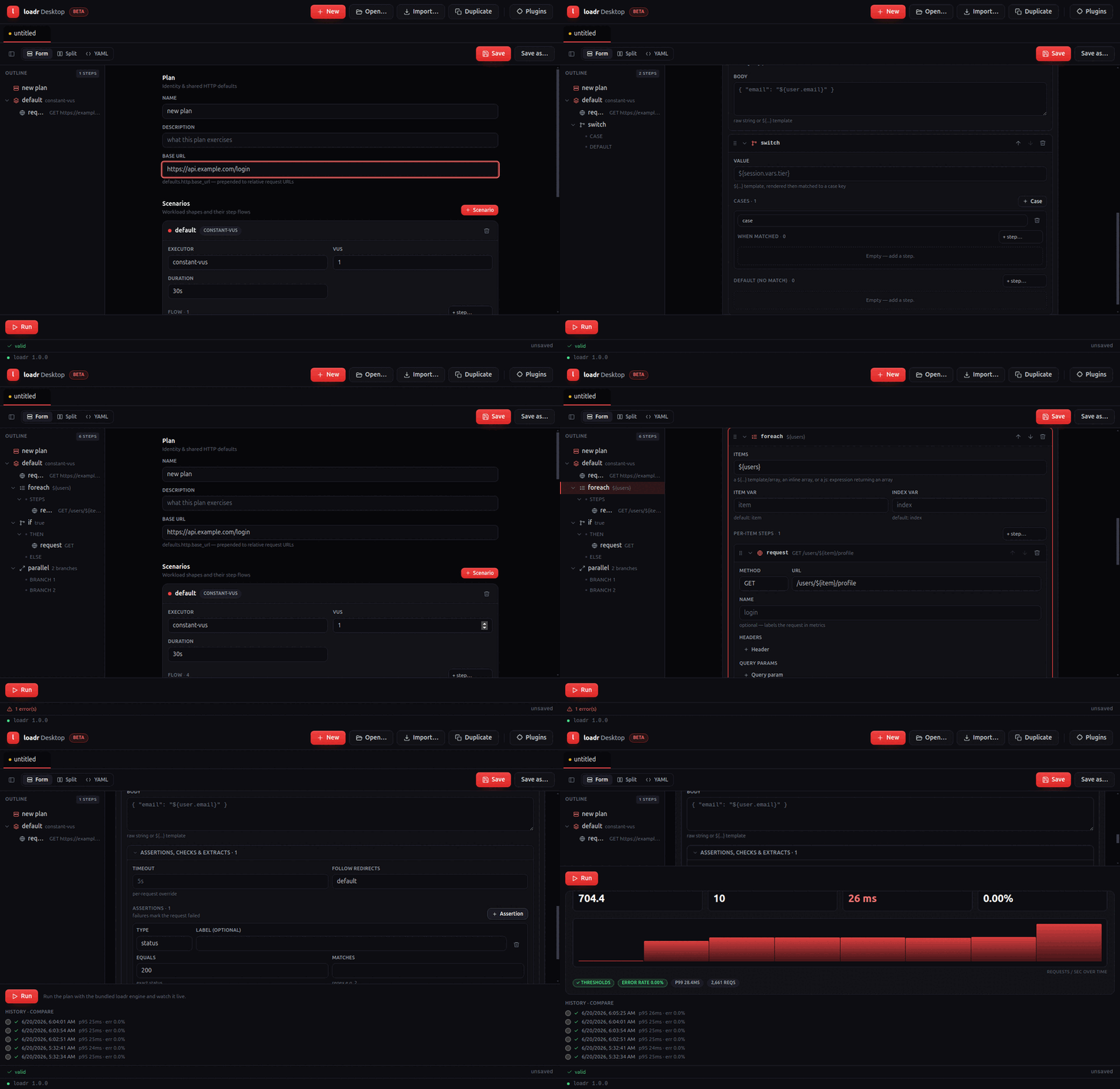
What it does
- Tabbed workspace — one plan per tab, dirty-state markers, New / Open / Import / Duplicate.
- Forms-first composer — a schema-shaped form for the whole plan with a real
editor for every step kind (
request,think_time,js,group,repeat,while,if,foreach,switch,during,retry,parallel,random,rendezvous), including recursive nested-step editors. You never have to drop to YAML to build a plan. - Request assertions, checks & extractors — status/jsonpath/header/duration and the rest of the condition set, plus classic extractors (jsonpath/regex/xpath/css/boundary/header).
- Plan outline — a left-hand tree (Plan → scenarios → flow, recursing through nested steps); click a node to jump to its card.
- Optional YAML view — a
Form / Split / YAMLtoggle backed by Monaco, two-way synced with the forms. Forms-first by default. - Drag-and-drop flow composition, keyboard-accessible (dnd-kit).
- Import JMeter / k6 / HAR via
loadr convert. - Generate with AI — describe a test in plain English ("200 VUs for 2m
against
POST /checkout, assert 200 and p95 < 400ms") or point loadr at a repository (local folder or git URL); it reads the OpenAPI spec / routes and writes a test covering them. Every generated plan is validated againstloadr validate(with one automatic repair pass) before it opens in a tab. Works with your choice of provider — Anthropic (Claude), OpenAI (GPT), Google (Gemini) or xAI (Grok) — using your own API key per provider, stored OS-encrypted; all calls happen in the main process (the renderer stays sandboxed). - Run + live monitoring — a dashboard mirroring the
web UI: live Requests/s, Active VUs, p95 and error tiles, a
streaming throughput chart, threshold pills, a Stop control, plus run
history and run-to-run compare. Every figure comes from the CLI's live
progress stream and
--summary-exporttimeline. Export JUnit writes the run's JUnit report for CI ingestion. - Plugins panel — list / install / remove protocol plugins via
loadr plugin.
How the CLI is bundled
A packaged build is self-contained. At build time
desktop/scripts/stage-loadr.mjs copies the platform-correct loadr binary into
desktop/resources/bin/, and electron-builder ships it via extraResources
(so it lands at <app>/resources/bin/loadr, outside the asar archive and kept
executable). At runtime the app resolves the binary bundled first, then
$LOADR_BIN, then PATH.
Security model
contextIsolationon,nodeIntegrationoff, sandboxed renderer.- The renderer never spawns processes or touches the filesystem; it reaches the main process only through a small, typed, allow-listed preload bridge.
- loadr is spawned with array arguments only — never a shell string — so plan
content can never be interpreted by a shell. Plan content is never
eval'd.
Round-trip guarantee
Opening a .yaml renders the UI; editing it (forms or Monaco) saves YAML that
loadr validate accepts. Property tests prove parse → serialize → parse
preserves the plan over the repo's examples/ corpus, and that a composed plan
covering every step kind validates against the CLI.
Building from source
cd desktop
npm install
npm run dev        # launch (needs a display)
npm test           # unit + round-trip (headless)
npm run package    # stage loadr + electron-builder for this platform
See desktop/README.md
for the full developer guide, CI layout and known environment blockers.
Troubleshooting
The app diagnoses a broken engine on startup and shows a banner explaining the fix, rather than surfacing a raw error on your first run:
- "The bundled loadr engine doesn't match this Mac's processor" — update to the latest loadr Desktop. macOS builds bundle a universal2 loadr engine (both Intel and Apple Silicon slices in one binary), so either download runs natively on either Mac. If you're on an old build, get the latest from loadr.io/download.
- "Couldn't find the loadr engine" — the install is incomplete; reinstall,
or set
LOADR_BINto aloadrbinary. - "…isn't executable (permission denied)" — reinstall, or
chmod +xthe bundled binary.
Plugin system overview
loadr extends through five plugin types over two mechanisms — without rebuilding the binary and without a JVM.
| Plugin type | Extends | Typical examples |
|---|---|---|
protocol | new request kinds in flow: | MQTT, Kafka, Redis, database drivers |
output | metric exporters | proprietary APMs, custom data lakes |
extractor | new extract: types | HTML tables, protobuf bodies, JWT claims |
assertion | new condition types | schema validation, image diffing |
service | long-running components | the web UI itself, webhook notifiers |
Two mechanisms
- WASM components (wasmtime, WIT-defined interface) — for
extractors and assertions: portable (one
.wasmruns on every platform), fully sandboxed (no filesystem/network unless granted), written in any language with component tooling. - Native libraries (
abi_stable) — for protocols, outputs and services where raw performance or arbitrary system access matters. Layout-checked at load time: an ABI-incompatible plugin fails loudly with a useful error, not undefined behaviour. Native plugins are normally written in Rust.
Native plugins do not have to be Rust. A small, frozen
plain C ABI lets you write a protocol plugin in C, Go, Zig, or
any language that emits a C shared library — loadr auto-detects which ABI a
library exports at load time, so both kinds coexist transparently.
Installing & using
loadr plugin list
loadr plugin install ./uppercase-extractor/   # dir with plugin.toml + artifact
loadr plugin info uppercase-extractor
loadr plugin disable uppercase-extractor
Plugins live in ~/.loadr/plugins/<name>/ (override:
LOADR_PLUGINS_DIR or --plugins-dir), each with a manifest:
# plugin.toml
[plugin]
name = "uppercase-extractor"
version = "0.1.0"
kind = "extractor"            # protocol | output | extractor | assertion | service
type = "wasm"                 # wasm | native
entry = "uppercase.wasm"
description = "Boundary extractor that upper-cases the match"
Reference plugins from a test:
plugins:
  - { name: uppercase-extractor, config: { left: "id=", right: ";" } }
  - { name: kafka-protocol, path: ./libkafka_protocol.so }   # explicit path

scenarios:
  s:
    flow:
      - request:
          protocol: kafka-protocol          # protocol plugins by name
          url: kafka://broker:9092/topic
Working examples of every type ship in
plugins/examples/ —
start there, then read Developing a plugin.
Installing plugins
loadr ships a small core; extra protocols, outputs and helpers are delivered
as plugins. The easiest way to get one is to install it by name from the
plugin index — a JSON catalogue that maps a short name to the right
per-platform artifact, with a sha256 for each download.
loadr plugin install mongo
This resolves mongo in the index, picks the artifact for your host target
(e.g. x86_64-unknown-linux-gnu), checks it against the plugin ABI your
loadr build provides, downloads it, verifies its sha256, unpacks it and
installs it into your plugins directory (~/.loadr/plugins, or
$LOADR_PLUGINS_DIR).
The index
The default index is the catalogue published on main:
https://raw.githubusercontent.com/levantar-ai/loadr/main/plugins/index.json
Override it with --index <url> or the LOADR_PLUGIN_INDEX environment
variable (the flag wins). The index format is versioned ("schema": 1); an
unknown schema is rejected rather than mis-parsed.
{
  "schema": 1,
  "plugins": {
    "mongo": {
      "kind": "protocol",
      "description": "MongoDB protocol …",
      "latest": "1.0.0",
      "versions": {
        "1.0.0": {
          "min_loadr_abi": "1.0",
          "artifacts": {
            "x86_64-unknown-linux-gnu": {
              "url": "https://…/mongo-x86_64-unknown-linux-gnu.tar.gz",
              "sha256": "…",
              "entry": "libloadr_plugin_mongo.so"
            }
          }
        }
      }
    }
  }
}
Each artifact tarball/zip contains a plugin.toml and the plugin's dynamic
library. The per-platform artifact filename matters:
libloadr_plugin_<name>.so on Linux, .dylib on macOS and
loadr_plugin_<name>.dll on Windows. After unpacking, loadr reconciles the
installed artifact's name with the manifest's entry.
Commands
# Search the index
loadr plugin search mongo

# Install the latest indexed version for this host
loadr plugin install mongo

# Pin a version / override the host target
loadr plugin install mongo --version 1.0.0 --target aarch64-apple-darwin

# Re-install newer, ABI-compatible versions
loadr plugin update            # every index-managed plugin
loadr plugin update mongo      # just one

# Remove an installed plugin
loadr plugin remove mongo

# List what's installed / inspect one
loadr plugin list
loadr plugin info mongo
ABI compatibility
Every indexed version declares a min_loadr_abi. loadr refuses to install a
build that needs a newer plugin ABI than the running binary provides, with a
clear message telling you to upgrade loadr or pick another version. The
native loader performs the precise abi_stable layout check at load time as a
second line of defence.
If the index has no artifact for your target triple, the install fails listing the targets that are available.
Trust and verification
-
Index installs are the trusted path. The sha256 in the index is always verified after download; a mismatch aborts the install.
-
Other sources require
--allow-untrusted, because their integrity is not pinned by the official index:# A GitHub release's assets (asset matched to the host target triple) loadr plugin install github:owner/repo@v1.2.0 --allow-untrusted # An arbitrary archive URL or a local archive file loadr plugin install https://example.com/myplugin.tar.gz --allow-untrusted loadr plugin install ./dist/myplugin.tar.gz --allow-untrusted -
A local directory containing
plugin.tomlinstalls directly, unchanged from earlierloadrreleases and handy during development:loadr plugin install ./dist
Signing (TODO). sha256 pins integrity today. Signature / SLSA-provenance verification of the index and artifacts is a planned hook: the index
schemawill carry a signature block andloadrwill verify it before trusting any entry. Until then, the index is trusted by transport (HTTPS to the project's repo) and each artifact by its sha256.
Where plugins live
Installed plugins are directories under the plugins dir, one per plugin:
~/.loadr/plugins/
└── mongo/
    ├── plugin.toml
    └── libloadr_plugin_mongo.so
Disable one without removing it (loadr plugin disable mongo writes a
disabled marker); re-enable with loadr plugin enable mongo.
WASM plugins
WASM plugins are component-model
components against the WIT world in
crates/loadr-plugin-api/wit/loadr.wit.
The host runs them in wasmtime with no filesystem and no network — a
malicious or buggy extractor can waste CPU, nothing else.
The interface (abridged):
package loadr:plugin;

interface meta {
  record info { name: string, version: string, kind: string, description: string }
  describe: func() -> info;
}

interface extractor {
  /// body + headers + the plugin's JSON config -> extracted value (or none)
  extract: func(body: list<u8>, headers: list<tuple<string,string>>, config: string) -> option<string>;
}

interface assertion {
  record verdict { pass: bool, detail: string }
  check: func(status: s64, body: list<u8>, headers: list<tuple<string,string>>,
              duration-ms: f64, config: string) -> verdict;
}
Writing one in Rust
cargo new --lib my-extractor && cd my-extractor
rustup target add wasm32-wasip2
# Cargo.toml
[lib]
crate-type = ["cdylib"]
[dependencies]
wit-bindgen = "0.58"
#![allow(unused)]
fn main() {
wit_bindgen::generate!({ path: "wit", world: "loadr-plugin" });

struct Plugin;

impl exports::loadr::plugin::meta::Guest for Plugin {
    fn describe() -> exports::loadr::plugin::meta::Info { /* ... */ }
}

impl exports::loadr::plugin::extractor::Guest for Plugin {
    fn extract(body: Vec<u8>, _headers: Vec<(String, String)>, config: String) -> Option<String> {
        let cfg: serde_json::Value = serde_json::from_str(&config).ok()?;
        // ... your logic ...
    }
}

export!(Plugin);
}
cargo build --release --target wasm32-wasip2
# target/wasm32-wasip2/release/my_extractor.wasm is the component
Package it with a plugin.toml (type = "wasm") and loadr plugin install.
Any language with component tooling (Go via TinyGo, Python via componentize-py,
JS via jco) works the same way.
Using it
plugins: [ { name: my-extractor, config: { left: "id=", right: ";" } } ]
scenarios:
  s:
    flow:
      - request:
          url: /page
          extract:
            - { type: plugin, name: order_id, plugin: my-extractor }
(Plugin extractors/assertions are addressed by plugin name; their config
from the plugins: entry is passed to every call.)
Native plugins
Native plugins are dynamic libraries (.so/.dylib/.dll) using
abi_stable for a checked, versioned ABI:
at load time the library's type layouts are validated against the host's, so
mismatched versions fail with a clear error instead of undefined behaviour.
Data crosses the boundary as JSON strings — a deliberate trade: marshalling cost is negligible at plugin-call frequency, and it keeps the ABI surface tiny and forward-compatible.
The interface
loadr-plugin-api exposes #[sabi_trait] object types:
#![allow(unused)]
fn main() {
#[sabi_trait]
pub trait FfiOutput {
    fn name(&self) -> RString;
    fn start(&mut self, config_json: RString) -> RResult<(), RString>;
    fn on_samples(&mut self, samples_json: RString);
    fn on_snapshot(&mut self, snapshot_json: RString);
    fn finish(&mut self, summary_json: RString);
}

#[sabi_trait]
pub trait FfiProtocol {
    fn name(&self) -> RString;
    /// request JSON -> response JSON ({status, headers, body_base64, duration_ms, ...})
    fn execute(&self, request_json: RString) -> RString;
}

#[sabi_trait]
pub trait FfiService {
    fn name(&self) -> RString;
    fn start(&mut self, config_json: RString) -> RResult<RString, RString>;
    fn stop(&mut self);
}
}
A plugin exports one root module advertising what it provides:
#![allow(unused)]
fn main() {
use loadr_plugin_api::export_loadr_plugin;

export_loadr_plugin! {
    info: my_info_fn,
    output: make_my_output,      // any subset of output / protocol / service
}
}
Building
# Cargo.toml
[lib]
crate-type = ["cdylib"]
[dependencies]
loadr-plugin-api = "0.1"
abi_stable = "0.11"
cargo build --release
# package target/release/libmy_plugin.so with a plugin.toml (type = "native")
The two shipped examples are the best reference:
plugins/examples/native-output— an output plugin writing snapshot digests to a file;plugins/examples/native-protocol— anecho-protoprotocol handler, including howrequest.options.pluginconfig reaches yourexecute.
Safety notes
Native plugins run in-process with full privileges — treat them like any
dependency you compile in. Prefer WASM for anything that doesn't strictly
need native capability. loadr refuses to load a plugin whose abi_stable
layout check fails, and loadr plugin info shows what a library exports
before you enable it.
Writing a plugin in another language (C ABI)
loadr's native plugins normally use
abi_stable, whose compile-time layout
handshake is Rust-to-Rust only — no other language can reproduce it. To
let you write a protocol plugin in C, Go, Zig, or anything that can emit a
C shared library, loadr also accepts plugins built against a small, frozen
plain C ABI: pointers, lengths, and a plugin-owned allocator. No
abi_stable, no Rust types cross the boundary.
When a native library is loaded, loadr probes for the C entry symbol
(loadr_plugin_abi_version). If present it is loaded as a C-ABI plugin;
otherwise it falls back to the abi_stable path. Both kinds route through the
same engine machinery, so scheme routing, metrics, and plugin.toml work
identically.
Scope. The C ABI currently covers
protocolplugins only. Outputs and services remain Rust/abi_stable (they have richer, stateful lifecycles).
The C symbol contract (ABI version 1)
A C-ABI plugin is a shared library that exports exactly these four
extern "C" symbols:
#include <stddef.h>
#include <stdint.h>

// The C-ABI version this plugin targets. The host refuses to load a plugin
// whose version it does not understand (current host version: 1).
uint32_t loadr_plugin_abi_version(void);

// PluginInfo as UTF-8 JSON; *out_len receives the byte length.
// Buffer is plugin-owned: the host copies it, then calls loadr_plugin_free.
uint8_t *loadr_plugin_info(size_t *out_len);

// Execute one request. `req`/`req_len` is a UTF-8 JSON FfiRequest.
// Returns a UTF-8 JSON FfiResponse of length *out_len, plugin-owned
// (freed via loadr_plugin_free).
uint8_t *loadr_plugin_execute(const uint8_t *req, size_t req_len, size_t *out_len);

// Free a buffer previously returned by info()/execute(), with the exact
// ptr/len the plugin returned.
void loadr_plugin_free(uint8_t *ptr, size_t len);
Allocator rule
Every buffer the plugin returns is plugin-owned. The host copies the bytes
it needs and then hands the buffer back to loadr_plugin_free(ptr, len) with
the exact pointer and length the plugin returned. This keeps allocation and
deallocation on the same side of the boundary — the host never frees plugin
memory with its own allocator. A null return with *out_len == 0 is treated
as an empty buffer and is not passed to free.
Threading rule
The host calls loadr_plugin_execute concurrently from many worker
threads (one virtual user per thread, all sharing the one loaded library).
Your execute must be thread-safe — exactly the contract the Rust
FfiProtocol: Send + Sync bound expresses. info and abi_version are called
once, on the loading thread, before any execute.
No unwinding across the boundary
execute must not let an exception / panic / longjmp cross the FFI boundary
(undefined behaviour). Report failures in the response error field instead.
ABI versioning
loadr_plugin_abi_version returns the C-ABI version the plugin was written
against. The host compares it to its own LOADR_C_ABI_VERSION (currently 1)
and refuses to load a mismatch with a clear error. This version is separate
from the abi_stable surface version; the two evolve independently. It is bumped
only on an incompatible change to the four symbols above. (Adding a field to
the request/response JSON is not a break — see below.)
The JSON request / response shapes
Payloads cross as JSON, identical to the abi_stable path
(loadr_plugin_api::native::FfiRequest / FfiResponse). Adding a field is
forward-compatible, never an ABI break.
Request (loadr_plugin_execute input):
{
  "name": "echo something",      // request name from the YAML flow
  "method": "SEND",
  "url": "cecho://host/path",
  "headers": [["x-test", "1"]],
  "body_b64": "cGluZw==",        // request body, base64
  "timeout_ms": 5000,
  "options": { ... },             // the request's `plugin:` block (may be absent)
  "config": { ... }               // manifest [config] + per-run overrides
}
Response (loadr_plugin_execute output):
{
  "status": 200,                  // i64; your protocol's status code
  "status_text": "OK",
  "headers": [["x-cecho", "1"]],
  "body_b64": "cGluZw==",        // response body, base64
  "duration_ms": 1.5,             // request latency you measured
  "error": null,                  // a string fails the request
  "extras": { "echoed_by": "c-echo" }  // free-form; surfaces in metrics/checks
}
All fields except status/body_b64 are optional and default sensibly.
plugin.toml
Package the library with a manifest, same as any native plugin. You may add an
optional abi = "c" hint, but it is not required — the host auto-detects:
[plugin]
name = "cecho"
version = "0.1.0"
kind = "protocol"
type = "native"
abi = "c"                 # optional hint; "native" forces abi_stable
entry = "libloadr_plugin_cecho.so"
description = "Echo protocol plugin written in C (C-ABI)"
schemes = ["cecho"]       # URL scheme(s) this plugin serves
Worked example: c-echo
A complete, dependency-free C plugin ships in
examples/plugins/c-echo/.
It serves the cecho:// scheme and echoes each request body back with status
200.
Build it
cd examples/plugins/c-echo
make                 # -> libloadr_plugin_cecho.so
Platform notes for the shared library:
| Platform | Command | Artifact |
|---|---|---|
| Linux | cc -O2 -fPIC -shared -o libloadr_plugin_cecho.so cecho.c | .so |
| macOS | cc -O2 -fPIC -dynamiclib -o libloadr_plugin_cecho.dylib cecho.c | .dylib |
| Windows | cl /LD /Fe:loadr_plugin_cecho.dll cecho.c | .dll |
Set entry in plugin.toml to match the artifact name for your platform.
Run it
Reference the built artifact straight from a test plan:
name: c-echo-smoke
plugins:
  - name: cecho
    path: examples/plugins/c-echo/libloadr_plugin_cecho.so

scenarios:
  echo:
    executor: shared-iterations
    vus: 2
    iterations: 4
    flow:
      - request:
          name: echo something
          url: cecho://localhost/whatever
          method: SEND
          body: "ping-from-loadr"
          assert:
            - { type: status, equals: 200 }
            - { type: body_contains, value: "ping-from-loadr" }
$ loadr run c-echo-smoke.yaml
  c-echo-smoke — 1 scenario(s)
  cecho_reqs....................: 4
  http_req_failed...............: 0.00% — ✓ 0 ✗ 4
The cecho:// scheme routed to the plugin, every request echoed its body, and
both assertions passed. The metric family (cecho_*) is derived from the
plugin's name, exactly as for Rust native plugins.
Implementing it
The interesting parts of cecho.c:
#define LOADR_C_ABI_VERSION 1u

uint32_t loadr_plugin_abi_version(void) { return LOADR_C_ABI_VERSION; }

void loadr_plugin_free(uint8_t *ptr, size_t len) { (void)len; free(ptr); }

uint8_t *loadr_plugin_info(size_t *out_len) {
    // malloc'd JSON: name/version/kind="protocol"/description/schemes
    return dup_bytes("{\"name\":\"cecho\", ... ,\"schemes\":[\"cecho\"]}", out_len);
}

uint8_t *loadr_plugin_execute(const uint8_t *req, size_t req_len, size_t *out_len) {
    // 1. read body_b64 / method out of the request JSON
    // 2. build a malloc'd FfiResponse JSON that echoes the body
    // 3. write its length to *out_len and return it
}
c-echo does minimal hand-rolled JSON scanning to stay dependency-free; a real
plugin would link a JSON library (e.g. cJSON, or use Go's encoding/json).
Example: a plugin in Go
Any toolchain that emits a C shared library exporting the four symbols works.
The repo ships a complete Go example at examples/plugins/go-echo/ — a sibling
to c-echo that serves the goecho:// scheme. Go builds a C shared library
with go build -buildmode=c-shared, exposes functions to C with //export
directives, and — crucially — allocates returned buffers with the C
allocator (C.malloc) so the host's loadr_plugin_free (which calls C.free)
matches. Because Go has encoding/json, parsing the request and emitting the
response is just struct (un)marshalling — no hand-rolled JSON like the C example.
package main

/*
#include <stdint.h>
#include <stdlib.h>
*/
import "C"

import (
	"encoding/json"
	"unsafe"
)

const loadrCABIVersion = 1

func main() {} // required by -buildmode=c-shared

//export loadr_plugin_abi_version
func loadr_plugin_abi_version() C.uint32_t { return C.uint32_t(loadrCABIVersion) }

//export loadr_plugin_free
func loadr_plugin_free(ptr *C.uint8_t, length C.size_t) { C.free(unsafe.Pointer(ptr)) }

//export loadr_plugin_execute
func loadr_plugin_execute(req *C.uint8_t, reqLen C.size_t, outLen *C.size_t) *C.uint8_t {
	in := C.GoBytes(unsafe.Pointer(req), C.int(reqLen))
	var r struct {
		Method  string `json:"method"`
		BodyB64 string `json:"body_b64"`
	}
	_ = json.Unmarshal(in, &r)
	resp, _ := json.Marshal(map[string]any{
		"status": 200, "status_text": "OK",
		"body_b64": r.BodyB64, "extras": map[string]any{"echoed_by": "go-echo"},
	})
	return cBytes(resp, outLen)
}

// cBytes copies into a C-allocated buffer so loadr_plugin_free (C.free) matches.
func cBytes(b []byte, outLen *C.size_t) *C.uint8_t {
	if len(b) == 0 {
		*outLen = 0
		return nil
	}
	p := C.malloc(C.size_t(len(b)))
	copy(unsafe.Slice((*byte)(p), len(b)), b)
	*outLen = C.size_t(len(b))
	return (*C.uint8_t)(p)
}
(loadr_plugin_info is elided here for brevity — see the full source.) Build,
install and run it exactly like the C example:
make -C examples/plugins/go-echo            # -> libloadr_plugin_goecho.so
mkdir -p dist && cp examples/plugins/go-echo/plugin.toml dist/ \
  && cp examples/plugins/go-echo/libloadr_plugin_goecho.so dist/
loadr plugin install dist                   # ✓ installed `goecho` v0.1.0 (protocol, native)
loadr run examples/35-go-echo.yaml          # goecho_reqs: …  http_req_failed: 0.00%
The same recipe applies to Zig, Swift, Rust (a cdylib exporting the plain C
symbols instead of the abi_stable ones), or any language with a C FFI.
Safety
Like all native plugins, C-ABI plugins run in-process with full privileges — treat them as trusted code. The host validates the ABI version on load and copies every buffer immediately, but it cannot sandbox native code. Prefer WASM plugins for anything that does not need native capability.
MongoDB plugin
loadr-plugin-mongo adds MongoDB as a load-test target. It is a native
protocol plugin: MongoDB support is not built into loadr core — the heavy
mongodb Rust driver ships only inside this plugin's dynamic library. Once the
plugin is installed, a request to a mongodb:// (or mongo://) URL routes
straight to it.
It is the first plugin built on loadr's runtime protocol-plugin path; the contract it uses is documented in Developing a plugin.
Build and install
cargo build -p loadr-plugin-mongo --release

# `loadr plugin install` copies a directory that holds plugin.toml next to the
# artifact named by its `entry`. Stage the built cdylib beside the manifest:
mkdir -p dist
cp plugins/loadr-plugin-mongo/plugin.toml dist/
cp target/release/libloadr_plugin_mongo.so dist/   # .dylib on macOS, .dll on Windows
loadr plugin install dist
loadr plugin info mongo
Installing copies plugin.toml and the artifact into ~/.loadr/plugins/mongo/.
The manifest declares the URL schemes the plugin serves:
[plugin]
name = "mongo"
kind = "protocol"
type = "native"
entry = "libloadr_plugin_mongo.so"
schemes = ["mongodb", "mongo"]
Use it in a test
List the plugin under plugins: and target a mongodb:// URL. The operation
is described by the request's plugin: block:
plugins:
  - name: mongo            # or: { name: mongo, path: target/release/libloadr_plugin_mongo.so }

scenarios:
  main:
    executor: constant-vus
    vus: 5
    duration: 15s
    flow:
      - request:
          name: insert product
          url: mongodb://user:pass@host:27017/loadr
          plugin:
            operation: insert
            collection: products
            document: { name: "vu-${vu}-item", price: 12.5, stock: 3 }
          assert:
            - { type: status, equals: 1 }      # 1 = ok, 0 = driver error

      - request:
          name: find cheap products
          url: mongodb://user:pass@host:27017/loadr
          plugin:
            operation: find
            collection: products
            filter: { price: { $lt: 50 } }
            limit: 100

      - request:
          name: stock by tag
          url: mongodb://user:pass@host:27017/loadr
          plugin:
            operation: aggregate
            collection: products
            pipeline:
              - { $unwind: "$tags" }
              - { $group: { _id: "$tags", total: { $sum: "$stock" } } }
A complete runnable plan is in examples/28-mongo.yaml.
Request options (plugin: block)
| Key | Type | Used by | Notes |
|---|---|---|---|
operation | string | all | insert, find, update, delete, aggregate, command |
database | string | all (optional) | Defaults to the database in the URI path |
collection | string | all except command | Required |
document | object | insert | Insert one document |
documents | array | insert | Insert many documents |
filter | object | find, update, delete | Defaults to {} (match all) |
update | object | update | e.g. { "$set": { ... } } |
pipeline | array | aggregate | Aggregation stages |
command | object | command | Raw database command |
limit | integer | find | Optional |
multi | bool | update, delete | Operate on many docs (default false) |
${...} placeholders inside any string leaf are interpolated by loadr before
the plugin runs, so values can reference VU state, variables, and data feeds.
Metrics
loadr turns the plugin's response into a dedicated metric family named after the
protocol (mongo):
| Metric | Kind | Meaning |
|---|---|---|
mongo_reqs | counter | One per operation |
mongo_req_duration | trend | Operation latency (ms) |
mongo_docs | counter | Documents inserted / matched+modified / deleted / returned |
A request is marked failed when the operation errors (response status 0).
http_req_failed therefore tracks the Mongo failure rate too, and checks /
assert entries can gate on status (1 = ok).
Connection pooling
The plugin keeps an internal pool of mongodb::Client handles keyed by the full
connection URI, shared across every VU. A Client is itself an internally
pooled, cheaply-cloned handle, so one per distinct URI is the correct model
under load — the first request for a URI establishes it, and all subsequent
requests (any VU) reuse it. The plugin owns a single Tokio runtime and
block_ons the async driver, because the protocol ABI is synchronous and
carries no per-VU context across the FFI boundary.
Testing against a real server
The example harness brings up mongo:7 with seed data:
docker compose -f examples/harness/docker-compose.yml up -d mongo

LOADR_TEST_MONGO_URL=mongodb://loadr:loadr@127.0.0.1:27017/loadr \
  cargo test -p loadr-plugin-mongo
The integration tests no-op when LOADR_TEST_MONGO_URL is unset.
PostgreSQL plugin
loadr-plugin-postgres adds PostgreSQL as a load-test target. It is a
native protocol plugin: PostgreSQL support is not built into loadr core —
the heavy sqlx driver ships only inside
this plugin's dynamic library. The plugin enables only sqlx's postgres
feature, so it never pulls in sqlx-mysql (or its transitive rsa dependency,
RUSTSEC-2023-0071): a PostgreSQL-only build is fully advisory-clean. MySQL
lives in the separate MySQL plugin. Once installed, a request to a
postgres:// or postgresql:// URL routes straight to this plugin.
The contract it uses is documented in Developing a plugin.
When to use
Reach for this when the thing under test is the database: validating a schema
or index under write pressure, sizing a connection pool, finding the row count
at which a query falls over, or proving latency holds at a steady query rate.
For an application that merely uses a database behind an HTTP API, test the API
with the http handler instead.
Build and install
cargo build -p loadr-plugin-postgres --release

# `loadr plugin install` copies a directory that holds plugin.toml next to the
# artifact named by its `entry`. Stage the built cdylib beside the manifest:
mkdir -p dist
cp plugins/loadr-plugin-postgres/plugin.toml dist/
cp target/release/libloadr_plugin_postgres.so dist/   # .dylib on macOS, .dll on Windows
loadr plugin install dist
loadr plugin info postgres
Installing copies plugin.toml and the artifact into ~/.loadr/plugins/postgres/.
The manifest declares the URL schemes the plugin serves:
[plugin]
name = "postgres"
kind = "protocol"
type = "native"
entry = "libloadr_plugin_postgres.so"
schemes = ["postgres", "postgresql"]
The target URL
postgres://[user[:password]@]host[:port][/database][?params]
- scheme is
postgres(aliaspostgresql). - port defaults to the PostgreSQL standard port (
5432). - credentials, database, and query parameters are passed straight to the
driver, so any URL
sqlxaccepts works here — including?sslmode=requirefor TLS.
Use it in a test
List the plugin under plugins: and target a postgres:// URL. The statement
and its bind parameters go in the request's sql block:
plugins:
  - name: postgres      # or: { name: postgres, path: target/release/libloadr_plugin_postgres.so }

scenarios:
  main:
    executor: constant-vus
    vus: 10
    duration: 30s
    flow:
      - request:
          name: list cheap products
          url: postgres://loadr:loadr@db.example.com:5432/loadr
          sql:
            query: SELECT id, name, price FROM products WHERE price < $1 ORDER BY price
            params: ["50"]
          checks:
            - { type: status, equals: 1 }                 # 1 = ok, 0 = DB error
            - { type: duration, name: query is fast, max: 250ms }

      - request:
          name: insert order
          url: postgres://loadr:loadr@db.example.com:5432/loadr
          sql:
            query: INSERT INTO orders (sku, qty) VALUES ($1, $2)
            params: ["${row.sku}", "${row.qty}"]
          assert:
            - { type: status, equals: 1 }
A complete runnable plan is in examples/27-postgres.yaml.
Expressing the query
query— the SQL to run. Use PostgreSQL's$1, $2, …placeholder syntax for parameters.params— positional bind values, bound safely by the driver (never string-spliced, so there is no SQL-injection surface). Each value is given as text; the plugin infers a type so comparisons against numeric columns work — a value that parses as an integer binds as an integer, a decimal as a float, everything else as text.
${...} interpolation works in both query and params, so per-VU values and
data-feed columns flow straight into the statement. As a shorthand, a request
with no sql block uses its body as the query text (no parameters); an
empty query is rejected.
Status, rows, and errors
A request succeeds when the query executes without a database error:
| Outcome | status | error | extras.rows |
|---|---|---|---|
| SELECT / WITH / SHOW … | 1 | — | rows returned |
| INSERT / UPDATE / DELETE | 1 | — | rows affected |
| database error (bad SQL, constraint, …) | 0 | the DB message | — |
| connection failure / timeout | 0 | the transport error | — |
extras carries:
extras.backend—postgres.extras.rows— rows returned (row-producing statements) or affected (DML).
The response body is the row count rendered as text, so body-based checks
and extraction still work.
Metrics
loadr turns the plugin's response into the postgres metric family:
| Metric | Kind | Meaning |
|---|---|---|
postgres_reqs | counter | queries executed |
postgres_req_duration | trend (time) | per-query latency (ms) |
postgres_rows | counter | total rows returned/affected |
thresholds:
  checks: [ "rate>0.99" ]
  postgres_req_duration: [ "p(95)<100ms" ]
A request is marked failed when the query errors (response status 0), so
http_req_failed (the shared failure-rate metric) tracks DB errors too.
Connection pooling
The plugin keeps an internal sqlx::Pool keyed by the full connection URI,
shared across every VU. A pool is itself a set of cheaply-cloned, reused
connections, so one per distinct URI is the correct model under load — the first
request for a URI establishes it, and all subsequent requests (any VU) reuse it.
The plugin owns a single Tokio runtime and block_ons the async driver, because
the protocol ABI is synchronous and carries no per-VU context across the FFI
boundary.
Testing against a real server
The example harness brings up PostgreSQL with a seeded products table:
docker compose -f examples/harness/docker-compose.yml up -d postgres

LOADR_TEST_POSTGRES_URL=postgres://loadr:loadr@127.0.0.1:5432/loadr \
  cargo test -p loadr-plugin-postgres
The integration tests no-op when LOADR_TEST_POSTGRES_URL is unset.
MySQL plugin
loadr-plugin-mysql adds MySQL as a load-test target. It is a native
protocol plugin: MySQL support is not built into loadr core — the heavy
sqlx driver ships only inside this
plugin's dynamic library. The plugin enables only sqlx's mysql feature.
Advisory note. The
mysqlfeature pulls insqlx-mysqland its transitiversacrate (a Marvin timing side-channel with no fixed release yet).rsais only reachable for MySQLcaching_sha2/sha256password auth over a non-TLS connection, and load-test targets are operator-controlled, so this is accepted. If you only need PostgreSQL, install the advisory-clean PostgreSQL plugin instead —rsalives only in this MySQL plugin.
Once installed, a request to a mysql:// URL routes straight to this plugin.
The contract it uses is documented in
Developing a plugin.
When to use
Reach for this when the thing under test is the database: validating a schema
or index under write pressure, sizing a connection pool, finding the row count
at which a query falls over, or proving latency holds at a steady query rate.
For an application that merely uses a database behind an HTTP API, test the API
with the http handler instead.
Build and install
cargo build -p loadr-plugin-mysql --release

# `loadr plugin install` copies a directory that holds plugin.toml next to the
# artifact named by its `entry`. Stage the built cdylib beside the manifest:
mkdir -p dist
cp plugins/loadr-plugin-mysql/plugin.toml dist/
cp target/release/libloadr_plugin_mysql.so dist/   # .dylib on macOS, .dll on Windows
loadr plugin install dist
loadr plugin info mysql
Installing copies plugin.toml and the artifact into ~/.loadr/plugins/mysql/.
The manifest declares the URL scheme the plugin serves:
[plugin]
name = "mysql"
kind = "protocol"
type = "native"
entry = "libloadr_plugin_mysql.so"
schemes = ["mysql"]
The target URL
mysql://[user[:password]@]host[:port][/database][?params]
- scheme is
mysql. - port defaults to the MySQL standard port (
3306). - credentials, database, and query parameters are passed straight to the
driver, so any URL
sqlxaccepts works here — including?ssl-mode=REQUIREDfor TLS.
Use it in a test
List the plugin under plugins: and target a mysql:// URL. The statement and
its bind parameters go in the request's sql block:
plugins:
  - name: mysql         # or: { name: mysql, path: target/release/libloadr_plugin_mysql.so }

scenarios:
  main:
    executor: constant-vus
    vus: 10
    duration: 30s
    flow:
      - request:
          name: count in-stock products
          url: mysql://loadr:loadr@db.example.com:3306/loadr
          sql:
            query: SELECT COUNT(*) AS n FROM products WHERE stock > ?
            params: ["0"]
          checks:
            - { type: status, equals: 1 }                 # 1 = ok, 0 = DB error
            - { type: duration, name: query is fast, max: 250ms }

      - request:
          name: insert order
          url: mysql://loadr:loadr@db.example.com:3306/loadr
          sql:
            query: INSERT INTO orders (sku, qty) VALUES (?, ?)
            params: ["${row.sku}", "${row.qty}"]
          assert:
            - { type: status, equals: 1 }
A complete runnable plan is in examples/29-mysql.yaml.
Expressing the query
query— the SQL to run. Use MySQL's?placeholder syntax for parameters.params— positional bind values, bound safely by the driver (never string-spliced, so there is no SQL-injection surface). Each value is given as text; the plugin infers a type so comparisons against numeric columns work — a value that parses as an integer binds as an integer, a decimal as a float, everything else as text.
${...} interpolation works in both query and params, so per-VU values and
data-feed columns flow straight into the statement. As a shorthand, a request
with no sql block uses its body as the query text (no parameters); an
empty query is rejected.
Status, rows, and errors
A request succeeds when the query executes without a database error:
| Outcome | status | error | extras.rows |
|---|---|---|---|
| SELECT / WITH / SHOW … | 1 | — | rows returned |
| INSERT / UPDATE / DELETE | 1 | — | rows affected |
| database error (bad SQL, constraint, …) | 0 | the DB message | — |
| connection failure / timeout | 0 | the transport error | — |
extras carries:
extras.backend—mysql.extras.rows— rows returned (row-producing statements) or affected (DML).
The response body is the row count rendered as text, so body-based checks
and extraction still work.
Metrics
loadr turns the plugin's response into the mysql metric family:
| Metric | Kind | Meaning |
|---|---|---|
mysql_reqs | counter | queries executed |
mysql_req_duration | trend (time) | per-query latency (ms) |
mysql_rows | counter | total rows returned/affected |
thresholds:
  checks: [ "rate>0.99" ]
  mysql_req_duration: [ "p(95)<100ms" ]
A request is marked failed when the query errors (response status 0), so
http_req_failed (the shared failure-rate metric) tracks DB errors too.
Connection pooling
The plugin keeps an internal sqlx::Pool keyed by the full connection URI,
shared across every VU. A pool is itself a set of cheaply-cloned, reused
connections, so one per distinct URI is the correct model under load — the first
request for a URI establishes it, and all subsequent requests (any VU) reuse it.
The plugin owns a single Tokio runtime and block_ons the async driver, because
the protocol ABI is synchronous and carries no per-VU context across the FFI
boundary.
Testing against a real server
The example harness brings up MySQL with a seeded products table:
docker compose -f examples/harness/docker-compose.yml up -d mysql

LOADR_TEST_MYSQL_URL=mysql://loadr:loadr@127.0.0.1:3306/loadr \
  cargo test -p loadr-plugin-mysql
The integration tests no-op when LOADR_TEST_MYSQL_URL is unset.
Redis plugin
loadr-plugin-redis adds Redis as a load-test target. It is a native
protocol plugin: Redis support is not built into loadr core. The plugin speaks
the RESP wire protocol directly over a raw TCP connection — no client
library, no OpenSSL, no pipelining — so every request is one command in, one
reply out, timed end to end. Once the plugin is installed, a request to a
redis:// (or rediss://) URL routes straight to it.
The contract it uses is documented in Developing a plugin.
Build and install
cargo build -p loadr-plugin-redis --release

# `loadr plugin install` copies a directory that holds plugin.toml next to the
# artifact named by its `entry`. Stage the built cdylib beside the manifest:
mkdir -p dist
cp plugins/loadr-plugin-redis/plugin.toml dist/
cp target/release/libloadr_plugin_redis.so dist/   # .dylib on macOS, .dll on Windows
loadr plugin install dist
loadr plugin info redis
Installing copies plugin.toml and the artifact into ~/.loadr/plugins/redis/.
The manifest declares the URL schemes the plugin serves:
[plugin]
name = "redis"
kind = "protocol"
type = "native"
entry = "libloadr_plugin_redis.so"
schemes = ["redis", "rediss"]
The target URL
redis://host[:port][/db]
- scheme must be
redis(orrediss). - port defaults to
6379when omitted. - db — an optional numeric path selects a database. On a freshly opened
connection the plugin issues
SELECT <db>before the first command; a failingSELECTsurfaces as a connection error.redis://host/3selects db 3;redis://hostleaves the default db 0.
Use it in a test
List the plugin under plugins: and target a redis:// URL. The command is the
plugin.command argv array:
plugins:
  - name: redis            # or: { name: redis, path: target/release/libloadr_plugin_redis.so }

scenarios:
  main:
    executor: constant-vus
    vus: 20
    duration: 15s
    flow:
      - request:
          name: set session
          url: redis://cache.example.com:6379
          plugin:
            command: ["SET", "session:${vu}", "active"]
          checks:
            - { type: status, equals: 0 }      # 0 = OK, 1 = RESP error reply
            - { type: body_contains, value: OK }

      - request:
          name: get session
          url: redis://cache.example.com:6379
          plugin:
            command: ["GET", "session:${vu}"]
          checks:
            - { type: body_contains, value: active }

      - request:
          name: increment counter
          url: redis://cache.example.com:6379
          plugin:
            command: ["INCR", "page:views"]
          checks:
            - { type: body_matches, pattern: '^[0-9]+$' }   # integer reply
A complete runnable plan is in examples/30-redis.yaml.
Expressing the command
The command is the plugin.command array — its elements (strings or numbers)
become the command name and its arguments, encoded as a RESP array of bulk
strings. As a fallback, the request body is accepted: a single line whose
whitespace-separated tokens form the command.
plugin: { command: ["SET", "session:${vu}", "active"] }   # preferred (argv)
# or, via the body fallback:
body: "PING"
${...} interpolation works inside any string element, so per-VU keys and
data-feed values flow straight into the command. The argv form (unlike the body
fallback) can carry argument values that contain spaces. An empty command is
rejected ("no redis command provided").
Replies, status, and body
A request succeeds at the transport level whenever the plugin gets a
well-formed RESP reply. Whether that reply is an error reply is reflected in
status:
| Reply | status | Body | extras.reply_type |
|---|---|---|---|
+OK simple string | 0 | the string (OK) | string |
:42 integer | 0 | the number as text (42) | integer |
$5\r\nhello bulk string | 0 | the bytes (hello) | bulk |
*… array | 0 | the array rendered as JSON | array |
$-1 / *-1 null | 0 | empty | nil |
-ERR … error reply | 1 | — | error |
So a missing key (GET of an absent key → nil) is a success with an empty
body, while -ERR unknown command is a failure (status = 1, the message
also lands in error). A connection failure or timeout is reported as
status: 0 with error set and no reply.
extras carries the parsed reply for assertions and extraction:
extras.reply_type— one ofstring,integer,bulk,array,nil,error.extras.value— the reply as JSON: a string for simple/bulk/error replies, a number for integers, an array for multi-bulk replies,nullfor nil.
Metrics
loadr turns the plugin's response into a dedicated metric family named after the
protocol (redis):
| Metric | Kind | Meaning |
|---|---|---|
redis_reqs | counter | One per command |
redis_req_duration | trend | Command round-trip latency (ms) |
A request is marked failed when the command errors (a RESP error reply, a
connection failure, or a timeout). http_req_failed therefore tracks the Redis
failure rate too, and checks / assert entries can gate on status (0 = ok).
thresholds:
  checks: [ "rate>0.99" ]
  redis_req_duration: [ "p(95)<100ms" ]
Connection pooling
The plugin keeps an internal pool of live RESP connections keyed by
host:port, shared across every VU. A command checks out an idle connection
(running the optional SELECT on a fresh socket only), reuses it for the
exchange, and returns it for the next caller — so concurrent VUs reuse a small
set of sockets rather than reconnecting on every command. A connection left in
an error state is dropped instead of returned, so the next caller transparently
re-establishes it. The plugin owns a single Tokio runtime and block_ons the
async socket I/O, because the protocol ABI is synchronous and carries no per-VU
context across the FFI boundary.
Testing against a real server
The example harness brings up redis:7-alpine:
docker compose -f examples/harness/docker-compose.yml up -d redis

LOADR_TEST_REDIS_URL=redis://127.0.0.1:6379 \
  cargo test -p loadr-plugin-redis
The integration tests no-op when LOADR_TEST_REDIS_URL is unset.
Apache Kafka plugin
loadr-plugin-kafka adds Apache Kafka as a load-test target. It is a native
protocol plugin: Kafka support is not built into loadr core — the Kafka client
ships only inside this plugin's dynamic library. Once the plugin is installed, a
request to a kafka:// URL routes straight to it.
The client is rskafka, a pure-Rust
Kafka client. It pulls in no librdkafka / C toolchain, so the plugin
cross-compiles cleanly to every loadr release target (Linux gnu x64/arm64, macOS
x64/arm64, Windows MSVC). The contract it uses is documented in
Developing a plugin.
Build and install
cargo build -p loadr-plugin-kafka --release

# `loadr plugin install` copies a directory that holds plugin.toml next to the
# artifact named by its `entry`. Stage the built cdylib beside the manifest:
mkdir -p dist
cp plugins/loadr-plugin-kafka/plugin.toml dist/
cp target/release/libloadr_plugin_kafka.so dist/   # .dylib on macOS, .dll on Windows
loadr plugin install dist
loadr plugin info kafka
Installing copies plugin.toml and the artifact into ~/.loadr/plugins/kafka/.
The manifest declares the URL scheme the plugin serves:
[plugin]
name = "kafka"
kind = "protocol"
type = "native"
entry = "libloadr_plugin_kafka.so"
schemes = ["kafka"]
Use it in a test
List the plugin under plugins: and target a kafka:// URL. The broker is the
URL authority and the topic is the URL path (kafka://broker:9092/topic). The
operation is described by the request's plugin: block:
plugins:
  - name: kafka            # or: { name: kafka, path: target/release/libloadr_plugin_kafka.so }

scenarios:
  producers:
    executor: constant-vus
    vus: 5
    duration: 15s
    flow:
      - request:
          name: produce event
          url: kafka://broker:9092/loadr-demo
          plugin:
            operation: produce
            key: "vu-${vu}"
            value: "event from vu ${vu} iter ${iteration}"
          assert:
            - { type: status, equals: 1 }      # 1 = ok, 0 = client error

  consumers:
    executor: constant-arrival-rate
    rate: 40
    duration: 15s
    pre_allocated_vus: 5
    max_vus: 20
    flow:
      - request:
          name: fetch from head
          url: kafka://broker:9092/loadr-demo
          plugin:
            operation: fetch
            offset: 0
            max_wait_ms: 500
A complete runnable plan is in examples/31-kafka.yaml.
Request options (plugin: block)
| Key | Type | Used by | Notes |
|---|---|---|---|
operation | string | all | produce or fetch |
topic | string | all | Defaults to the topic in the URL path |
partition | integer | all | Defaults to 0 |
key | scalar | produce | Optional record key (string/number/bool) |
value | scalar | produce | Record value (string/number/bool) |
offset | integer | fetch | Start offset (default 0) |
max_bytes | integer | fetch | Max bytes to return (default 1000000) |
max_wait_ms | integer | fetch | Broker max wait, ms (default 500) |
${...} placeholders inside any string leaf are interpolated by loadr before
the plugin runs, so values can reference VU state, variables, and data feeds.
Metrics
loadr turns the plugin's response into a dedicated metric family named after the
protocol (kafka):
| Metric | Kind | Meaning |
|---|---|---|
kafka_reqs | counter | One per operation |
kafka_req_duration | trend | Operation latency (ms) |
kafka_msgs | counter | Messages produced (1) / fetched (N) |
A request is marked failed when the operation errors (response status 0).
http_req_failed therefore tracks the Kafka failure rate too, and checks /
assert entries can gate on status (1 = ok).
Connection pooling
The plugin keeps an internal pool of rskafka Client handles keyed by the
broker authority parsed from the URL, plus a per-(broker, topic, partition)
PartitionClient cache layered on top, all shared across every VU. The first
request for a broker establishes the connection and subsequent requests (any VU)
reuse it. The plugin owns a single Tokio runtime and block_ons the async
client, because the protocol ABI is synchronous and carries no per-VU context
across the FFI boundary.
Records are produced and fetched uncompressed (NoCompression): the C-backed
compression codecs in rskafka are disabled so the dependency tree stays
pure-Rust and cross-compilable.
Testing against a real broker
The example harness brings up a single-node KRaft apache/kafka:3.8.0 (no
ZooKeeper) and creates the loadr-demo topic via a one-shot kafka-init
container:
docker compose -f examples/harness/docker-compose.yml up -d kafka kafka-init

LOADR_TEST_KAFKA_URL=kafka://127.0.0.1:9092/loadr-demo \
  cargo test -p loadr-plugin-kafka
The integration tests no-op when LOADR_TEST_KAFKA_URL is unset.
Elasticsearch plugin
loadr-plugin-elasticsearch adds Elasticsearch as a load-test target. It is a
native protocol plugin: Elasticsearch support is not built into loadr core.
Elasticsearch's API is plain HTTP/JSON, so the plugin talks to it directly over
loadr's own hyper + hyper-rustls stack (pure-Rust TLS via ring + webpki
roots — no system OpenSSL) rather than dragging in the heavy official
elasticsearch crate. That keeps the cdylib light and cross-compilable for
every release target. Once the plugin is installed, a request to an
elasticsearch:// (or es://) URL routes straight to it.
The contract it uses is documented in Developing a plugin.
Build and install
cargo build -p loadr-plugin-elasticsearch --release

# `loadr plugin install` copies a directory that holds plugin.toml next to the
# artifact named by its `entry`. Stage the built cdylib beside the manifest:
mkdir -p dist
cp plugins/loadr-plugin-elasticsearch/plugin.toml dist/
cp target/release/libloadr_plugin_elasticsearch.so dist/   # .dylib on macOS, .dll on Windows
loadr plugin install dist
loadr plugin info elasticsearch
Installing copies plugin.toml and the artifact into
~/.loadr/plugins/elasticsearch/. The manifest declares the URL schemes the
plugin serves:
[plugin]
name = "elasticsearch"
kind = "protocol"
type = "native"
entry = "libloadr_plugin_elasticsearch.so"
schemes = ["elasticsearch", "es"]
Use it in a test
List the plugin under plugins: and target an elasticsearch:// URL (both
elasticsearch:// and es:// are mapped onto plain http:// internally; a
http(s):// URL is also served). Basic-auth credentials in the URL —
elasticsearch://user:pass@host:9200 — become an HTTP Authorization: Basic
header. The operation is described by the request's plugin: block:
plugins:
  - name: elasticsearch    # or: { name: elasticsearch, path: target/release/libloadr_plugin_elasticsearch.so }

scenarios:
  main:
    executor: constant-vus
    vus: 5
    duration: 15s
    flow:
      - request:
          name: index product
          url: elasticsearch://host:9200
          plugin:
            operation: index
            index: products
            document: { name: "vu-${vu}-item", price: 12.5, stock: 3 }
          assert:
            - { type: status, equals: 1 }      # 1 = ok, 0 = error

      - request:
          name: bulk index
          url: elasticsearch://host:9200
          plugin:
            operation: bulk
            index: products
            operations:
              - { index: {} }
              - { name: "a", price: 1.0 }
              - { index: {} }
              - { name: "b", price: 2.0 }

      - request:
          name: search cheap products
          url: elasticsearch://host:9200
          plugin:
            operation: search
            index: products
            query: { size: 20, query: { range: { price: { lt: 50 } } } }
A complete runnable plan is in examples/33-elasticsearch.yaml.
Request options (plugin: block)
| Key | Type | Used by | Notes |
|---|---|---|---|
operation | string | all | index, get, search, bulk |
index | string | all* | Target index / alias. Required for index/get/search; optional for bulk |
id | string | index/get | Document id. Optional for index (server generates one), required for get |
document | object | index | The document body |
query | object | search | Elasticsearch query DSL body. Defaults to match_all when omitted |
operations | array | bulk | NDJSON action/source objects — alternating action lines ({ index: {} }) and source documents |
${...} placeholders inside any string leaf are interpolated by loadr before
the plugin runs, so values can reference VU state, variables, and data feeds.
Operation → REST mapping
| Operation | HTTP request |
|---|---|
index (with id) | PUT /{index}/_doc/{id} |
index (no id) | POST /{index}/_doc |
get | GET /{index}/_doc/{id} |
search | POST /{index}/_search |
bulk | POST /{index}/_bulk (or POST /_bulk) with application/x-ndjson |
Metrics
loadr turns the plugin's response into a dedicated metric family named after the
protocol (elasticsearch):
| Metric | Kind | Meaning |
|---|---|---|
elasticsearch_reqs | counter | One per operation |
elasticsearch_req_duration | trend | Operation latency (ms) |
elasticsearch_docs | counter | Documents written (index = 1, bulk = items succeeded) |
Search hits are also reported in the response extras.hits. A request is marked
failed when the operation errors — a non-2xx HTTP status, a transport error,
or a _bulk response with per-item errors (response status 0).
http_req_failed therefore tracks the Elasticsearch failure rate too, and
checks / assert entries can gate on status (1 = ok).
Connection pooling
The plugin keeps an internal pool of hyper clients keyed by the full request
URL, shared across every VU. A hyper-util legacy Client is itself an
internally-pooled, cheaply-cloned handle, so one per distinct base URL is the
correct model under load — the first request for a URL establishes it, and all
subsequent requests (any VU) reuse the pooled connections. The plugin owns a
single Tokio runtime and block_ons the async HTTP request, because the
protocol ABI is synchronous and carries no per-VU context across the FFI
boundary.
Testing against a real server
The example harness brings up elasticsearch:8.x as a single node with security
disabled (heap capped at 512 MB so CI doesn't OOM):
docker compose -f examples/harness/docker-compose.yml up -d elasticsearch

# ES is slow to start; wait for the cluster to report healthy first:
until curl -fsS http://127.0.0.1:9200/_cluster/health; do sleep 2; done

LOADR_TEST_ES_URL=http://127.0.0.1:9200 \
  cargo test -p loadr-plugin-elasticsearch
The integration tests no-op when LOADR_TEST_ES_URL is unset.
RabbitMQ plugin
loadr-plugin-rabbitmq adds RabbitMQ (AMQP 0.9.1) as a load-test target. It
is a native protocol plugin: RabbitMQ support is not built into loadr core —
the lapin AMQP client ships only inside
this plugin's dynamic library. lapin is pure Rust (no C or system-library
dependencies), so the cdylib cross-compiles to every loadr release target; TLS
(amqps://) is wired to rustls only, never OpenSSL/native-tls. Once the
plugin is installed, a request to an amqp://, amqps:// (or rabbitmq://)
URL routes straight to it.
The contract it uses is documented in Developing a plugin.
When to use
Reach for this when the thing under test is the broker: sizing a queue under
publish pressure, measuring end-to-end publish/consume latency, or finding the
ingest rate at which a consumer falls behind. For an application that merely
uses RabbitMQ behind an HTTP API, test the API with the http handler.
Build and install
cargo build -p loadr-plugin-rabbitmq --release

# `loadr plugin install` copies a directory that holds plugin.toml next to the
# artifact named by its `entry`. Stage the built cdylib beside the manifest:
mkdir -p dist
cp plugins/loadr-plugin-rabbitmq/plugin.toml dist/
cp target/release/libloadr_plugin_rabbitmq.so dist/   # .dylib on macOS, .dll on Windows
loadr plugin install dist
loadr plugin info rabbitmq
Installing copies plugin.toml and the artifact into ~/.loadr/plugins/rabbitmq/.
The manifest declares the URL schemes the plugin serves:
[plugin]
name = "rabbitmq"
kind = "protocol"
type = "native"
entry = "libloadr_plugin_rabbitmq.so"
schemes = ["amqp", "amqps", "rabbitmq"]
The target URL
amqp://[user[:password]@]host[:port][/vhost]
- scheme is
amqp(TLS variantamqps; aliasrabbitmq). - port defaults to the AMQP standard port (
5672, or5671foramqps). - vhost is URL-encoded in the path; the default vhost
/is written%2f, e.g.amqp://loadr:loadr@host:5672/%2f.
Use it in a test
List the plugin under plugins: and target an amqp:// URL. The operation is
described by the request's plugin: block:
plugins:
  - name: rabbitmq        # or: { name: rabbitmq, path: target/release/libloadr_plugin_rabbitmq.so }

scenarios:
  publish:
    executor: constant-vus
    vus: 5
    duration: 15s
    flow:
      - request:
          name: publish job
          url: amqp://loadr:loadr@host:5672/%2f
          plugin:
            operation: publish
            routing_key: loadr.work    # default exchange routes by queue name
            queue: loadr.work
            declare_queue: true
            body: '{"vu": ${vu}}'
          assert:
            - { type: status, equals: 1 }   # 1 = ok, 0 = broker error

  consume:
    executor: constant-arrival-rate
    rate: 60
    duration: 15s
    pre_allocated_vus: 10
    max_vus: 40
    flow:
      - request:
          name: get job
          url: amqp://loadr:loadr@host:5672/%2f
          plugin:
            operation: get
            queue: loadr.work
            ack: true
A complete runnable plan is in examples/32-rabbitmq.yaml.
Request options (plugin: block)
| Key | Type | Used by | Notes |
|---|---|---|---|
operation | string | all | publish or get |
exchange | string | publish | Target exchange (default "", the default exchange) |
routing_key | string | publish | Routing key; on the default exchange this is the queue name |
queue | string | get | Queue to consume from (falls back to routing_key) |
body | string | publish | Message body; a JSON object/array is serialised compactly |
declare_queue | bool | both | Declare a durable queue first (default false) |
ack | bool | get | Acknowledge the consumed message (default true) |
${...} placeholders inside any string leaf are interpolated by loadr before
the plugin runs, so values can reference VU state, variables, and data feeds.
A get against an empty queue is not an error: the request succeeds and
reports zero messages.
Metrics
loadr turns the plugin's response into a dedicated metric family named after the
protocol (rabbitmq):
| Metric | Kind | Meaning |
|---|---|---|
rabbitmq_reqs | counter | One per operation |
rabbitmq_req_duration | trend | Operation latency (ms) |
rabbitmq_msgs | counter | Messages published (1) or consumed (0 or 1) |
A request is marked failed when the operation errors (response status 0).
http_req_failed therefore tracks the RabbitMQ failure rate too, and checks /
assert entries can gate on status (1 = ok).
Connection pooling
The plugin keeps an internal pool of lapin connection + channel handles keyed
by the full connection URI, shared across every VU. The first request for a URI
opens one TCP connection and a multiplexed channel; all subsequent requests (any
VU) reuse it. The plugin owns a single Tokio runtime and block_ons the async
client, because the protocol ABI is synchronous and carries no per-VU context
across the FFI boundary.
Testing against a real server
The example harness brings up rabbitmq:3.13-management with the loadr user
and a loadr.work queue pre-declared from definitions.json:
docker compose -f examples/harness/docker-compose.yml up -d rabbitmq

LOADR_TEST_AMQP_URL=amqp://loadr:loadr@127.0.0.1:5672/%2f \
  cargo test -p loadr-plugin-rabbitmq
The integration tests no-op when LOADR_TEST_AMQP_URL is unset.
NATS plugin
Status: planned — the design below is settled but
loadr-plugin-natsis not yet in the plugin index. The URL scheme,plugin:block and metric names are documented here so plans can be written against the final shape.
loadr-plugin-nats adds NATS as a load-test target. It is a native
protocol plugin: NATS support is not built into loadr core. Like the
redis plugin, it speaks the wire protocol directly — it talks the
NATS line protocol over a raw TCP socket (no C client, no async-nats
crate) — so every request is one exchange, timed end to end. It keeps an
internal host:port connection pool shared across every VU. The driver is pure
Rust, so the cdylib cross-compiles to every loadr release target. Once the
plugin is installed, a request to a nats:// URL routes straight to it.
The contract it uses is documented in Developing a plugin.
When to use
Reach for this when the thing under test is the NATS server or a subscriber
behind it: sizing a subject under publish pressure, measuring request/reply
round-trip latency to a responder, or finding the publish rate at which a
consumer falls behind. For an application that merely uses NATS behind an HTTP
API, test the API with the http handler.
Install
Once published, nats will ship in the signed plugin index,
so you install it by name — no build toolchain required:
loadr plugin install nats
loadr plugin info nats
This resolves nats in the index, picks the artifact for your host target,
checks it against the plugin ABI your loadr build provides, downloads it,
verifies its sha256 and unpacks it into your plugins directory
(~/.loadr/plugins/nats/, or $LOADR_PLUGINS_DIR).
The installed manifest declares the URL scheme the plugin serves:
[plugin]
name = "nats"
kind = "protocol"
type = "native"
entry = "libloadr_plugin_nats.so"
schemes = ["nats"]
To run straight from a build tree instead, point the plan's plugins: entry at
the built artifact (path: target/release/libloadr_plugin_nats.so) rather than
resolving it by name.
The target URL
nats://[user[:password]@]host[:port]
- scheme must be
nats. - port defaults to the NATS standard port (
4222) when omitted. - credentials in the userinfo are sent in the
CONNECThandshake when the server requires them.
Use it in a test
List the plugin under plugins: and target a nats:// URL. The operation is
described by the request's plugin: block — a subject plus an operation
of publish or request:
plugins:
  - name: nats            # or: { name: nats, path: target/release/libloadr_plugin_nats.so }

scenarios:
  # Fire-and-forget publishers push messages onto a subject.
  publish:
    executor: constant-vus
    vus: 20
    duration: 15s
    flow:
      - request:
          name: publish event
          url: nats://msg.example.com:4222
          plugin:
            operation: publish
            subject: events.ingest
            body: '{"vu": ${vu}, "iteration": ${iteration}}'
          assert:
            - { type: status, equals: 0 }        # 0 = ok, 1 = protocol error

  # Request/reply against a responder, at a fixed rate.
  request_reply:
    executor: constant-arrival-rate
    rate: 200
    duration: 15s
    pre_allocated_vus: 30
    max_vus: 100
    flow:
      - request:
          name: ask service
          url: nats://msg.example.com:4222
          plugin:
            operation: request
            subject: rpc.echo
            body: "ping ${vu}"
          checks:
            - { type: status, equals: 0 }
            - { type: body_contains, value: pong }
            - { type: duration, name: reply is fast, max: 50ms }
Request options (plugin: block)
| Key | Type | Used by | Notes |
|---|---|---|---|
operation | string | all | publish or request (default publish) |
subject | string | all | Subject to publish/request on (required) |
body | string | all | Message payload; a JSON object/array is serialised compactly |
reply_to | string | publish | Optional reply subject set on a bare PUB |
${...} placeholders inside any string leaf are interpolated by loadr before
the plugin runs, so subject, body and reply_to can reference VU state,
variables, and data feeds.
Operations, status and body
operation | What it does | status | Body |
|---|---|---|---|
publish | Sends one PUB and confirms the server accepted it | 0 on ack, 1 on -ERR | empty |
request | Sends a request and waits for the reply message | 0 on reply, 1 on error/timeout | the reply payload |
A publish succeeds at the transport level as soon as the server accepts
the message; there is no delivery guarantee to subscribers (core NATS is
at-most-once). A request succeeds only when a responder answers before the
request deadline — no responder (or a timeout) is a failure with error set
and no body.
Metrics
loadr turns the plugin's response into a dedicated metric family named after the
protocol (nats):
| Metric | Kind | Meaning |
|---|---|---|
nats_reqs | counter | One per operation (publish or request) |
nats_req_duration | trend | Operation round-trip latency (ms) |
A request is marked failed when the operation errors (a -ERR from the
server, a request timeout, or a connection failure). http_req_failed
therefore tracks the NATS failure rate too, and checks / assert entries can
gate on status (0 = ok).
thresholds:
  checks: [ "rate>0.99" ]
  nats_req_duration: [ "p(95)<50ms" ]
  nats_reqs: [ "count>0" ]
Notes
- Connection pooling. The plugin keeps an internal pool of live connections
keyed by
host:port, shared across every VU — modelled on theredisplugin's raw-socket pool. A request checks out an idle connection (running theCONNECT/INFOhandshake on a fresh socket only), reuses it for the exchange, and returns it for the next caller, so concurrent VUs reuse a small set of sockets rather than reconnecting on every message. A connection left in an error state is dropped instead of returned, so the next caller transparently re-establishes it. - One exchange per request. Each request is exactly one
publishor onerequest/reply; there is no long-lived subscription or streaming (JetStream) inside a single request. - Synchronous ABI. The plugin owns a single Tokio runtime and
block_ons the async socket I/O, because the protocol ABI is synchronous and carries no per-VU context across the FFI boundary.
MQTT plugin
Status: planned — this page describes the intended design; the
mqttplugin is not yet in the signed plugin index.
loadr-plugin-mqtt adds MQTT as a load-test target. It is a native
protocol plugin: MQTT support is not built into loadr core — the
rumqttc client ships only inside this
plugin's dynamic library. rumqttc is pure Rust with no native broker library
to link against (and TLS wired to rustls, never OpenSSL), so the cdylib
cross-compiles to every loadr release target, exactly like the
rabbitmq plugin. Each request runs exactly one operation —
publish one message, or subscribe and receive one message — at a configurable
QoS, timed end to end. Once the plugin is installed, a request to an mqtt://
(or mqtts://) URL routes straight to it.
The contract it uses is documented in Developing a plugin.
When to use
Reach for this when the thing under test is the broker: sizing a broker under
publish pressure, measuring end-to-end publish/subscribe latency on a topic, or
finding the ingest rate at which subscribers fall behind. For an application
that merely uses MQTT behind an HTTP API, test the API with the built-in
http handler.
Install
Once published, mqtt will ship in the signed plugin index, so
install it by name — no build toolchain required:
loadr plugin install mqtt
loadr plugin info mqtt
This resolves mqtt in the index, picks the artifact for your host target,
checks it against the plugin ABI your loadr build provides, downloads it,
verifies its sha256 and unpacks it into your plugins directory
(~/.loadr/plugins/mqtt/, or $LOADR_PLUGINS_DIR).
The installed manifest declares the URL schemes the plugin serves:
[plugin]
name = "mqtt"
kind = "protocol"
type = "native"
entry = "libloadr_plugin_mqtt.so"
schemes = ["mqtt", "mqtts"]
To run straight from a build tree instead, point the plan's plugins: entry at
the built artifact (path: target/release/libloadr_plugin_mqtt.so) rather than
resolving it by name.
The target URL
mqtt://[user[:password]@]host[:port]
- scheme is
mqtt(TLS variantmqtts). - port defaults to the MQTT standard port (
1883, or8883formqtts). - user / password — optional credentials passed to the broker on
CONNECT.
Use it in a test
List the plugin under plugins: and target an mqtt:// URL. The operation is
described by the request's plugin: block:
plugins:
  - name: mqtt        # or: { name: mqtt, path: target/release/libloadr_plugin_mqtt.so }

scenarios:
  publish:
    executor: constant-vus
    vus: 10
    duration: 15s
    flow:
      - request:
          name: publish reading
          url: mqtt://broker.example.com:1883
          plugin:
            operation: publish
            topic: sensors/${vu}/temperature
            qos: 1                                   # 0 | 1 | 2
            body: '{"vu": ${vu}, "iteration": ${iteration}}'
          assert:
            - { type: status, equals: 1 }            # 1 = ok, 0 = broker error

  subscribe:
    executor: constant-arrival-rate
    rate: 60
    duration: 15s
    pre_allocated_vus: 10
    max_vus: 40
    flow:
      - request:
          name: receive reading
          url: mqtt://broker.example.com:1883
          plugin:
            operation: subscribe
            topic: sensors/+/temperature
            qos: 1
          checks:
            - { type: status, equals: 1 }
            - { type: duration, name: delivery is fast, max: 250ms }

thresholds:
  checks: [ "rate>0.99" ]
  mqtt_req_duration: [ "p(95)<300ms" ]
  mqtt_reqs: [ "count>0" ]
A complete runnable plan will ship in examples/44-mqtt.yaml.
Config reference (plugin: block)
| Key | Type | Used by | Notes |
|---|---|---|---|
operation | string | all | publish or subscribe (required) |
topic | string | all | Topic to publish to, or a topic filter to subscribe on (required) |
qos | int | all | Quality of Service: 0 at-most-once, 1 at-least-once, 2 exactly-once (default 0) |
body | string | publish | Message payload; a JSON object/array is serialised compactly |
retain | bool | publish | Set the MQTT retain flag on the published message (default false) |
timeout | string | subscribe | How long to wait for a message before failing (default: the request timeout) |
${...} placeholders inside any string leaf are interpolated by loadr before
the plugin runs, so topics, payloads and credentials can reference VU state,
variables and data feeds.
A publish at QoS 1 or 2 waits on the broker's acknowledgement
(PUBACK / PUBCOMP), so a message the broker never confirms surfaces as a
failed request rather than a silently-dropped one. At QoS 0 the request
succeeds once the packet is written to the socket. A subscribe returns the
first message delivered on the topic filter; the received payload is exposed on
the response body for assertions and extraction.
Metrics
loadr turns the plugin's response into a dedicated metric family named after the
protocol (mqtt):
| Metric | Kind | Meaning |
|---|---|---|
mqtt_reqs | counter | One per operation |
mqtt_req_duration | trend | Operation round-trip latency (ms) |
A request is marked failed when the operation errors (response status 0 —
a broker error, an unconfirmed publish, a subscribe that times out with no
message, a connection failure, or a timeout). http_req_failed therefore tracks
the MQTT failure rate too, and checks / assert entries can gate on status
(1 = ok).
thresholds:
  checks: [ "rate>0.99" ]
  mqtt_req_duration: [ "p(95)<300ms" ]
Notes
- Connection pooling. The plugin keeps an internal pool of
rumqttcconnection handles keyed by the full connection URI, shared across every VU. The first request for a URI opens one TCP connection and issuesCONNECT; all subsequent requests (any VU) reuse it. - One message per request. Each request is exactly one
publishor onesubscribethat receives a single message — there is no batching or long-lived subscription held across requests; steady load is expressed with an arrival-rate executor. - QoS is per request. The
qoskey selects the delivery guarantee for that one operation, so a plan can mix at-most-once publishes and exactly-once subscribes side by side. - No native broker library.
rumqttcis pure Rust, so the plugin needs no C MQTT library and cross-compiles for all loadr release targets like therabbitmqplugin. - Synchronous ABI. The plugin owns a single Tokio runtime and
block_ons the async MQTT client, because the protocol ABI is synchronous and carries no per-VU context across the FFI boundary.
Testing against a real server
The example harness will bring up an MQTT broker (e.g. eclipse-mosquitto):
docker compose -f examples/harness/docker-compose.yml up -d mqtt

LOADR_TEST_MQTT_URL=mqtt://127.0.0.1:1883 \
  cargo test -p loadr-plugin-mqtt
The integration tests no-op when LOADR_TEST_MQTT_URL is unset.
Cassandra / ScyllaDB plugin
Status: planned — not yet shipped in the plugin index. This page documents the intended shape; the scheme, block names and metric names below are the target design and may shift before release.
loadr-plugin-cassandra adds Apache Cassandra and ScyllaDB as a
load-test target. It is a native protocol plugin (kind: protocol — a
Protocol adapter): Cassandra support is not built into loadr core. The plugin
carries a full CQL binary-protocol client — session management, prepared
statements and result paging — inside its own dynamic library, and each request
runs one prepared + bound statement, its bind values coming from the
request's cql block (or body). Once installed, a request to a cql:// URL
routes straight to this plugin — no explicit protocol: needed.
Unlike the SQL adapters, which keep one connection pool per URI, this plugin holds a CQL session per VU: each virtual user opens its own session against the cluster and reuses it for the life of the run, which matches how the native driver load-balances requests across cluster nodes.
The contract it uses is documented in Developing a plugin.
When to use
Reach for this when the thing under test is the cluster: validating a table or
partition-key design under write pressure, sizing a keyspace's replication,
finding the point at which a query falls over, or proving latency holds at a
steady query rate against Cassandra or ScyllaDB. For an application that merely
uses Cassandra behind an HTTP API, test the API with the http handler
instead.
Why it is a plugin (and not in core)
Speaking CQL properly needs a full session/paging client — a heavy native dependency that is not near-pure-Rust and does not build cleanly for every target loadr ships. Keeping it in a separate, opt-in native library means the core binary stays lean and portable, and only users who target Cassandra pull the driver in.
Install
Once released, cassandra will ship in the signed plugin index, so the
one-line install resolves it by name, picks the artifact for your host target,
verifies its sha256, and drops it into your plugins directory:
loadr plugin install cassandra
loadr plugin info cassandra
Installed layout (~/.loadr/plugins/cassandra/, or $LOADR_PLUGINS_DIR) holds
plugin.toml next to the platform artifact. The manifest declares the URL
scheme the plugin serves:
[plugin]
name = "cassandra"
kind = "protocol"
type = "native"
entry = "libloadr_plugin_cassandra.so"   # .dylib on macOS, .dll on Windows
schemes = ["cql"]
Because the driver is a heavy native dependency, prebuilt artifacts are published only for the targets it builds cleanly on; on other hosts, build from source:
cargo build -p loadr-plugin-cassandra --release

mkdir -p dist
cp plugins/loadr-plugin-cassandra/plugin.toml dist/
cp target/release/libloadr_plugin_cassandra.so dist/   # .dylib / .dll elsewhere
loadr plugin install ./dist
The target URL
cql://host[:port]/keyspace
- scheme is
cql. - port defaults to the CQL native-protocol port (
9042). - keyspace — the path segment selects the keyspace the session uses, so
statements can name tables unqualified.
cql://db.example.com:9042/loadrbinds the session to theloadrkeyspace.
Use it in a test
List the plugin under plugins: and target a cql:// URL. The statement and
its bind values go in the request's cql block:
plugins:
  - name: cassandra    # or: { name: cassandra, path: target/release/libloadr_plugin_cassandra.so }

scenarios:
  main:
    executor: constant-vus
    vus: 20
    duration: 30s
    flow:
      - request:
          name: read user
          url: cql://db.example.com:9042/loadr
          cql:
            query: SELECT id, email FROM users WHERE id = ?
            params: ["${vu}"]
          checks:
            - { type: status, equals: 1 }                 # 1 = ok, 0 = CQL error
            - { type: duration, name: query is fast, max: 250ms }

      - request:
          name: write event
          url: cql://db.example.com:9042/loadr
          cql:
            query: INSERT INTO events (id, kind, at) VALUES (?, ?, toTimestamp(now()))
            params: ["${row.id}", "${row.kind}"]
          assert:
            - { type: status, equals: 1 }
Expressing the statement
query— the CQL to run. Use CQL's positional?placeholder syntax for bind values. The plugin prepares the statement (caching the prepared id per session) and binds against it, so the same query text is prepared once per VU and reused.params— positional bind values, bound safely by the driver (never string-spliced, so there is no injection surface). Each value is given as text; the plugin infers a type so comparisons against typed columns work — a value that parses as an integer binds as an integer, a decimal as a float, everything else as text.
${...} interpolation works in both query and params, so per-VU values and
data-feed columns flow straight into the statement. As a shorthand, a request
with no cql block uses its body as the statement text (no parameters);
an empty statement is rejected.
Config reference
| Field | Where | Meaning |
|---|---|---|
url | request | cql://host[:port]/keyspace — selects host, port and session keyspace |
cql.query | request | the statement, with positional ? placeholders; prepared per session |
cql.params | request | positional bind values (text; type inferred), interpolation-aware |
body | request | fallback statement text when no cql block is present (no params) |
[config] | plugin.toml | none required — all connection details come from the request URL |
Status, rows, and errors
A request succeeds when the statement executes without a CQL error:
| Outcome | status | error | extras.rows |
|---|---|---|---|
| SELECT (row-producing) | 1 | — | rows returned |
| INSERT / UPDATE / DELETE | 1 | — | 0 (CQL writes report no row count) |
| CQL error (bad statement, unavailable, …) | 0 | the CQL message | — |
| connection failure / timeout | 0 | the transport error | — |
extras carries:
extras.backend—cassandra.extras.rows— rows returned for row-producing statements.
The response body is the row count rendered as text, so body-based checks
and extraction still work.
Metrics
loadr turns the plugin's response into the cassandra metric family:
| Metric | Kind | Meaning |
|---|---|---|
cassandra_reqs | counter | statements executed (one per request) |
cassandra_req_duration | trend (time) | per-statement round-trip latency (ms) |
A request is marked failed when the statement errors (response status 0),
so http_req_failed (the shared failure-rate metric) tracks CQL errors too, and
checks / assert entries can gate on status (1 = ok).
thresholds:
  checks: [ "rate>0.99" ]
  cassandra_req_duration: [ "p(95)<100ms" ]
Notes
- Session per VU. Each VU opens and holds its own CQL session for the run, rather than sharing a single pool. The native driver already spreads a session's requests across the cluster's nodes, so a session per VU maps VU concurrency onto the driver's own connection management without contending on a shared pool.
- Prepared statements. A statement is prepared once per session and the prepared id is reused for every subsequent request with the same query text, so only bind values cross the wire on the hot path.
- Heavy native dependency. The full session/paging client is why this ships as an opt-in plugin rather than in core; prebuilt artifacts are limited to the targets it builds cleanly on, with source builds available elsewhere.
- Cassandra and ScyllaDB. ScyllaDB is CQL-wire-compatible, so the same
cql://URL andcqlblock target either — point the URL at a Scylla node.
Redis loader plugin
Status: planned — not yet in the signed plugin index. This page documents the intended shape; the config keys and metric name may still change before the first release.
loadr-plugin-redis-loader is a service plugin in the data sources &
feeders role. Instead of driving a target, it acts as a data source: a
long-running component that connects to Redis and hands each VU a value it pops
from a list or reads from a stream. Because the values come from one shared
Redis key rather than a local file, the feed is a distributed shared feeder
— every worker in a distributed run draws from the same queue, so a work item is
consumed exactly once across the whole fleet.
Like the redis protocol plugin, it speaks the RESP wire protocol
directly over a raw TCP socket — no redis crate, no C client, no OpenSSL. It
reuses that plugin's socket and connection-pool approach, so installing it adds
no build toolchain requirement.
The contract it uses is documented in Developing a plugin.
Install
redis-loader will ship in the signed plugin index, so once
released you install it by name — no build toolchain required:
loadr plugin install redis-loader
loadr plugin info redis-loader
This resolves redis-loader in the index, picks the artifact for your host
target, checks it against the plugin ABI your loadr build provides, downloads
it, verifies its sha256 and unpacks it into your plugins directory
(~/.loadr/plugins/redis-loader/, or $LOADR_PLUGINS_DIR).
The installed manifest declares a service plugin:
[plugin]
name = "redis-loader"
kind = "service"
type = "native"
entry = "libloadr_plugin_redis_loader.so"
To run straight from a build tree instead, point the plan's plugins: entry at
the built artifact
(path: target/release/libloadr_plugin_redis_loader.so) rather than resolving
it by name.
Use it in a test
List the plugin under plugins:, then declare a data: feeder whose service:
names it. The plugin's config: block tells it where to connect and how to pop
values; each read binds a value the VUs reference through the usual
${data.<name>.value} interpolation.
plugins:
  - name: redis-loader        # or: { name: redis-loader, path: target/release/libloadr_plugin_redis_loader.so }

data:
  jobs:
    service: redis-loader     # this feeder is backed by the service plugin
    config:
      url: redis://queue.example.com:6379
      key: queue              # the Redis list/stream key to drain
      mode: lpop              # lpop | rpop | xread
    on_eof: stop              # what to do when the key is empty (see below)

scenarios:
  process_queue:
    executor: constant-vus
    vus: 25
    duration: 5m
    flow:
      - request:
          name: process job
          method: POST
          url: https://api.example.com/jobs
          body: { json: { id: "${data.jobs.value}" } }
          checks:
            - { type: status, equals: 200 }
Every VU that reaches the feeder is handed the next value popped from queue.
Because the pop happens on the shared Redis server, two VUs — on the same worker
or on different distributed workers — never receive the same item.
Config reference
The feeder's behaviour is set through the plugin config: block:
| Key | Required | Default | Meaning |
|---|---|---|---|
url | yes | — | Redis endpoint, redis://host[:port][/db] (or rediss://). Port defaults to 6379; an optional /db path selects a database via SELECT. |
key | yes | — | The Redis key to draw values from — a list for the *pop modes, a stream for xread. |
mode | no | lpop | How a value is taken (see table below). |
mode selects the read command:
mode | Redis command | Source | Order |
|---|---|---|---|
lpop | LPOP key | list | head-first (FIFO with RPUSH) |
rpop | RPOP key | list | tail-first (LIFO / stack) |
xread | XREAD on key | stream | by stream ID, advancing a cursor |
The feeder honours the standard feeder on_eof: policy when the key drains:
stop retires the VU (the default for a work queue), recycle blocks and
re-polls for new items. ${data.jobs.value} binds the popped value; for stream
entries, individual fields are also exposed (for example
${data.jobs.field.<name>}).
Metrics
The plugin emits one counter as it feeds:
| Metric | Kind | Meaning |
|---|---|---|
redis_loader_rows | counter | One per value handed to a VU (rows popped / stream entries read) |
Track it to confirm the queue is actually draining at the rate you expect, and to reconcile items consumed against items enqueued:
thresholds:
  redis_loader_rows: [ "count>0" ]
Notes
- Distributed shared feeder. The whole point of the plugin: the cursor lives
in Redis, not in the loadr process. A
data:CSV/JSON feeder withmode: sharedis shared only within a single worker;redis-loaderis shared across every worker in a distributed run, so a job is processed exactly once fleet-wide. - Reuses the redis socket layer. Connections are raw RESP over TCP, pooled by
host:portand shared across VUs — the same approach as the redis protocol plugin, which is why no C client is needed. lpopvsrpop. PairRPUSHproducers withlpopfor FIFO ordering; userpopfor LIFO / stack semantics.- Empty-key behaviour. With
on_eof: stopan empty key ends the VU, which is usually what you want for a finite work queue;on_eof: recyclekeeps VUs polling for newly enqueued items, useful when a producer runs alongside the test.
SQL feeder plugin
Status: planned — not yet in the signed plugin index. This page documents the intended shape; the config keys and metric names may still change before the first release.
loadr-plugin-sql-feeder is a service plugin in the data sources &
feeders role. Instead of driving a target, it acts as a data source: at the
start of a run it opens one connection, runs a single SELECT via
sqlx, materialises the result set in
memory, and hands each VU the next row through the usual feeder interpolation.
It turns a query against a live database into a data: feeder — the same shape
as a local type: csv file, but sourced from a table so the fixture stays next
to the system under test rather than being exported to the repo.
Reach for it when the data that drives a run already lives in a table — real user IDs, order numbers, API keys, tenant slugs — and you would otherwise export it to a CSV first. The feeder does that export for you, at run start, against the live schema. The database is touched once, at startup; it is not on the request hot path.
Like the PostgreSQL and MySQL protocol plugins, it is
near-pure Rust: sqlx built with rustls for TLS (no OpenSSL, no libpq),
gating only the driver features for the backends it serves — modelled on those
drivers, with the same connection-string handling and per-backend feature
gating.
The contract it uses is documented in Developing a plugin.
Install
sql-feeder will ship in the signed plugin index, so once
released you install it by name — no build toolchain required:
loadr plugin install sql-feeder
loadr plugin info sql-feeder
This resolves sql-feeder in the index, picks the artifact for your host
target, checks it against the plugin ABI your loadr build provides, downloads
it, verifies its sha256 and unpacks it into your plugins directory
(~/.loadr/plugins/sql-feeder/, or $LOADR_PLUGINS_DIR).
The installed manifest declares a service plugin:
[plugin]
name = "sql-feeder"
kind = "service"
type = "native"
entry = "libloadr_plugin_sql_feeder.so"   # .dylib on macOS, .dll on Windows
To run straight from a build tree instead, point the plan's plugins: entry at
the built artifact rather than resolving it by name:
cargo build -p loadr-plugin-sql-feeder --release
plugins:
  - { name: sql-feeder, path: target/release/libloadr_plugin_sql_feeder.so }
Use it in a test
List the plugin under plugins:, then declare a data: feeder whose
service: names it. The plugin's config: block carries the connection url
and the query; each row column the query returns binds a value the VUs
reference through the usual ${data.<name>.<column>} interpolation — exactly
like a CSV feeder, but the rows come from a database. So a
select id, email from users exposes ${data.users.id} and
${data.users.email}:
plugins:
  - name: sql-feeder          # or: { name: sql-feeder, path: target/release/libloadr_plugin_sql_feeder.so }

data:
  users:
    service: sql-feeder       # this feeder is backed by the service plugin
    config:
      url: postgres://loadr:loadr@db.example.com:5432/loadr
      query: select id, email from users
    mode: shared              # all VUs share one cursor (per_vu: each VU gets its own)
    pick: sequential          # sequential | random | shuffle
    on_eof: recycle           # wrap around (stop: retire the VU at end of set)

scenarios:
  signup_replay:
    executor: constant-vus
    vus: 25
    duration: 2m
    flow:
      - request:
          name: fetch profile
          method: GET
          url: "https://api.example.com/users/${data.users.id}"
          headers: { X-User-Email: "${data.users.email}" }
          checks:
            - { type: status, equals: 200 }
The query runs once, before any VU starts; the request loop only reads from the cached rows, so no per-VU database traffic happens during the test.
Config reference
The feeder's behaviour is set through the plugin config: block:
| Key | Required | Default | Meaning |
|---|---|---|---|
url | yes | — | Connection URI, e.g. postgres://… / mysql://…; passed straight to sqlx (any URL it accepts, including ?sslmode=require for TLS). |
query | yes | — | The SELECT to run once at startup; its column names become the feeder's field names. |
${...} interpolation works in url and query, so an environment variable or
--env value can supply the DSN (url: "${env.DATABASE_URL}") without
hard-coding credentials in the plan.
Only row-producing statements make sense here: the query must return a result
set, and an empty query is rejected. Column values are carried as text into
the feeder, matching how CSV/JSON feeders present fields.
Standard feeder controls apply on top of config: — mode (shared / per-VU),
pick (sequential | random | shuffle) and on_eof (recycle | stop)
behave exactly as they do for a local CSV/JSON source. See
Feeder strategies.
Metrics
Because the query runs once at startup rather than per request, the feeder does not emit a per-request metric family. It records a single counter for the rows it loaded:
| Metric | Kind | Meaning |
|---|---|---|
sql_feeder_rows | counter | Rows fetched by the startup SELECT and loaded into the feeder. |
A load-time failure — an unreachable database, a bad DSN, or a query that
errors — fails the run at startup (before VUs begin) rather than surfacing as a
per-request failure, so there is no sql_feeder_reqs / _req_duration family.
Use sql_feeder_rows as a sanity check that the feeder was actually populated —
a count>0 catches an empty or misparsed result set before the run leans on it:
thresholds:
  sql_feeder_rows: [ "count>0" ]
Notes
- Fetched once, then in memory. The whole result set is read at run start and
cached, and the connection is closed before the load phase begins. The size of
the set is bounded by available memory — scope the query with a
WHERE/LIMITrather than selecting an unbounded table. - Feeder, not a target. This plugin sources data; it does not send load to the database. To put a database itself under test, use the PostgreSQL or MySQL protocol plugin, which run one query per request on the hot path.
- Near-pure Rust.
sqlxis built with the rustls TLS backend and only the driver feature for the backends it serves, mirroring the postgres/mysql plugins — no OpenSSL or client-library system dependency, so the artifact is self-contained across platforms and installs by name with no build toolchain. - Synchronous ABI. Like the other native plugins, it owns a single Tokio
runtime and
block_ons the asyncsqlxfetch at startup, because the plugin ABI is synchronous.
S3 dataset plugin
Status: planned — not yet in the signed plugin index. This page documents the intended shape; the config keys and metric names may still change before the first release.
loadr-plugin-s3-dataset is a service plugin in the data sources &
feeders role. Instead of driving a target, it acts as a data source: it
fetches a single object from Amazon S3 at startup, parses it into rows, and
hands each VU the next row through the usual feeder interpolation. It turns a
CSV or JSON object living in a bucket into a data: feeder — the same shape as
a local type: csv file, but sourced from S3 so the fixture lives next to the
system under test rather than in the repo.
The fetch is a plain HTTPS GET on the object, signed with AWS Signature
Version 4. It reuses loadr's own hyper
HTTP stack plus a small pure-Rust SigV4 signer — no AWS SDK, no aws-*
crates, no C dependency — so installing it adds nothing to the build toolchain
and keeps the artifact small.
The contract it uses is documented in Developing a plugin.
Install
s3-dataset will ship in the signed plugin index, so once
released you install it by name — no build toolchain required:
loadr plugin install s3-dataset
loadr plugin info s3-dataset
This resolves s3-dataset in the index, picks the artifact for your host
target, checks it against the plugin ABI your loadr build provides, downloads
it, verifies its sha256 and unpacks it into your plugins directory
(~/.loadr/plugins/s3-dataset/, or $LOADR_PLUGINS_DIR).
The installed manifest declares a service plugin:
[plugin]
name = "s3-dataset"
kind = "service"
type = "native"
entry = "libloadr_plugin_s3_dataset.so"
To run straight from a build tree instead, point the plan's plugins: entry at
the built artifact
(path: target/release/libloadr_plugin_s3_dataset.so) rather than resolving it
by name.
Use it in a test
List the plugin under plugins:, then declare a data: feeder whose
service: names it. The plugin's config: block says which object to fetch;
each row it parses binds values the VUs reference through the usual
${data.<name>.<column>} interpolation — exactly like a CSV feeder, but the
file comes from S3.
plugins:
  - name: s3-dataset          # or: { name: s3-dataset, path: target/release/libloadr_plugin_s3_dataset.so }

data:
  users:
    type: service             # this feeder is filled by a service plugin
    service: s3-dataset        # the plugin that fills it
    config:
      bucket: data            # S3 bucket name
      key: users.csv          # object key within the bucket
      region: eu-west-2       # bucket region (used to build the endpoint + sign)
    pick: sequential          # standard feeder strategy
    on_eof: recycle           # standard EOF policy

scenarios:
  login_flow:
    executor: constant-vus
    vus: 25
    duration: 5m
    flow:
      - request:
          name: log in
          method: POST
          url: https://api.example.com/login
          body:
            json:
              email: "${data.users.email}"
              password: "${data.users.password}"
          checks:
            - { type: status, equals: 200 }
A users.csv object with an email,password header exposes each column as
${data.users.email} and ${data.users.password}. The object is fetched once
when the run starts; rows are then served from memory, so no per-VU S3 traffic
happens during the test.
Config reference
The feeder is wired to the plugin with two keys on the data.<name> block —
type: service (route this feeder to a service plugin) and service: s3-dataset
(which plugin fills it) — and its behaviour is set through the plugin config:
block:
| Key | Required | Default | Meaning |
|---|---|---|---|
bucket | yes | — | S3 bucket holding the object. |
key | yes | — | Object key within the bucket (e.g. users.csv, seed/skus.json). |
region | yes | — | Bucket region — used both to build the request endpoint and as the SigV4 region. |
format | no | inferred from key | csv or json. Inferred from the key's extension when omitted. |
endpoint | no | https://{bucket}.s3.{region}.amazonaws.com | Override the S3 endpoint (S3-compatible stores, VPC endpoints, MinIO). |
Credentials for the SigV4 signature are taken from the standard AWS environment
variables — AWS_ACCESS_KEY_ID, AWS_SECRET_ACCESS_KEY, and
AWS_SESSION_TOKEN when present. Keep them out of the plan file and supply them
through the environment (or aws-vault exec …) as usual.
Parsing follows the resolved format:
csv— the first line is the header; each subsequent line is a row and each column is bound as${data.<name>.<column>}.json— an array of objects, each object a row, each field bound as${data.<name>.<field>}(the same shape as a localtype: jsonfeeder).
Standard feeder controls apply on top: mode (shared / per-VU), pick
(sequential | random | shuffle) and on_eof (recycle | stop) behave
exactly as they do for a local CSV/JSON source — see
Feeder strategies.
Metrics
The plugin emits two counters describing the fetch:
| Metric | Kind | Meaning |
|---|---|---|
s3_dataset_rows | counter | Rows parsed out of the fetched object. |
s3_dataset_bytes | counter | Bytes downloaded from S3 for the object. |
Use them to confirm the dataset loaded and to size it — a count>0 on
s3_dataset_rows catches an empty or misparsed object before the run leans on
it:
thresholds:
  s3_dataset_rows: [ "count>0" ]
Notes
- No AWS SDK, no C dependency. The object is fetched with loadr's own hyper
HTTP client and signed by a pure-Rust SigV4 implementation. There is no
aws-sdk-*crate and no OpenSSL/C client in the artifact, which is why the plugin installs by name with no build toolchain. - Fetched once, served from memory. The object is downloaded and parsed when
the run starts, then rows are handed out locally. The S3 traffic (and the
s3_dataset_bytescount) is the one-time load cost, not per-iteration — the dataset does not add request load to S3 during the test. - CSV vs JSON.
formatis inferred from the key's extension; set it explicitly when the key has no extension or an unusual one. Column/field names drive interpolation, so a header row (CSV) or object keys (JSON) are required. - S3-compatible stores. Set
endpointto point at MinIO, a VPC gateway endpoint, or another SigV4-compatible object store;regionstill supplies the signing region. - Credentials via the environment. Signing uses the standard AWS environment
variables; supply them through
aws-vault exec(or your usual credential helper) rather than putting keys in the plan file.
faker-gen plugin
Status: planned — this plugin is not in the signed index yet. The shape below describes the intended service/feeder contract; treat it as a design note until it ships.
loadr-plugin-faker-gen is a service plugin (kind = "service", role:
data sources & feeders). It starts a small in-process generator that produces
fake data rows — emails, UUIDs, names, numbers — for feeders to hand out to VUs.
It is pure Rust built on the fake and rand crates: no network calls, no
external generator process, no data file to ship. Every row is manufactured on
demand from a schema you declare.
The generator is seeded, so a run is reproducible: the same seed and the
same schema yield the same sequence of rows on every run and every machine.
Omit the seed and each run draws fresh random data instead. Rows are pulled by
VUs exactly the way a CSV or JSON feeder is consumed — through
${data.<name>.<field>} interpolation — so you get feeder-style data without
authoring or maintaining a fixture file.
The service lifecycle it uses is the native FfiService contract
(start(config_json) → stop()) documented in
Native plugins.
Install
Once published, faker-gen will resolve from the signed
plugin index by name — no build toolchain required:
loadr plugin install faker-gen
loadr plugin info faker-gen
This picks the artifact for your host target, checks it against the plugin ABI
your loadr build provides, verifies its sha256 and unpacks it into your
plugins directory (~/.loadr/plugins/faker-gen/, or $LOADR_PLUGINS_DIR).
The installed manifest declares a native service plugin:
[plugin]
name = "faker-gen"
version = "0.1.0"
kind = "service"
type = "native"
entry = "libloadr_plugin_faker_gen.so"
description = "Seeded fake-data generator that feeds VUs like a CSV feeder"
To run straight from a build tree instead, point the plan's plugins: entry at
the built artifact (path: target/release/libloadr_plugin_faker_gen.so) rather
than resolving it by name.
Use it in a test
List the plugin under plugins: with its generator config, then reference it as
a data: feeder. The service starts once at the beginning of the run and every
VU pulls rows from it; a field is read with ${data.<feeder>.<field>}, the same
syntax a CSV feeder uses.
plugins:
  - name: faker-gen                    # or: { name: faker-gen, path: target/release/libloadr_plugin_faker_gen.so }
    config:
      schema:                          # field name -> generator kind
        email: email
        id: uuid
      seed: 42                         # fixed seed -> reproducible rows

data:
  users:
    type: plugin                       # feeder backed by a service plugin
    source: faker-gen                  # the plugin that produces rows
    pick: sequential                   # walk the generated stream in order

scenarios:
  signups:
    executor: constant-vus
    vus: 50
    duration: 1m
    flow:
      - request:
          name: register
          method: POST
          url: https://api.example.com/users
          body:
            json:
              id: "${data.users.id}"
              email: "${data.users.email}"
          checks:
            - { type: status, equals: 201 }
Because the generator is seeded, data.users.id and data.users.email resolve
to the same sequence on every run — handy for correlating a failure to an exact
row, or for keeping a run diffable in CI.
Config reference
Config is the JSON object under the plugin's config: key. It is handed to the
service's start() verbatim at run start.
| Key | Type | Default | Meaning |
|---|---|---|---|
schema | object | (required) | Map of output field name → generator kind. Each key becomes a feeder field readable as ${data.<feeder>.<key>}. |
seed | number | (random) | Seed for the rand PRNG. Fixed seed ⇒ deterministic, reproducible rows. Omit it for fresh random data each run. |
Generator kinds
The value of each schema entry names a fake-crate generator:
| Kind | Example output |
|---|---|
email | harold.reilly@example.com |
uuid | 9f1c8e2a-... (v4) |
name | Ada Lovelace |
username | ada_l |
word | lorem |
int | a random integer |
bool | true / false |
Unknown kinds are rejected when the service starts, so a typo in schema
fails the run loudly rather than emitting empty fields.
Metrics
The generator emits one counter for the rows it hands out:
| Metric | Kind | Meaning |
|---|---|---|
faker_rows_generated | counter | One increment per row pulled by a VU |
That makes it easy to confirm the feeder is actually driving load and to gate on
it in thresholds:
thresholds:
  faker_rows_generated: [ "count>0" ]
Notes
- Deterministic by seed. With a fixed
seedthe row sequence is stable across runs and machines — reproducible fixtures with no file to commit. Drop the seed for non-repeating random data. - No external dependency. Everything is generated in-process with the
fakeandrandcrates; there is no generator server to run and no fixture to ship, unlike a CSV/JSON feeder that reads apath:. - Feeder semantics. Rows are consumed exactly like any other feeder, so the
usual
pick:(sequential/random/shuffle) and per-VU vs. shared modes apply. Arandompick never exhausts because rows are minted on demand. - In-process service. Native service plugins run in-process with full privileges (see Native plugins); the generator does no I/O beyond producing rows.
Datadog plugin
loadr-plugin-datadog is a native output plugin: it streams a run's
metrics into Datadog so a live test shows up on
your existing dashboards and monitors. It is not built into loadr core — install
it, then add it to a plan's outputs: list.
The plugin talks to the Datadog v2 series HTTP API
(POST /api/v2/series) directly over hyper, authenticated
with an API key in the DD-API-KEY header. There is no dd-trace, no Datadog
Agent, and no StatsD hop — the plugin batches each one-second snapshot into a
series payload and ships it straight to Datadog's intake. Because the whole path
is plain HTTP, it is fully buildable today with no native Datadog SDK.
It follows the same start / on_snapshot / finish lifecycle as the shipped
native-output example, so if you have read that plugin this one
will feel familiar.
Status: planned. The design is fixed and the transport is pure
hyper, but the plugin is not part of a published release yet. Track it before depending on it in CI.
Build and install
cargo build -p loadr-plugin-datadog --release

# `loadr plugin install` copies a directory that holds plugin.toml next to the
# artifact named by its `entry`. Stage the built cdylib beside the manifest:
mkdir -p dist
cp plugins/loadr-plugin-datadog/plugin.toml dist/
cp target/release/libloadr_plugin_datadog.so dist/   # .dylib on macOS, .dll on Windows
loadr plugin install dist
loadr plugin info datadog
Installing copies plugin.toml and the artifact into ~/.loadr/plugins/datadog/
(override with LOADR_PLUGINS_DIR or --plugins-dir). The manifest declares an
output plugin:
[plugin]
name = "datadog"
kind = "output"
type = "native"
entry = "libloadr_plugin_datadog.so"
description = "Batches snapshot series into the Datadog v2 series HTTP API"
Use it in a test
An output plugin is wired in through the plan's outputs: list as a
type: plugin entry, naming the installed plugin and passing its config
straight through to start:
name: checkout-load

outputs:
  - type: plugin
    name: datadog
    config:
      api_key: "${env.DD_API_KEY}"   # never hard-code the key
      site: datadoghq.eu

scenarios:
  main:
    executor: constant-vus
    vus: 50
    duration: 10m
    flow:
      - request: { name: list, url: https://api.example.com/items }
      - request:
          name: checkout
          url: https://api.example.com/checkout
          method: POST
          checks: [ { type: status, equals: 200 } ]
You can run any number of outputs alongside it — a prometheus scrape endpoint
or a json archive next to the Datadog export, for example. The plugin's simple
form is also reachable from the CLI with --output datadog when the config
lives in the plan.
Config reference
The object under config: is handed to the plugin's start as JSON.
| Key | Type | Default | Meaning |
|---|---|---|---|
api_key | string | — (required) | Datadog API key, sent as the DD-API-KEY header. Read it from the environment (${env.DD_API_KEY}); a missing or empty key fails start. |
site | string | datadoghq.com | Datadog site the intake lives on. Selects the host — e.g. datadoghq.eu posts to https://api.datadoghq.eu/api/v2/series. Use us3.datadoghq.com, us5.datadoghq.com, ap1.datadoghq.com, or ddog-gov.com for the other regions. |
prefix | string | loadr. | Prepended to every metric name, so a trend such as http_req_duration arrives as loadr.http_req_duration. |
tags | list of strings | [] | Extra Datadog tags (key:value) attached to every point, merged with the run's own tags. Handy for env:staging or service:checkout. |
${env.…} and other interpolation resolve before the config reaches the plugin,
so secrets stay out of the plan file.
What gets sent
Each one-second snapshot (on_snapshot) is converted into a Datadog v2
series batch and POSTed in a single request:
- counters (e.g.
http_reqs) become Datadogcountpoints; - gauges (e.g. active VUs) become
gaugepoints; - trends (e.g.
http_req_duration) are emitted as gauge points per published quantile —….p95,….p99,….avg,….max— matching how theprometheusoutput shapes trends.
start opens the hyper client and validates the config; finish flushes any
buffered final snapshot and the end-of-run summary so no trailing second is lost.
Points carry the run's run_id as a tag so concurrent runs stay separable on a
shared dashboard.
Metrics
The plugin reports its own health back into the run so an export problem is visible in loadr's summary rather than silently dropping data:
| Metric | Kind | Meaning |
|---|---|---|
datadog_points_sent | counter | Total series points accepted by the intake |
datadog_flush_errors | counter | Snapshot flushes that failed (HTTP error, timeout, or a non-2xx from the API) |
A healthy run shows datadog_points_sent climbing once per second and
datadog_flush_errors at zero; a persistently rising datadog_flush_errors
usually means a bad api_key, the wrong site, or blocked egress to Datadog.
Notes
- The key is a secret. Pull it from the environment (
${env.DD_API_KEY}) or a secret store; never commit it in a plan. - Match the site to the key. A key issued for the EU org will be rejected by
the US intake (and vice versa) — a
403shows up asdatadog_flush_errors. - Fire-and-batch, not blocking. A flush failure is counted and the run continues; the plugin does not stall the load generator waiting on Datadog, and a transient error does not fail the test.
- Ingestion cost. Every snapshot second is a billable series submission —
keep
prefix/tagstight and lean onthresholdsfor pass/fail rather than querying Datadog in CI. - For end-of-run gating in CI, prefer
--summary-export results.jsonand loadr's ownthresholds; use the Datadog export for the live and historical view, not the exit code.
Slack notifier plugin
Status: planned — not yet in the signed plugin index. This page documents the intended shape; the config keys and metric names may still change before the first release.
loadr-plugin-slack-notifier is an output plugin in the outputs &
exporters role. Unlike a streaming exporter (prometheus, influxdb,
statsd), it does not care about the sample stream at all: it ignores every
in-run sample and snapshot and posts a single formatted summary — pass/fail
verdict, p95 latency, error rate, and the threshold results — to a Slack
incoming webhook once the run finishes.
It runs in loadr's output pipeline: start() validates config and captures the
webhook URL, on_samples()/on_snapshot() are no-ops, and the message is built
and sent from finish(), which receives the final run summary (the same object
the JSON output writes as its summary record). The POST is a plain
HTTPS request over hyper — loadr's own
HTTP stack — so there is no Slack SDK and no extra C dependency, and the plugin
is trivially buildable against the current core.
The contract it uses is documented in Developing a plugin.
Install
slack-notifier will ship in the signed plugin index, so once
released you install it by name — no build toolchain required:
loadr plugin install slack-notifier
loadr plugin info slack-notifier
Until then you can build and stage it from source like any native plugin:
cargo build -p loadr-plugin-slack-notifier --release

mkdir -p dist
cp plugins/loadr-plugin-slack-notifier/plugin.toml dist/
cp target/release/libloadr_plugin_slack_notifier.so dist/   # .dylib on macOS, .dll on Windows
loadr plugin install dist
Installing copies plugin.toml and the artifact into
~/.loadr/plugins/slack-notifier/. The manifest declares it as a native output:
[plugin]
name = "slack-notifier"
kind = "output"
type = "native"
entry = "libloadr_plugin_slack_notifier.so"
Use it in a test
Add it to the plan's outputs: list as a type: plugin output and pass the
webhook URL in config. Keep the URL out of the plan file with an environment
variable:
outputs:
  - type: plugin
    name: slack-notifier
    config:
      webhook_url: ${env.SLACK_WEBHOOK_URL}   # https://hooks.slack.com/services/…

scenarios:
  main:
    executor: constant-vus
    vus: 50
    duration: 5m
    flow:
      - request:
          name: homepage
          url: https://example.com/

thresholds:
  http_req_failed:   [ "rate<0.01" ]
  http_req_duration: [ "p(95)<250ms" ]
When the run ends, the plugin renders the summary and posts one message to the
webhook. Because it only acts in finish(), it adds no per-request overhead and
does not touch the hot path.
Ad hoc from the CLI, without editing the plan:
SLACK_WEBHOOK_URL=https://hooks.slack.com/services/… \
  loadr run --output plugin=slack-notifier test.yaml
The webhook URL still comes from config, so the outputs: form (or a
config: on the plugin entry) is the usual way to supply it.
Config reference
Config is the JSON object handed to start().
| Key | Type | Default | Meaning |
|---|---|---|---|
webhook_url | string | (required) | Slack incoming webhook URL (https://hooks.slack.com/…). A missing or empty value fails start(), so the plan is rejected before the run begins rather than silently dropping the notification. |
The message body is derived from the run summary and includes:
- the pass/fail verdict (did every threshold hold?),
- p95 of
http_req_duration, - the error rate (
http_req_failed), - a line per threshold with its result.
Metrics
The plugin exposes one internal counter so you can confirm delivery from the run's own metrics:
| Metric | Kind | Meaning |
|---|---|---|
slack_messages_sent | counter | Incremented once per message successfully accepted by the webhook (Slack returns 200 ok). |
A run that finishes cleanly posts exactly one message, so
slack_messages_sent is normally 1. It stays 0 if the webhook rejects the
request or is unreachable.
Notes
- Summary only.
on_samples()andon_snapshot()are no-ops — pair this plugin with a streaming output (prometheus,json, …) when you also want the full time series;slack-notifieris purely the end-of-run heads-up. - Fire once, at the end. The message is sent from
finish(). If the run is killed before it completes, no message is posted. - Keep the URL secret. A Slack incoming webhook URL is a credential — pass it
via
${env.SLACK_WEBHOOK_URL}(or${secret.…}) rather than committing it to the plan. - Failures don't fail the run. A webhook error is logged and leaves
slack_messages_sentat0; it does not change the run's exit code, which is still governed bythresholds:.
Webhook plugin
loadr-plugin-webhook is a native output plugin and the simplest possible
custom sink: it serialises each one-second snapshot and the end-of-run summary
as JSON and POSTs them to a URL you configure. It is not built into loadr
core — install it, then add it to a plan's outputs: list (or reach it from the
CLI with --out webhook).
The transport is nothing but plain HTTP over hyper — no
SDK, no client library, no message broker. Each POST carries a JSON body, your
optional static headers, and an optional HMAC signature so the receiver can
verify the payload came from your run. If you can stand up an HTTP endpoint, you
have a metrics sink; it is the smallest thing that satisfies the output
contract, and a good starting point for building your own.
It follows the same start / on_snapshot / finish lifecycle as the shipped
native-output example, so if you have read that plugin this one
will feel familiar.
Status: planned. The design is fixed and the transport is pure
hyper, but the plugin is not part of a published release yet. Track it before depending on it in CI.
Build and install
cargo build -p loadr-plugin-webhook --release

# `loadr plugin install` copies a directory that holds plugin.toml next to the
# artifact named by its `entry`. Stage the built cdylib beside the manifest:
mkdir -p dist
cp plugins/loadr-plugin-webhook/plugin.toml dist/
cp target/release/libloadr_plugin_webhook.so dist/   # .dylib on macOS, .dll on Windows
loadr plugin install dist
loadr plugin info webhook
Installing copies plugin.toml and the artifact into ~/.loadr/plugins/webhook/
(override with LOADR_PLUGINS_DIR or --plugins-dir). The manifest declares an
output plugin:
[plugin]
name = "webhook"
kind = "output"
type = "native"
entry = "libloadr_plugin_webhook.so"
description = "POSTs each snapshot and the summary as JSON to a configured URL"
Use it in a test
An output plugin is wired in through the plan's outputs: list as a
type: plugin entry, naming the installed plugin and passing its config
straight through to start:
name: checkout-load
outputs:
- type: plugin
name: webhook
config:
url: https://hooks.example.com/loadr
headers:
X-Source: loadr
Authorization: "Bearer ${env.WEBHOOK_TOKEN}" # never hard-code secrets
hmac_secret: "${env.WEBHOOK_HMAC}" # optional payload signing
scenarios:
main:
executor: constant-vus
vus: 50
duration: 10m
flow:
- request: { name: list, url: https://api.example.com/items }
- request:
name: checkout
url: https://api.example.com/checkout
method: POST
checks: [ { type: status, equals: 200 } ]
You can run any number of outputs alongside it — a prometheus scrape endpoint
or a json archive next to the webhook export, for example. The plugin's simple
form is also reachable from the CLI with --out webhook when the config lives
in the plan.
Config reference
The object under config: is handed to the plugin's start as JSON.
| Key | Type | Default | Meaning |
|---|---|---|---|
url | string | — (required) | The endpoint each snapshot and the summary are POSTed to. Must be http(s)://…; a missing or malformed URL fails start so a typo is caught before the run rather than dropped silently. |
headers | object (string → string) | {} | Static headers added to every request — e.g. Authorization, an API token, or a routing tag. Values interpolate (${env.…}), so pull secrets from the environment. Content-Type: application/json is always set. |
hmac_secret | string | — | When set, each request is signed: the plugin computes HMAC-SHA256(secret, body) over the exact JSON bytes and sends it as the X-Loadr-Signature header (hex). Leave unset to POST unsigned. |
timeout | duration | 5s | Per-request timeout. A request that exceeds it is abandoned and counted as a delivery error; it never stalls the load generator. |
${env.…} and other interpolation resolve before the config reaches the plugin,
so secrets stay out of the plan file.
What gets sent
Every request is a single POST with a JSON body and an event field naming the
payload kind:
snapshot— one per second (on_snapshot): the run's live metric snapshot, the same one-second rollup theprometheusandjsonoutputs see, carrying counters (http_reqs), gauges (active VUs) and trend quantiles (http_req_durationp95/p99/avg/max).summary— one at the end (finish): the full end-of-run summary, including threshold pass/fail, check rates and the aggregated trends.
Each body also carries the run's run_id, so a receiver aggregating several
concurrent runs can keep them separate. start opens the hyper client and
validates the config; finish flushes the final snapshot and the summary so no
trailing second is lost.
Metrics
The plugin reports its own health back into the run so a delivery problem is visible in loadr's summary rather than silently dropping data:
| Metric | Kind | Meaning |
|---|---|---|
webhook_deliveries | counter | Requests the endpoint accepted (a 2xx response) |
webhook_delivery_errors | counter | Requests that failed — a connection error, a timeout, or a non-2xx status |
A healthy run shows webhook_deliveries climbing once per second and
webhook_delivery_errors at zero; a persistently rising webhook_delivery_errors
usually means a bad url, a rejected auth header, or blocked egress to the
endpoint.
Notes
- Fire-and-forget, not blocking. A delivery failure is counted and the run continues; the plugin does not stall the load generator waiting on your endpoint, and a transient error does not fail the test.
- Keep secrets in the environment. Pull tokens and the
hmac_secretfrom${env.…}or a secret store; never commit them in a plan. - Verify with the HMAC. When
hmac_secretis set, recomputeHMAC-SHA256(secret, raw_body)on the receiving side and compare it toX-Loadr-Signaturebefore trusting a payload — that is what stops a spoofed POST from polluting your dashboards. - Your endpoint must be fast. A snapshot arrives every second; a receiver
slower than the
timeoutwill show up aswebhook_delivery_errors. Accept the POST and process it asynchronously rather than doing heavy work inline. - For end-of-run gating in CI, prefer
--summary-export results.jsonand loadr's ownthresholds; use the webhook export for the live and historical view, not the exit code.
S3 archive plugin
loadr-plugin-s3-archive is a native output plugin: instead of streaming a
run's metrics to a live dashboard, it captures the whole run and parks the
finished report as a single compressed object in Amazon S3. It is not built
into loadr core — install it, then add it to a plan's outputs: list. Point a
run at a bucket and every result lands as a durable, self-describing artifact
you can pull back for comparison, CI archival, or long-term trend analysis.
The plugin buffers each one-second snapshot locally as the test runs, then in
finish() gzip-compresses the accumulated report and uploads it with a single
HTTPS PUT, signed with AWS Signature Version 4. It reuses loadr's own
hyper HTTP stack plus a small pure-Rust
SigV4 signer — no AWS SDK, no aws-* crates, no C dependency — so installing
it adds nothing to the build toolchain and keeps the artifact small.
It follows the same start / on_snapshot / finish lifecycle as the shipped
native-output example, so if you have read that plugin this one
will feel familiar.
Status: planned. The design is fixed and the transport is pure
hyperplus a pure-Rust SigV4 signer, but the plugin is not part of a published release yet. Track it before depending on it in CI.
Install
s3-archive will ship in the signed plugin index, so once
released you install it by name — no build toolchain required:
loadr plugin install s3-archive
loadr plugin info s3-archive
This resolves s3-archive in the index, picks the artifact for your host
target, checks it against the plugin ABI your loadr build provides, downloads
it, verifies its sha256 and unpacks it into your plugins directory
(~/.loadr/plugins/s3-archive/, or $LOADR_PLUGINS_DIR).
The installed manifest declares an output plugin:
[plugin]
name = "s3-archive"
kind = "output"
type = "native"
entry = "libloadr_plugin_s3_archive.so"
description = "Buffers the run report and uploads it gzip-compressed to S3 (SigV4)"
To run straight from a build tree instead, install a staged directory that
holds plugin.toml next to the built cdylib:
cargo build -p loadr-plugin-s3-archive --release
mkdir -p dist
cp plugins/loadr-plugin-s3-archive/plugin.toml dist/
cp target/release/libloadr_plugin_s3_archive.so dist/ # .dylib on macOS, .dll on Windows
loadr plugin install dist
Use it in a test
An output plugin is wired in through the plan's outputs: list as a
type: plugin entry, naming the installed plugin and passing its config
straight through to start:
name: checkout-load
outputs:
- type: plugin
name: s3-archive
config:
bucket: reports # S3 bucket the report is written to
key_prefix: runs/ # object keys are prefixed with this
region: eu-west-2 # bucket region (endpoint + SigV4 region)
scenarios:
main:
executor: constant-vus
vus: 50
duration: 10m
flow:
- request: { name: list, url: https://api.example.com/items }
- request:
name: checkout
url: https://api.example.com/checkout
method: POST
checks: [ { type: status, equals: 200 } ]
With the config above the run's report is uploaded to
s3://reports/runs/<run_id>.json.gz when the test finishes.
You can run any number of outputs alongside it — a prometheus scrape endpoint
or a local json archive next to the S3 upload, for example. When the config
lives in the plan, the plugin is also reachable ad hoc from the CLI:
loadr run --output plugin=s3-archive test.yaml
Config reference
The object under config: is handed to the plugin's start as JSON.
| Key | Required | Default | Meaning |
|---|---|---|---|
bucket | yes | — | S3 bucket the compressed report is uploaded to. |
key_prefix | no | "" | Prefix prepended to the generated object key; the run's run_id and a .json.gz suffix complete it (e.g. runs/ → runs/<run_id>.json.gz). Use a trailing / for a folder-style layout. |
region | yes | — | Bucket region — used both to build the request endpoint and as the SigV4 region. |
endpoint | no | https://{bucket}.s3.{region}.amazonaws.com | Override the S3 endpoint (S3-compatible stores, VPC endpoints, MinIO). |
compression | no | gzip | Compression applied to the buffered report before upload. gzip or none; none uploads the raw JSON (and drops the .gz suffix). |
Credentials for the SigV4 signature are taken from the standard AWS environment
variables — AWS_ACCESS_KEY_ID, AWS_SECRET_ACCESS_KEY, and
AWS_SESSION_TOKEN when present. Keep them out of the plan file and supply them
through the environment (or aws-vault exec …) as usual.
${env.…} and other interpolation resolve before the config reaches the
plugin, so a bucket or prefix can be templated per environment without editing
the plan.
What gets uploaded
The plugin does its work at the two ends of the run's lifecycle, not on the hot path:
startvalidates the config, resolves credentials, and opens thehyperclient — a bad bucket, missing region, or absent credentials fails the run early rather than at the end.on_snapshotappends each one-second snapshot to an in-memory buffer. There is no per-second network traffic — snapshots accumulate locally, so the export never stalls the load generator and never adds request load to S3 during the test.finishserialises the accumulated report plus the end-of-run summary, gzip-compresses it, and uploads the whole thing as a single signedPUTtos3://{bucket}/{key_prefix}{run_id}.json.gz. Because it is one object per run, an archive of past runs is just a listing of the prefix.
The uploaded document has the same shape as loadr's --summary-export JSON, so
it can be fed straight back into loadr report for a rendered summary or diffed
against an earlier run.
Metrics
The plugin reports its own health back into the run so an upload problem is visible in loadr's summary rather than silently losing the archive:
| Metric | Kind | Meaning |
|---|---|---|
s3_archive_objects | counter | Report objects successfully uploaded to S3 (normally 1 per run). |
s3_archive_bytes | counter | Compressed bytes PUT to S3 for the report. |
A healthy run ends with s3_archive_objects at 1 and s3_archive_bytes
equal to the object size. A gate on the object count turns a failed upload into
a failed run so a broken archive step does not pass silently in CI:
thresholds:
s3_archive_objects: [ "count>0" ]
Notes
- No AWS SDK, no C dependency. The report is uploaded with loadr's own
hyper HTTP client and signed by a pure-Rust SigV4 implementation. There is no
aws-sdk-*crate and no OpenSSL/C client in the artifact, which is why the plugin installs by name with no build toolchain. - Buffered, then flushed once. Snapshots accumulate in memory and the upload
happens only in
finish(), so the export adds no per-iteration cost and the S3 traffic (and thes3_archive_bytescount) is a single end-of-run write. - One object per run. The
run_idin the key keeps concurrent and repeated runs separable; pointkey_prefixat a per-service or per-branch folder and the bucket becomes a browsable history of results. - S3-compatible stores. Set
endpointto point at MinIO, a VPC gateway endpoint, or another SigV4-compatible object store;regionstill supplies the signing region. - Credentials via the environment. Signing uses the standard AWS
environment variables; supply them through
aws-vault exec(or your usual credential helper) rather than putting keys in the plan file. - Fail-fast on config, fail-loud on upload. A missing bucket, region, or
credentials fails at
start; an upload error infinishis surfaced throughs3_archive_objectsstaying at0, so gate on it in CI rather than assuming the archive landed.
JUnit report plugin
loadr-plugin-junit-report is a native output plugin: at the end of a run
it turns every check and threshold into a JUnit <testcase> and writes a
junit.xml file that CI systems (Jenkins, GitLab, GitHub Actions, CircleCI,
Azure Pipelines, …) can ingest into their native test panel. It is not built
into loadr core — install it, then wire it into a plan's outputs: list.
The plugin is pure Rust: it buffers the pass/fail outcome of each check and
threshold as the run progresses and, in finish(), renders them with a small
hand-rolled XML builder straight to disk. There is no external test-reporter
binary and no XSLT — just file writing. It is modelled directly on the shipped
native-output example (file-report), following the same
start / on_snapshot / finish lifecycle, so if you have read that plugin
this one will feel familiar.
Status: planned. The design is fixed and the implementation is plain Rust file writing, but the plugin is not part of a published release yet. loadr already ships a built-in
--junit <path>flag (andloadr report … --format junit) that covers the common case — see CI: GitHub Actions; this plugin is the same idea expressed through the output-plugin model. Track it before depending on it in CI.
Build and install
cargo build -p loadr-plugin-junit-report --release
# `loadr plugin install` copies a directory that holds plugin.toml next to the
# artifact named by its `entry`. Stage the built cdylib beside the manifest:
mkdir -p dist
cp plugins/loadr-plugin-junit-report/plugin.toml dist/
cp target/release/libloadr_plugin_junit_report.so dist/ # .dylib on macOS, .dll on Windows
loadr plugin install dist
loadr plugin info junit-report
Installing copies plugin.toml and the artifact into
~/.loadr/plugins/junit-report/ (override with LOADR_PLUGINS_DIR or
--plugins-dir). The manifest declares an output plugin with a default output
path:
[plugin]
name = "junit-report"
kind = "output"
type = "native"
entry = "libloadr_plugin_junit_report.so"
description = "Maps checks and thresholds to JUnit testcases and writes junit.xml"
[config]
path = "junit.xml"
Use it in a test
An output plugin is wired in through the plan's outputs: list as a
type: plugin entry, naming the installed plugin and passing its config
straight through to start:
name: checkout-load
outputs:
- type: plugin
name: junit-report
config:
path: junit.xml # where to write the report (default: junit.xml)
scenarios:
main:
executor: constant-vus
vus: 50
duration: 10m
flow:
- request: { name: list, url: https://api.example.com/items }
- request:
name: checkout
url: https://api.example.com/checkout
method: POST
checks:
- { type: status, equals: 200 }
- { type: body_contains, value: order_id }
thresholds:
http_req_duration: [ "p(95)<500ms" ]
http_req_failed: [ "rate<0.01" ]
You can run any number of outputs alongside it — a json archive or a
prometheus scrape endpoint next to the JUnit export, for example. The plugin's
simple form is also reachable ad hoc from the CLI with
--output plugin=junit-report when the config (the path) lives in the plan.
Config reference
The object under config: is handed to the plugin's start as JSON.
| Key | Type | Default | Meaning |
|---|---|---|---|
path | string | junit.xml | Where the report is written. Created (and truncated) in start; the buffered <testsuite> is flushed to it in finish. An empty path fails start. |
${env.…} and other interpolation resolve before the config reaches the
plugin, so a per-branch filename can flow in from the environment.
What gets written
Each check and each threshold becomes one <testcase> under a single
<testsuite>:
- a passing check/threshold is an empty
<testcase>(a green test); - a failing one carries a
<failure>child whose message names the condition that broke (the check expression, or the threshold expression and the value it was compared against); - the
<testsuite>attributes (tests,failures,time) are filled from the end-of-run summary, and the run'srun_idrides along as a property so concurrent runs stay distinguishable.
start opens (and truncates) the file and validates the config; on_samples
and on_snapshot are no-ops — nothing is written mid-run. Only finish
renders the XML, so the file appears complete-and-valid or not at all, never
half-written.
Metrics
The plugin reports its own health back into the run so a reporting problem is visible in loadr's summary rather than silently producing an empty file:
| Metric | Kind | Meaning |
|---|---|---|
junit_testcases | counter | Total <testcase> entries written (checks + thresholds) |
junit_failures | counter | Of those, how many carried a <failure> (failed checks/thresholds) |
A green CI run shows junit_failures at zero and junit_testcases equal to the
number of checks plus thresholds in the plan. A non-zero junit_failures
mirrors the run's own pass/fail state, so the JUnit panel and loadr's exit code
agree.
Notes
- The JUnit file is the report, not the gate. loadr's own exit code (driven
by
thresholds) is what should fail the pipeline; thejunit.xmlfeeds the test panel so humans can see which check or threshold broke. Pair it with--summary-export results.jsonfor the machine-readable timeline. - Built-in first. For the common case, loadr's built-in
loadr run --junit junit.xml(andloadr report summary.json --format junit) writes the same shape without installing anything — see CI: GitHub Actions. Reach for this plugin when you want the report emitted through the output-plugin pipeline alongside otheroutputs:entries. - Overwrites, not appends. Unlike the
file-reportexample it is modelled on,junit.xmlis truncated atstart, so re-running in the same workspace replaces the previous report rather than appending to it. - One suite per run. All checks and thresholds land in a single
<testsuite>; there is no per-scenario or per-request nesting.
CloudWatch plugin
loadr-plugin-cloudwatch is a native output plugin: it streams a run's
metrics into Amazon CloudWatch so a live
test shows up on your existing dashboards and alarms. It is not built into loadr
core — install it, then add it to a plan's outputs: list.
The plugin calls the CloudWatch PutMetricData API directly over HTTPS with
hyper, authenticating each request with SigV4 from a
pure-Rust signer. There is no AWS SDK, no CloudWatch agent, and no StatsD
hop — the plugin batches each one-second snapshot into a PutMetricData
payload, signs it, and ships it straight to the regional monitoring endpoint.
Because the whole path is plain signed HTTP, it is fully buildable today with no
native AWS SDK.
It follows the same start / on_snapshot / finish lifecycle as the shipped
native-output example, so if you have read that plugin this one
will feel familiar.
Status: planned. The design is fixed and the transport is pure
hyperplus a pure-Rust SigV4 signer, but the plugin is not part of a published release yet. Track it before depending on it in CI.
Build and install
cargo build -p loadr-plugin-cloudwatch --release
# `loadr plugin install` copies a directory that holds plugin.toml next to the
# artifact named by its `entry`. Stage the built cdylib beside the manifest:
mkdir -p dist
cp plugins/loadr-plugin-cloudwatch/plugin.toml dist/
cp target/release/libloadr_plugin_cloudwatch.so dist/ # .dylib on macOS, .dll on Windows
loadr plugin install dist
loadr plugin info cloudwatch
Installing copies plugin.toml and the artifact into
~/.loadr/plugins/cloudwatch/ (override with LOADR_PLUGINS_DIR or
--plugins-dir). The manifest declares an output plugin:
[plugin]
name = "cloudwatch"
kind = "output"
type = "native"
entry = "libloadr_plugin_cloudwatch.so"
description = "Batches snapshot series into CloudWatch PutMetricData over signed HTTPS"
Use it in a test
An output plugin is wired in through the plan's outputs: list as a
type: plugin entry, naming the installed plugin and passing its config
straight through to start:
name: checkout-load
outputs:
- type: plugin
name: cloudwatch
config:
namespace: loadr
region: eu-west-2
scenarios:
main:
executor: constant-vus
vus: 50
duration: 10m
flow:
- request: { name: list, url: https://api.example.com/items }
- request:
name: checkout
url: https://api.example.com/checkout
method: POST
checks: [ { type: status, equals: 200 } ]
You can run any number of outputs alongside it — a prometheus scrape endpoint
or a json archive next to the CloudWatch export, for example. The plugin's
simple form is also reachable from the CLI with --output cloudwatch when the
config lives in the plan.
Credentials
The plugin signs with SigV4 and resolves credentials from the standard AWS
environment chain — AWS_ACCESS_KEY_ID / AWS_SECRET_ACCESS_KEY (plus
AWS_SESSION_TOKEN for temporary/STS credentials), and AWS_REGION as a
fallback when config.region is omitted. Nothing AWS-specific lives in the plan
file; grant the credentials cloudwatch:PutMetricData and keep them out of
source control.
Config reference
The object under config: is handed to the plugin's start as JSON.
| Key | Type | Default | Meaning |
|---|---|---|---|
namespace | string | loadr | CloudWatch namespace every metric is published under. Groups the run's metrics on the console and in alarms — e.g. loadr, or loadr/checkout for a per-service split. |
region | string | ${AWS_REGION} | AWS region whose endpoint receives the data — selects the host, e.g. eu-west-2 posts to https://monitoring.eu-west-2.amazonaws.com/. Required when AWS_REGION is unset. |
dimensions | map of string→string | {} | Extra CloudWatch dimensions attached to every metric (e.g. { env: staging, service: checkout }), merged with the run's own tags. |
${env.…} and other interpolation resolve before the config reaches the plugin,
so anything you pull from the environment stays out of the plan file.
What gets sent
Each one-second snapshot (on_snapshot) is converted into a PutMetricData
batch, signed with SigV4, and POSTed in a single request:
- counters (e.g.
http_reqs) become CloudWatch metrics withCountunits; - gauges (e.g. active VUs) become plain value metrics;
- trends (e.g.
http_req_duration) are emitted per published quantile —….p95,….p99,….avg,….max— matching how theprometheusoutput shapes trends.
start initialises the hyper client, resolves credentials, and validates the
config; finish flushes any buffered final snapshot and the end-of-run summary
so no trailing second is lost. Every metric carries the run's run_id as a
dimension so concurrent runs stay separable on a shared dashboard. Batches
respect CloudWatch's PutMetricData limit and are split across requests when a
snapshot carries more series than one call allows.
Metrics
The plugin reports its own health back into the run so an export problem is visible in loadr's summary rather than silently dropping data:
| Metric | Kind | Meaning |
|---|---|---|
cloudwatch_metrics_sent | counter | Total metric data points accepted by PutMetricData |
cloudwatch_throttles | counter | Requests rejected with Throttling / 429 (rate-limited by CloudWatch) |
A healthy run shows cloudwatch_metrics_sent climbing once per second and
cloudwatch_throttles at zero; a persistently rising cloudwatch_throttles
means you are pushing more series per second than the account's PutMetricData
limit allows — trim the metric set or coarsen the dimensions.
Notes
- Credentials come from the environment. Use an IAM role,
aws-vault, or the standardAWS_*variables; never commit access keys in a plan. - Least privilege. The plugin only needs
cloudwatch:PutMetricData— scope the policy to that action. - Match the region to the intake.
config.region(orAWS_REGION) selects the endpoint; data lands in that region's CloudWatch and nowhere else. - Fire-and-batch, not blocking. A flush failure is counted and the run continues; the plugin does not stall the load generator waiting on CloudWatch, and a transient error or throttle does not fail the test.
- Ingestion cost. Every snapshot second is a billable
PutMetricDatasubmission and custom-metric charge — keepnamespace/dimensionstight and lean onthresholdsfor pass/fail rather than querying CloudWatch in CI. - For end-of-run gating in CI, prefer
--summary-export results.jsonand loadr's ownthresholds; use the CloudWatch export for the live and historical view, not the exit code.
OTLP metrics plugin
loadr-plugin-otlp-metrics is a native output plugin: it encodes a run's
snapshot series as OpenTelemetry OTLP metrics
and posts them to any OTLP collector so a live test shows up alongside the rest
of your telemetry. It is not built into loadr core — install it, then add it to a
plan's outputs: list.
The plugin serialises each one-second snapshot into an
ExportMetricsServiceRequest using prost-generated OTLP types, then ships
the protobuf body over hyper with a
Content-Type: application/x-protobuf POST to the collector's
/v1/metrics endpoint (OTLP/HTTP, the 4318 port). There is no OpenTelemetry
SDK and no protoc in the build — the OTLP .proto files are compiled with
protox at build time, matching loadr's
protox-not-protoc stance, so it is fully buildable today with a pure-Rust
toolchain.
It follows the same start / on_snapshot / finish lifecycle as the shipped
native-output example, so if you have read that plugin this one
will feel familiar.
Status: planned. The design is fixed and the transport is pure
hyperover prost-generated OTLP types, but the plugin is not part of a published release yet. Track it before depending on it in CI.
Build and install
cargo build -p loadr-plugin-otlp-metrics --release
# `loadr plugin install` copies a directory that holds plugin.toml next to the
# artifact named by its `entry`. Stage the built cdylib beside the manifest:
mkdir -p dist
cp plugins/loadr-plugin-otlp-metrics/plugin.toml dist/
cp target/release/libloadr_plugin_otlp_metrics.so dist/ # .dylib on macOS, .dll on Windows
loadr plugin install dist
loadr plugin info otlp-metrics
Installing copies plugin.toml and the artifact into
~/.loadr/plugins/otlp-metrics/ (override with LOADR_PLUGINS_DIR or
--plugins-dir). The manifest declares an output plugin:
[plugin]
name = "otlp-metrics"
kind = "output"
type = "native"
entry = "libloadr_plugin_otlp_metrics.so"
description = "Encodes snapshot series as OTLP metrics (protobuf/HTTP) and posts them to a collector"
Use it in a test
An output plugin is wired in through the plan's outputs: list as a
type: plugin entry, naming the installed plugin and passing its config
straight through to start:
name: checkout-load
outputs:
- type: plugin
name: otlp-metrics
config:
endpoint: http://collector:4318
scenarios:
main:
executor: constant-vus
vus: 50
duration: 10m
flow:
- request: { name: list, url: https://api.example.com/items }
- request:
name: checkout
url: https://api.example.com/checkout
method: POST
checks: [ { type: status, equals: 200 } ]
You can run any number of outputs alongside it — a prometheus scrape endpoint
or a json archive next to the OTLP export, for example. The plugin's simple
form is also reachable from the CLI with --out otlp-metrics when the config
lives in the plan.
Config reference
The object under config: is handed to the plugin's start as JSON.
| Key | Type | Default | Meaning |
|---|---|---|---|
endpoint | string | — (required) | Base URL of the OTLP/HTTP collector, e.g. http://collector:4318. The plugin appends /v1/metrics unless the URL already ends in that path. A missing or malformed endpoint fails start. |
headers | map of string→string | {} | Extra HTTP headers sent on every export — typically an auth header for a hosted collector, e.g. { Authorization: "Bearer ${env.OTLP_TOKEN}" }. |
service_name | string | loadr | Value of the service.name resource attribute on every exported metric, so the run is identifiable in the backend. |
resource_attributes | map of string→string | {} | Extra OTLP resource attributes attached to every metric (e.g. { deployment.environment: staging }), merged with the run's own tags. |
${env.…} and other interpolation resolve before the config reaches the plugin,
so tokens for a hosted collector stay out of the plan file.
What gets sent
Each one-second snapshot (on_snapshot) is converted into an
ExportMetricsServiceRequest, encoded as protobuf, and POSTed in a single
request to <endpoint>/v1/metrics:
- counters (e.g.
http_reqs) become OTLP monotonicSumdata points; - gauges (e.g. active VUs) become OTLP
Gaugedata points; - trends (e.g.
http_req_duration) are emitted as gauge data points per published quantile —….p95,….p99,….avg,….max— matching how theprometheusoutput shapes trends.
start opens the hyper client and validates the config; finish flushes any
buffered final snapshot and the end-of-run summary so no trailing second is lost.
Every metric carries the run's run_id as a data-point attribute so concurrent
runs stay separable in a shared backend.
Metrics
The plugin reports its own health back into the run so an export problem is visible in loadr's summary rather than silently dropping data:
| Metric | Kind | Meaning |
|---|---|---|
otlp_datapoints_sent | counter | Total OTLP data points accepted by the collector |
otlp_export_errors | counter | Snapshot exports that failed (HTTP error, timeout, or a non-2xx from the collector) |
A healthy run shows otlp_datapoints_sent climbing once per second and
otlp_export_errors at zero; a persistently rising otlp_export_errors usually
means a wrong endpoint, a missing auth header, or blocked egress to the
collector.
thresholds:
otlp_export_errors: [ "count==0" ]
Notes
- Point at the OTLP/HTTP port. OTLP/HTTP listens on
4318by default; the4317gRPC port will not accept these protobuf POSTs. Giveendpointthe base URL and let the plugin append/v1/metrics. - protobuf, not JSON. The body is binary protobuf with
Content-Type: application/x-protobuf; the collector must have its OTLP/HTTP receiver enabled (the default in the OpenTelemetry Collector). - Auth via
headers. Hosted collectors usually want a bearer token or API key — set it inconfig.headersfrom the environment, never hard-coded. - Fire-and-batch, not blocking. An export failure is counted in
otlp_export_errorsand the run continues; the plugin does not stall the load generator waiting on the collector, and a transient error does not fail the test. - For end-of-run gating in CI, prefer
--summary-export results.jsonand loadr's ownthresholds; use the OTLP export for the live and historical view, not the exit code.
k8s-metrics plugin
Status: planned — this plugin is not in the signed plugin index yet, and
observe:plugin sources are a later phase of theobserveRFC. The shape below describes the intended collector contract; the config keys and metric names may still change before the first release.
loadr-plugin-k8s-metrics is a service plugin (kind = "service", role:
observability collectors). During a run it polls the Kubernetes
metrics.k8s.io aggregated API (falling back to the kubelet /stats/summary
endpoint) over HTTPS, reads pod CPU and memory usage for a namespace/label
selection, and emits system-metric samples aligned to loadr's run timeline —
so container resource usage overlays the load metrics on one chart.
It is pure HTTP over hyper — loadr's own
HTTP stack — with bearer-token auth from the in-cluster service-account token,
exactly matching the built-in Prometheus system-metric collector already in
the tree. There is no kubectl, no Kubernetes client SDK, and no extra C
dependency: it authenticates with the mounted service-account credentials and
speaks the metrics API directly.
Like every collector, it pulls from the controller for the run's time window
only, resamples onto loadr's snapshot grid, and never fails the load test if a
scrape is slow or the API is briefly unreachable — a missed scrape leaves a gap in
the series and is counted, not fatal. The canonical sample model and the
correlation story are described in the
observe design note.
The service lifecycle it uses is the native FfiService contract
(start(config_json) → stop()) documented in
Native plugins.
Install
Once published, k8s-metrics will resolve from the signed
plugin index by name — no build toolchain required:
loadr plugin install k8s-metrics
loadr plugin info k8s-metrics
This picks the artifact for your host target, checks it against the plugin ABI
your loadr build provides, verifies its sha256 and unpacks it into your plugins
directory (~/.loadr/plugins/k8s-metrics/, or $LOADR_PLUGINS_DIR).
The installed manifest declares a native service plugin:
[plugin]
name = "k8s-metrics"
version = "0.1.0"
kind = "service"
type = "native"
entry = "libloadr_plugin_k8s_metrics.so"
description = "Polls metrics.k8s.io for pod CPU/memory and emits system-metric samples"
To run straight from a build tree instead, point the plan's plugins: entry at
the built artifact (path: target/release/libloadr_plugin_k8s_metrics.so) rather
than resolving it by name.
Use it in a test
List the plugin under plugins:, then wire it into the plan's observe: block as
a collector. type: plugin routes the collector step to a service plugin and
service: names it; the config: block selects which pods to scrape and how
often. Collection happens once, on the controller, for the run's window — so the
series merges straight onto the timeline.
plugins:
- name: k8s-metrics # or: { name: k8s-metrics, path: target/release/libloadr_plugin_k8s_metrics.so }
defaults:
http:
base_url: https://api.example.com
observe:
- name: api pods
type: plugin
service: k8s-metrics
config:
namespace: app # namespace to scrape
selector: app=api # label selector for the pods
interval_ms: 5000 # poll every 5s
scenarios:
load:
executor: constant-vus
vus: 25
duration: 10m
flow:
- request: { name: list, url: /api/items, checks: [ { type: status, equals: 200 } ] }
- request: { name: detail, url: /api/items/1, checks: [ { type: status, equals: 200 } ] }
thresholds:
http_req_duration: [ "p(95)<400" ]
# gate the run on the target staying healthy, not just the client SLO:
"k8s_pod_cpu_cores{namespace:app}": [ "value<3.5" ]
The emitted series (k8s_pod_cpu_cores, k8s_pod_mem_bytes) show up in the
report's Infrastructure chart group and can be overlaid on a load chart (e.g.
p99 latency + pod CPU on a dual axis), so a throughput plateau and a CPU ceiling
line up on one x-axis.
Config reference
Passed as the collector's config: map (JSON at the ABI boundary, e.g.
{"namespace":"app","selector":"app=api","interval_ms":5000}).
| Key | Type | Default | Meaning |
|---|---|---|---|
namespace | string | default | Kubernetes namespace to scrape pods from. |
selector | string | (all pods in namespace) | Label selector (app=api, tier=backend,app=api) narrowing which pods are collected. Passed through as the metrics API labelSelector. |
interval_ms | integer (ms) | snapshot interval | Poll period. Each tick is one scrape of the metrics API. Bounds query volume against the API server. |
api_url | string | in-cluster (https://kubernetes.default.svc) | Override the API server base URL (e.g. to hit the kubelet summary endpoint directly). |
token | string | mounted SA token | Bearer token. Defaults to the projected service-account token at /var/run/secrets/kubernetes.io/serviceaccount/token; supply via ${env.K8S_TOKEN} to run off-cluster. |
ca_cert | string | mounted SA CA | Path to the cluster CA bundle for TLS verification. Defaults to the mounted service-account CA. |
insecure | bool | false | Skip TLS verification of the API server (off-cluster testing only). |
Credentials are read from the environment / mounted secrets and are redacted from logs and exports; never inline a token in a committed plan.
Metrics
The collector normalizes each scrape into loadr's metric model — indistinguishable from a native sample downstream, so overlays, thresholds, and re-export all apply for free:
| Metric | Kind | Unit | Meaning |
|---|---|---|---|
k8s_pod_cpu_cores | gauge | cores | Pod CPU usage in cores, tagged { namespace, pod }. |
k8s_pod_mem_bytes | gauge | bytes | Pod working-set memory in bytes, tagged { namespace, pod }. |
k8s_scrapes | counter | count | One per successful poll of the metrics API; a gap in this series flags failed scrapes. |
Each pod matched by the selector produces its own (metric, tags) series, so a
Deployment's pods appear as separate lines (or aggregate, via the report's tag
rollups). Because the gauges support the value aggregation and tag selectors,
you can threshold on them directly:
thresholds:
"k8s_pod_cpu_cores{namespace:app}": [ "value<3.5" ] # don't redline the pods
"k8s_pod_mem_bytes{namespace:app}": [ "max<2147483648" ] # stay under 2 GiB
With abort_on_fail, a breaching threshold stops the run the moment the target
pods saturate — not just when the client-side SLO breaks.
Notes
- RBAC. The service account the run uses needs read access to the metrics API:
get/listonpodsin the target namespace and onpods.metrics.k8s.io. Without the metrics-server aggregated API installed, the collector falls back to the kubelet/stats/summaryendpoint, which requires thenodes/statspermission instead. - Metrics-server latency.
metrics.k8s.iovalues are themselves sampled on the metrics-server's own interval (typically ~15s), so aninterval_msfar below that re-reads the same value. Matchinterval_msto your snapshot interval and expect metrics-server-grained resolution, not per-request granularity. - On-cluster placement. For the in-cluster defaults to work, the loadr
controller must run inside the cluster (e.g. a Job in the same cluster as the
target) with the projected service-account token mounted. To collect from outside
the cluster, set
api_url,token, andca_certexplicitly. - Failure isolation. An unreachable API server, a slow scrape, or a garbage
response is logged and counted (
k8s_scrapesstops advancing) but never fails the load test; the affected series simply shows a gap. Set the collector'srequired: trueonly if you want a source outage to hard-fail the run. - Distributed runs. Collection happens once, on the controller — not per agent — so there is a single coherent view of pod resource usage aligned to the merged load timeline, with no N× duplicate scrapes against the API server.
jwt-decode plugin
Status: planned — this plugin is not in the signed index yet. The shape below describes the intended extractor contract; treat it as a design note until it ships.
loadr-plugin-jwt-decode is an extractor plugin (kind = "extractor",
role: Extractors). It locates a JWT on a response — in a header, a JSON body
field, or a cookie — base64url-decodes the payload segment and returns a
single named claim as a string, ready to correlate into the next request with
${...}.
It is pure Rust built on base64 and serde_json: it only decodes the
token, it does not verify it. There is no signature check, no key handling and
no crypto dependency — decoding a JWT payload needs none of that. If you need a
value out of a token for chaining (a sub, a tenant id, a session handle), this
does it without pulling a JWT library into the run.
Like every extractor it runs as a sandboxed WASM component (wasmtime, no
filesystem, no network — see the plugin overview)
against the WIT extractor interface, which the engine drives through the
PluginExtractor contract:
interface extractor {
/// body + headers + the plugin's JSON config -> extracted value (or none)
extract: func(body: list<u8>, headers: list<tuple<string,string>>, config: string) -> option<string>;
}
Because the plugin receives both the response body and its headers, it
can find the token wherever it lives — an Authorization header, a Set-Cookie
header, or a field in a JSON body.
Install
Once published, jwt-decode will resolve from the signed
plugin index by name — no build toolchain required:
loadr plugin install jwt-decode
loadr plugin info jwt-decode
This picks the artifact for your host target, checks it against the plugin ABI
your loadr build provides, verifies its sha256 and unpacks it into your
plugins directory (~/.loadr/plugins/jwt-decode/, or $LOADR_PLUGINS_DIR).
The installed manifest declares a WASM extractor plugin:
[plugin]
name = "jwt-decode"
version = "0.1.0"
kind = "extractor"
type = "wasm"
entry = "jwt_decode.wasm"
description = "Decode a JWT payload and extract a named claim for correlation"
To run straight from a build tree instead, point the plan's plugins: entry at
the built component (path: target/wasm32-wasip2/release/jwt_decode.wasm)
rather than resolving it by name.
Use it in a test
List the plugin under plugins:, then reference it from a request's extract:
block with type: plugin and plugin: jwt-decode. The extracted claim lands in
the named variable and interpolates into later steps as ${...}:
plugins:
- name: jwt-decode # or: { name: jwt-decode, path: target/wasm32-wasip2/release/jwt_decode.wasm }
config:
source: "header:authorization" # where the token lives (default for every call)
scenarios:
api:
executor: constant-vus
vus: 20
duration: 1m
flow:
- request:
name: login
method: POST
url: https://api.example.com/login
body:
json: { user: "u${vu}", pass: "secret" }
extract:
# Pull `sub` out of the bearer token the login handed back.
- { type: plugin, name: user_id, plugin: jwt-decode, config: { claim: sub } }
checks:
- { type: status, equals: 200 }
- request:
name: whoami
url: https://api.example.com/users/${user_id}
headers:
Authorization: "Bearer ${access_token}"
checks:
- { type: jsonpath, name: id echoes, expression: "$.id", equals: "${user_id}" }
The per-use config: on an extract: entry is merged over the defaults from
the plugins: entry, so a fixed source: can live on the plugin while each
extraction names the claim: it wants. A token that is missing, malformed, or
lacks the requested claim yields no match (the extractor returns none), so
the entry misses like any other extractor rather than failing the run — supply a
default: on the entry if you want a fallback value.
Config reference
Config is the JSON object handed to the extractor per call (manifest / plugins:
defaults merged with the per-use config: on the extract: entry).
| Key | Type | Default | Meaning |
|---|---|---|---|
source | string | header:authorization | Where to find the JWT. See the source grammar below. |
claim | string | (required) | Name of the payload claim to return, e.g. sub, tid, email. Dotted paths (a.b) index into nested claim objects. |
source grammar
source is "<location>:<name>":
| Form | Reads from | Notes |
|---|---|---|
header:<name> | a response header | Case-insensitive. A leading Bearer (or bearer ) prefix is stripped before decoding. |
cookie:<name> | a Set-Cookie header | The named cookie's value is the token. |
json:<path> | the JSON body | Dotted path to the string field holding the token, e.g. json:data.token. |
The token is split on .; only the payload (second) segment is
base64url-decoded (URL-safe alphabet, padding optional) and parsed as JSON. The
header and signature segments are ignored — again, no verification happens.
Metrics
None. An extractor is a pure function over a response it is already given; it
issues no requests and emits no metric family of its own. Its effect shows up in
the metrics of the requests it feeds — a decoded claim that fails to correlate
surfaces as a checks failure or a bad status on the next request, not as a
counter here.
Notes
- Decode, not verify. This extractor never checks a signature and pulls in no crypto. If a run must reject invalid tokens, assert on the protected endpoint's response instead — decoding a payload is a correlation step, not a security control.
- Misses are soft. A missing header/field, a value that is not a JWT, an
undecodable payload, or an absent claim all return
none, so the entry misses quietly; pair it with adefault:when you need a placeholder to continue. - Sandboxed. As a WASM component it runs with no filesystem and no network; it only ever sees the body, headers and config the engine passes in, and the worst a broken build can do is waste CPU (see WASM plugins).
- String out. The claim is returned as a string for
${...}interpolation; a numeric or boolean claim is rendered as its JSON text (42,true), and an object/array claim as its compact JSON.
xpath plugin
Status: planned — this plugin is not in the signed index yet. The shape below describes the intended extractor contract; treat it as a design note until it ships. loadr core already ships an equivalent built-in
type: xpathextractor; this page covers the installable, plugin-packaged form of the same capability.
loadr-plugin-xpath is an extractor plugin (kind = "extractor", role:
Extractors). It parses the response body as XML and evaluates an XPath 1.0
expression, returning the text of the first matching node. It is pure Rust,
built on the sxd-xpath / roxmltree stack — no libxml2, no C toolchain, no
system XML library to install. Once the plugin is installed it adds a new
extract: type keyed by its name, so a { "xpath": "//order/@id" } config pulls
a value out of an XML response into a variable for later steps.
It implements the core PluginExtractor trait: loadr hands it
the response and the plugin's config object, and it returns Some(text) for a
match or None for a miss — a failed extraction is surfaced as a miss with a
reason, never as an engine crash.
Install
Once published, xpath will resolve from the signed
plugin index by name — no build toolchain required:
loadr plugin install xpath
loadr plugin info xpath
This picks the artifact for your host target, checks it against the plugin ABI
your loadr build provides, verifies its sha256 and unpacks it into your
plugins directory (~/.loadr/plugins/xpath/, or $LOADR_PLUGINS_DIR).
The installed manifest declares a WASM extractor plugin — one portable artifact runs on every platform:
[plugin]
name = "xpath"
version = "0.1.0"
kind = "extractor"
type = "wasm"
entry = "loadr_plugin_xpath.wasm"
description = "Extract the first XPath 1.0 match from an XML response body"
To run straight from a build tree instead, point the plan's plugins: entry at
the built artifact (path: target/wasm32-wasip2/release/loadr_plugin_xpath.wasm)
rather than resolving it by name.
Use it in a test
List the plugin under plugins:, then reference it as an extract: type. The
xpath: key is the expression; name: is the variable the match is saved under,
available to every later step as ${name} and to JS as session.vars.name.
plugins:
- name: xpath # or: { name: xpath, path: target/wasm32-wasip2/release/loadr_plugin_xpath.wasm }
scenarios:
orders:
executor: constant-vus
vus: 10
duration: 30s
flow:
- request:
name: create order
method: POST
url: https://api.example.com/orders
headers:
Content-Type: "application/xml"
body: |
<order><item sku="A-100" qty="2"/></order>
extract:
# `type` is the plugin name; `xpath` is the plugin config.
- { type: xpath, name: order_id, xpath: "//order/@id" }
checks:
- { type: status, equals: 201 }
- request:
name: fetch order
url: https://api.example.com/orders/${order_id}
checks:
- { type: status, equals: 200 }
The //order/@id expression selects the id attribute of the first <order>
element; the plugin returns its text. Namespaced documents (SOAP, RSS, Atom) are
best matched with local-name(), e.g.
//*[local-name()='ConversionRateResult']/text(), which keeps the expression
namespace-agnostic. A complete XML/SOAP plan using XPath extraction lives in
examples/42-soap.yaml.
Config reference
The extractor is configured by the object on its extract: entry. Everything
except loadr's own type/name keys is passed to the plugin verbatim as its
config:
| Key | Type | Default | Meaning |
|---|---|---|---|
type | string | (required) | Must be xpath — the plugin name that routes this entry to the plugin. |
name | string | (required) | Variable to save the match under (${name}, session.vars.name). |
xpath | string | (required) | The XPath 1.0 expression to evaluate against the XML body. |
default | string | (none) | Value used when the expression matches nothing. Without it, a no-match marks the request failed (http_req_failed) and leaves the variable unset. |
The plugin config object itself is just { "xpath": "<expression>" }; name
and default are handled by loadr's extraction machinery around the plugin.
What a match returns
- Node set — the plugin returns the text of the first node in document
order (an element's text content, or an attribute's value for an
@attrexpression). - No match / empty node set — treated as a miss (
None), sodefault:applies or the request is marked failed. - Malformed XML — a parse failure is a miss with a reason, not a crash; the
same
default:/ failure handling applies.
Metrics
n/a. An extractor plugin emits no metric family of its own — it only pulls a
value out of a response that some other request already made. Its effect shows up
through the normal extraction path: a miss without a default: marks the request
failed and is reflected in http_req_failed and the checks rate, which you can
gate on in thresholds::
thresholds:
http_req_failed: [ "rate<0.01" ]
checks: [ "rate>0.99" ]
Notes
- Pure Rust, no libxml2. Parsing and evaluation run on the
sxd-xpath/roxmltreestack, so there is no C library to install and the WASM artifact is fully sandboxed — the same engine core uses for the built-intype: xpathextractor. - XPath 1.0. Full XPath 2.0/3.1 features (sequences,
matches(), etc.) are not available; use axes, predicates andlocal-name()to select nodes. - First match only. The plugin returns a single value — the first matching
node's text. To capture every match as a JSON array, prefer the built-in
extractors that support
index: all. - Relationship to the built-in. Core already resolves
type: xpathwithout any plugin installed; this plugin exists to package the extractor as an independently versioned, installable artifact and to serve as the reference WASM extractor. If both are present, the installed plugin does not replace the built-in — reach for the plugin only when you need the standalone package. - Interpolation.
${...}interpolation works inside thexpath:string, so a per-VU or data-feed value can be spliced into the expression before it is evaluated.
css-select plugin
Status: planned — this page documents the intended contract; the plugin is not yet shipped in the plugin index.
loadr-plugin-css-select adds a CSS-selector extractor. It is a native
extractor plugin: given an HTML response body, it parses the document and
applies a CSS selector, returning the text of the first match — or the value
of a named attribute. Parsing is pure Rust (the scraper / selectors
crates), so there is no headless browser and no C dependency; the whole response
is parsed once per extraction and the first matching node wins.
It exists to pull values out of rendered pages rather than JSON APIs: a CSRF
token in a hidden <input>, a nonce in a <meta> tag, a signed URL in an
<a href>. The extracted string flows into a ${var} you can reuse in later
requests, exactly like the built-in extractors.
The plugin implements the native PluginExtractor trait; the contract is
documented in Developing a plugin.
Build and install
cargo build -p loadr-plugin-css-select --release
# `loadr plugin install` copies a directory that holds plugin.toml next to the
# artifact named by its `entry`. Stage the built cdylib beside the manifest:
mkdir -p dist
cp plugins/loadr-plugin-css-select/plugin.toml dist/
cp target/release/libloadr_plugin_css_select.so dist/ # .dylib on macOS, .dll on Windows
loadr plugin install dist
loadr plugin info css-select
Installing copies plugin.toml and the artifact into
~/.loadr/plugins/css-select/. The manifest declares it as a native extractor:
[plugin]
name = "css-select"
kind = "extractor"
type = "native"
entry = "libloadr_plugin_css_select.so"
description = "Extract text or an attribute from HTML via a CSS selector"
Use it in a test
List the plugin under plugins: with its config, then reference it from an
extract: step by type: plugin. Plugin extractors are addressed by plugin
name; the config from the plugins: entry is passed to every call.
plugins:
- name: css-select
config: { selector: "input[name=csrf]", attr: value }
scenarios:
checkout:
executor: constant-vus
vus: 3
duration: 1m
flow:
- request:
name: form page
url: /checkout/start
extract:
# Pull the hidden CSRF token's `value` attribute out of the rendered form
- { type: plugin, name: csrf, plugin: css-select }
- request:
name: submit
method: POST
url: /checkout/submit
body:
form:
csrf: ${csrf}
assert:
- { type: status, equals: 200 }
The config is JSON-shaped and handed to the plugin as-is, e.g.
{"selector":"input[name=csrf]","attr":"value"}.
Config reference
| Key | Type | Required | Meaning |
|---|---|---|---|
selector | string | yes | A CSS selector applied to the parsed document. The first matching element is used. |
attr | string | no | Name of the attribute to return (e.g. value, href, content). When omitted, the element's text content is returned instead. |
If the selector matches nothing — or attr is set but that attribute is absent
on the matched element — the extraction yields no value (the same as any
other extractor that fails to match). An invalid selector is a configuration
error surfaced when the plugin is first called.
Metrics
n/a. Extractor plugins run inside an existing request's lifecycle and do not
emit their own metric family; the surrounding HTTP request is still measured by
the core http_* metrics.
Notes
- Relationship to the built-in
cssextractor. loadr core already ships a first-class CSS extractor —{ type: css, name: csrf, expression: "input[name=csrf]", attribute: value }(seeexamples/06-correlation.yaml). This plugin is the same idea packaged as an installable extractor: reach for it when you want the selector engine versioned and shipped independently of the core binary, or as a worked reference for thePluginExtractortrait. - First match wins. Like the built-in extractor, only the first element the selector matches is considered; narrow the selector if a page has several candidates.
- HTML, not XML/JSON. The body is parsed as HTML5. For JSON responses use
type: jsonpath; for arbitrary text usetype: regexortype: boundary. - The plugin's
configis fixed perplugins:entry. To extract with several different selectors in one plan, either list the plugin more than once under distinct names or fall back to the built-intype: cssextractor, whose selector is specified perextract:step.
protobuf-decode plugin
Status: planned — this page documents the intended contract; the plugin is not yet shipped in the plugin index.
loadr-plugin-protobuf-decode adds a protobuf extractor. It is a native
extractor plugin: given a response body carrying a length-delimited protobuf
message, it decodes that message against a compiled FileDescriptorSet and
returns a single field by path. Decoding is pure Rust — it uses
prost-reflect, in line with loadr's protox-not-protoc choice, so there is
no protoc toolchain, no C dependency, and no code generation: the descriptor
set is loaded at runtime and the message is decoded dynamically.
It exists to pull values out of binary protobuf responses the same way the
built-in jsonpath extractor pulls them out of JSON: an order id, a session
token, a cursor for the next page. The extracted value is stringified and flows
into a ${var} you can reuse in later requests, exactly like the built-in
extractors.
The plugin implements the native PluginExtractor trait; the contract is
documented in Developing a plugin.
Build and install
cargo build -p loadr-plugin-protobuf-decode --release
# `loadr plugin install` copies a directory that holds plugin.toml next to the
# artifact named by its `entry`. Stage the built cdylib beside the manifest:
mkdir -p dist
cp plugins/loadr-plugin-protobuf-decode/plugin.toml dist/
cp target/release/libloadr_plugin_protobuf_decode.so dist/ # .dylib on macOS, .dll on Windows
loadr plugin install dist
loadr plugin info protobuf-decode
Once the plugin is published to the index, the one-liner install is:
loadr plugin install protobuf-decode
Installing copies plugin.toml and the artifact into
~/.loadr/plugins/protobuf-decode/. The manifest declares it as a native
extractor:
[plugin]
name = "protobuf-decode"
kind = "extractor"
type = "native"
entry = "libloadr_plugin_protobuf_decode.so"
description = "Decode a protobuf response against a FileDescriptorSet and return a field by path"
Preparing the descriptor set
The plugin decodes messages dynamically, so it needs the message schema as a
FileDescriptorSet — the same .pb blob protoc --descriptor_set_out emits.
In keeping with loadr's protox approach you can produce it in pure Rust
without a protoc install:
# via the protox CLI (pure Rust) …
protox -o api.pb order.proto
# … or the classic protoc, if you already have it
protoc --include_imports --descriptor_set_out=api.pb order.proto
Point the plugin's descriptor config at the resulting file
(./api.pb). Include imports so every transitively referenced type is present.
Use it in a test
List the plugin under plugins: with its config, then reference it from an
extract: step by type: plugin. Plugin extractors are addressed by plugin
name; the config from the plugins: entry is passed to every call, and
the name on the extract: step is the variable the result is stored into.
plugins:
- name: protobuf-decode
config:
descriptor: ./api.pb # compiled FileDescriptorSet
message: Order # message type to decode the body as
field: id # field path to return
scenarios:
orders:
executor: constant-vus
vus: 5
duration: 1m
flow:
- request:
name: create order
method: POST
url: /v1/orders
headers:
Accept: application/x-protobuf
body:
json: { sku: "widget-1", qty: 2 }
extract:
# Decode the protobuf Order and pull out its `id` field into ${order_id}
- { type: plugin, name: order_id, plugin: protobuf-decode }
- request:
name: fetch order
url: /v1/orders/${order_id}
assert:
- { type: status, equals: 200 }
The config is JSON-shaped and handed to the plugin as-is, e.g.
{"descriptor":"./api.pb","message":"Order","field":"id"}.
Config reference
| Key | Type | Required | Meaning |
|---|---|---|---|
descriptor | string | yes | Path to a compiled FileDescriptorSet (.pb). Loaded once and cached; a relative path is resolved from the working directory the run was launched in. |
message | string | yes | The message type to decode the body as. Give either the short name (Order) or its fully-qualified name (api.v1.Order) when the short name is ambiguous. |
field | string | yes | Field path to return. A dotted path walks into nested messages (e.g. payment.card.last4); a numeric segment indexes a repeated field (e.g. items.0.sku). |
The body is read as a length-delimited protobuf message (the varint length
prefix followed by the encoded bytes, as written by write_length_delimited /
Go's EncodeDelimited). The selected field is stringified for the ${var}:
scalars use their natural text form (numbers, true/false, enum value
names), bytes are base64, and a message- or repeated-typed leaf is rendered
as JSON.
If the descriptor can't be loaded, the message type isn't found, or the body
isn't a valid protobuf message, the plugin surfaces a configuration/decoding
error on first call. If the field path simply doesn't resolve to a set value,
the extraction yields no value — the same as any other extractor that fails
to match.
Metrics
n/a. Extractor plugins run inside an existing request's lifecycle and do not
emit their own metric family; the surrounding HTTP request is still measured by
the core http_* metrics.
Notes
- Why prost-reflect. Decoding is done dynamically against the descriptor set
rather than from generated Rust structs, so one plugin handles any schema
without a rebuild. This mirrors loadr's core stance of using
protox/prost-reflect(pure Rust) instead of shelling out toprotoc. - Length-delimited vs. raw. gRPC and Twirp-protobuf responses frame each message with a length prefix; that is what this plugin expects. A body that is a single raw (non-delimited) message won't decode — re-frame it or strip the gRPC 5-byte frame header upstream.
- Relationship to Twirp/gRPC over HTTP. For JSON-mode Twirp or any
JSON API, reach for the built-in
type: jsonpathextractor instead (examples/43-twirp.yaml) — no descriptor needed. This plugin is for the binary protobuf path where there is no JSON to select against. - Fixed per entry. The plugin's
configis fixed perplugins:entry. To extract several different fields (or from several message types) in one plan, list the plugin more than once under distinct names, each with its owndescriptor/message/field.
json-schema plugin
Status: planned — this page documents the intended contract; the plugin is not yet shipped in the plugin index.
loadr-plugin-json-schema adds a JSON Schema assertion. It is a native
assertion plugin: it compiles a JSON Schema document once (at first use)
and then validates every response body against it, failing the check with the
first validation error — including the JSON path that violated the schema.
Both Draft 7 and Draft 2020-12 are supported. Validation is pure Rust
(the jsonschema crate), so there is no external validator process and no C
dependency; the compiled schema is reused across VUs and requests.
It exists to gate a response on its shape rather than a single field: that an
order object carries every required property, that total is a number, that
status is one of a fixed enum, that no additional properties leaked in. When
the body conforms the check passes; when it does not, the request is marked
failed and the error names the offending instance path.
The plugin implements the native PluginAssertion trait; the contract is
documented in Developing a plugin.
Build and install
cargo build -p loadr-plugin-json-schema --release
# `loadr plugin install` copies a directory that holds plugin.toml next to the
# artifact named by its `entry`. Stage the built cdylib beside the manifest:
mkdir -p dist
cp plugins/loadr-plugin-json-schema/plugin.toml dist/
cp target/release/libloadr_plugin_json_schema.so dist/ # .dylib on macOS, .dll on Windows
loadr plugin install dist
loadr plugin info json-schema
Installing copies plugin.toml and the artifact into
~/.loadr/plugins/json-schema/. The manifest declares it as a native assertion:
[plugin]
name = "json-schema"
kind = "assertion"
type = "native"
entry = "libloadr_plugin_json_schema.so"
description = "Validate a response body against a JSON Schema (Draft 7 / 2020-12)"
Use it in a test
List the plugin under plugins: with its config, then reference it from an
assert: step by type: plugin. Plugin assertions are addressed by plugin
name; the config from the plugins: entry is passed to every call.
plugins:
- name: json-schema
config: { schema: "./order.schema.json" }
scenarios:
orders:
executor: constant-vus
vus: 10
duration: 30s
flow:
- request:
name: fetch order
url: /orders/${order_id}
assert:
- { type: status, equals: 200 }
# Fail the request unless the body matches order.schema.json
- { type: plugin, name: order matches schema, plugin: json-schema }
The config is JSON-shaped and handed to the plugin as-is, e.g.
{"schema":"./order.schema.json"}.
Config reference
| Key | Type | Required | Meaning |
|---|---|---|---|
schema | string | yes* | Path to a JSON Schema document, resolved relative to the plan file. Compiled once, then reused for every validation. |
inline | object | yes* | An inline JSON Schema, given directly in the plan instead of a file path. |
draft | string | no | Force the dialect: "7" or "2020-12". When omitted the draft is inferred from the schema's $schema keyword, defaulting to Draft 2020-12. |
* Provide exactly one of schema or inline. A missing/invalid schema, or an
unparseable schema document, is a configuration error surfaced when the
plugin is first called — the run stops rather than silently passing.
# Inline schema instead of a file:
plugins:
- name: json-schema
config:
inline:
type: object
required: [id, status, total]
properties:
status: { enum: [pending, paid, shipped] }
total: { type: number }
additionalProperties: false
The check passes when the response body is valid JSON that conforms to the
schema. It fails when the body is not valid JSON, or when validation reports
one or more errors — the check message carries the first error and its instance
path (e.g. /items/0/price: "12.00" is not of type "number"), so a failing run
tells you exactly which field broke.
Metrics
n/a. Assertion plugins run inside an existing request's lifecycle and do not
emit their own metric family. A failed validation marks the surrounding request
as failed, so it flows into the standard checks rate and http_req_failed
just like any built-in assert: entry — gate on those with thresholds:.
thresholds:
checks: [ "rate>0.99" ]
Notes
- Compiled once. The schema is parsed and compiled on first use and cached for the lifetime of the run, so per-response validation is just a tree walk — the cost of compilation is paid a single time, not per request.
- First error wins. Validation stops at and reports the first violation with its JSON path; it is not an exhaustive list of every problem in the body. Narrow the schema (or the request) if you need to isolate a specific field.
- JSON only. The body must parse as JSON. For non-JSON bodies use the
built-in
type: body_contains/type: body_matchesassertions, or an extractor plus a scalar check. - Relationship to built-in checks. loadr core already ships field-level
assertions (
type: jsonpath,body_contains,status). This plugin complements them by validating the whole document shape in one step — reach for it when a per-field check list would be long or brittle, or as a worked reference for thePluginAssertiontrait. - Fixed per entry. The
config(and therefore the schema) is fixed perplugins:entry. To validate different endpoints against different schemas in one plan, list the plugin more than once under distinct names, each with its ownschema.
openapi-contract plugin
Status: planned — this page documents the intended contract; the plugin is not yet shipped in the plugin index.
loadr-plugin-openapi-contract adds an OpenAPI contract assertion. It is a
native assertion plugin: it loads an OpenAPI 3 document once (at first
use), resolves the operation being tested by its method + path (or
operationId), and validates each response — status code, headers, and body —
against the schema the spec declares for that operation. Validation is pure Rust
(the openapiv3 crate parses the document, jsonschema validates the body),
so there is no external validator process and no C dependency; the parsed spec
and the compiled response schemas are reused across VUs and requests.
It exists to gate a response on its contract rather than a single field: that the endpoint returned a status the spec actually documents, that the declared response headers are present, and that the body matches the schema for that status code. When the response conforms the check passes; when it does not, the request is marked failed and the error names what broke — an undocumented status, a missing header, or the JSON path that violated the body schema.
The plugin implements the native PluginAssertion trait; the contract is
documented in Developing a plugin.
Build and install
cargo build -p loadr-plugin-openapi-contract --release
# `loadr plugin install` copies a directory that holds plugin.toml next to the
# artifact named by its `entry`. Stage the built cdylib beside the manifest:
mkdir -p dist
cp plugins/loadr-plugin-openapi-contract/plugin.toml dist/
cp target/release/libloadr_plugin_openapi_contract.so dist/ # .dylib on macOS, .dll on Windows
loadr plugin install dist
loadr plugin info openapi-contract
Installing copies plugin.toml and the artifact into
~/.loadr/plugins/openapi-contract/. The manifest declares it as a native
assertion:
[plugin]
name = "openapi-contract"
kind = "assertion"
type = "native"
entry = "libloadr_plugin_openapi_contract.so"
description = "Validate a response against an OpenAPI 3 operation (status/headers/body)"
Use it in a test
List the plugin under plugins: with its config, then reference it from an
assert: step by type: plugin. Plugin assertions are addressed by plugin
name; the config from the plugins: entry is passed to every call.
plugins:
- name: openapi-contract
config: { spec: "./openapi.yaml", operation: "getOrder" }
scenarios:
orders:
executor: constant-vus
vus: 10
duration: 30s
flow:
- request:
name: fetch order
url: /orders/${order_id}
assert:
- { type: status, equals: 200 }
# Fail the request unless the response matches the getOrder contract
- { type: plugin, name: order matches contract, plugin: openapi-contract }
The config is JSON-shaped and handed to the plugin as-is, e.g.
{"spec":"./openapi.yaml","operation":"getOrder"}.
Config reference
| Key | Type | Required | Meaning |
|---|---|---|---|
spec | string | yes | Path to an OpenAPI 3 document (.yaml or .json), resolved relative to the plan file. Parsed once, then reused for every validation. |
operation | string | yes* | The operationId to validate against. The plugin looks it up in the spec and resolves its method + path. |
method | string | yes* | HTTP method (e.g. GET, POST) — used with path to select the operation when you address it by route rather than operationId. |
path | string | yes* | Templated path from the spec (e.g. /orders/{id}) — paired with method. |
validate | array | no | Which parts to check: any of status, headers, body. Defaults to all three. |
* Identify the operation either by operation (an operationId) or by
the method + path pair. An unknown operationId, a method/path that the
spec does not define, or an unparseable spec document is a configuration
error surfaced when the plugin is first called — the run stops rather than
silently passing.
# Address the operation by method + path instead of operationId:
plugins:
- name: openapi-contract
config:
spec: "./openapi.yaml"
method: GET
path: /orders/{id}
validate: [status, body] # skip header validation
The check passes when the response status is one the operation documents and
the body (and, unless skipped, the declared headers) conform to that status's
schema. It fails when the status is not in the operation's responses, when
a required response header is missing, or when the body does not match the
schema — the check message carries the specific reason and, for body errors, the
first violation and its instance path (e.g.
/items/0/price: "12.00" is not of type "number"), so a failing run tells you
exactly which part of the contract broke.
Metrics
n/a. Assertion plugins run inside an existing request's lifecycle and do not
emit their own metric family. A failed validation marks the surrounding request
as failed, so it flows into the standard checks rate and http_req_failed
just like any built-in assert: entry — gate on those with thresholds:.
thresholds:
checks: [ "rate>0.99" ]
Notes
- Parsed once. The spec is read and parsed, and each operation's response schemas compiled, on first use and cached for the lifetime of the run — so per-response validation is just a schema walk; the parse cost is paid a single time, not per request.
- Status selects the schema. The plugin validates the body against the
schema declared for the actual response status (falling back to the
defaultresponse when the spec provides one). A status the operation does not document is itself a contract failure, before any body check runs. $refresolution. Local$refs intocomponents/schemasare resolved when the spec is loaded, so shared component schemas validate the same way they read in the document. External-file$refs are not fetched.- First body error wins. Body validation stops at and reports the first violation with its JSON path; it is not an exhaustive list of every problem in the body. It applies to JSON response bodies — non-JSON media types are validated at the status/header level only.
- Relationship to built-in checks. loadr core already ships field-level
assertions (
type: jsonpath,body_contains,status) and the json-schema plugin validates a body against a standalone schema. This plugin goes further by validating the whole response against the API's own contract — reach for it to catch drift between a service and the OpenAPI document it publishes. - Fixed per entry. The
config(and therefore the operation) is fixed perplugins:entry. To validate several endpoints against their own operations in one plan, list the plugin more than once under distinct names, each with its ownoperation(ormethod+path).
response-signature plugin
Status: planned — this page documents the intended contract; the plugin is not yet shipped in the plugin index.
loadr-plugin-response-signature adds a signature-verification assertion. It
is a native assertion plugin: it recomputes a signature over the response body
(and, optionally, a selected set of response headers) with a shared secret or
public key, then compares that signature to the one the server sent in a
signature header — in constant time — failing the check on any mismatch. It
proves that a webhook or API response is authentic and untampered, not just that
its shape is right.
Verification is pure Rust — HMAC via hmac/sha2, and RSA via rsa —
so there is no external tool, no OpenSSL, and no C dependency. The comparison
uses a constant-time equality check, so a failing signature reveals nothing
about how many leading bytes matched.
It exists to gate a response on its authenticity: that the body you received is exactly the body the server signed, under a key only the two of you share. When the recomputed signature matches the header the check passes; when it does not — a tampered body, a wrong secret, a missing header — the request is marked failed and the error says which.
The plugin implements the native PluginAssertion trait; the contract is
documented in Developing a plugin.
Build and install
cargo build -p loadr-plugin-response-signature --release
# `loadr plugin install` copies a directory that holds plugin.toml next to the
# artifact named by its `entry`. Stage the built cdylib beside the manifest:
mkdir -p dist
cp plugins/loadr-plugin-response-signature/plugin.toml dist/
cp target/release/libloadr_plugin_response_signature.so dist/ # .dylib on macOS, .dll on Windows
loadr plugin install dist
loadr plugin info response-signature
Installing copies plugin.toml and the artifact into
~/.loadr/plugins/response-signature/. The manifest declares it as a native
assertion:
[plugin]
name = "response-signature"
kind = "assertion"
type = "native"
entry = "libloadr_plugin_response_signature.so"
description = "Verify a response signature header against a recomputed HMAC/RSA signature"
Use it in a test
List the plugin under plugins: with its config, then reference it from an
assert: step by type: plugin. Plugin assertions are addressed by plugin
name; the config from the plugins: entry is passed to every call.
plugins:
- name: response-signature
config:
header: x-signature
algo: hmac-sha256
secret: ${WEBHOOK_SECRET} # interpolated from the environment
scenarios:
webhooks:
executor: constant-vus
vus: 10
duration: 30s
flow:
- request:
name: deliver webhook
method: POST
url: /hooks/order.created
body: '{"id":"${order_id}","status":"paid"}'
assert:
- { type: status, equals: 200 }
# Fail the request unless x-signature matches HMAC-SHA256(body, secret)
- { type: plugin, name: signature is authentic, plugin: response-signature }
The config is JSON-shaped and handed to the plugin as-is, e.g.
{"header":"x-signature","algo":"hmac-sha256","secret":"…"}.
Config reference
| Key | Type | Required | Meaning |
|---|---|---|---|
header | string | yes | Name of the response header carrying the signature to check against (case-insensitive), e.g. x-signature, x-hub-signature-256. |
algo | string | yes | Signature algorithm: hmac-sha256, hmac-sha512, hmac-sha1, rsa-sha256, or rsa-sha512. |
secret | string | yes* | Shared secret for the hmac-* algorithms. Supports ${…} interpolation, so it can come from the environment rather than the plan. |
public_key | string | yes* | PEM public key (or a path to one, resolved relative to the plan file) for the rsa-* algorithms. |
encoding | string | no | How the header encodes the signature bytes: hex (default) or base64. |
prefix | string | no | A fixed prefix stripped from the header value before decoding, e.g. sha256= for GitHub-style x-hub-signature-256. |
headers | list of strings | no | Response headers to fold into the signed message, in order, before the body. Each is appended as name:value. Omit to sign the body alone. |
* Provide secret for the hmac-* algorithms and public_key for the rsa-*
algorithms. A missing or malformed key/secret, an unknown algo, or an
undecodable encoding is a configuration error surfaced when the plugin is
first called — the run stops rather than silently passing.
# GitHub-style webhook: sha256= prefix, hex encoding, HMAC-SHA256 over the body.
plugins:
- name: response-signature
config:
header: x-hub-signature-256
algo: hmac-sha256
prefix: "sha256="
encoding: hex
secret: ${WEBHOOK_SECRET}
# RSA-signed response, signature base64-encoded, covering two headers + the body.
plugins:
- name: response-signature
config:
header: x-signature
algo: rsa-sha256
encoding: base64
headers: [ "x-timestamp", "x-request-id" ]
public_key: ./keys/webhook.pub.pem
The check passes when the header is present, decodes cleanly, and the
recomputed signature matches it in constant time. It fails when the header is
absent, when it fails to decode under the configured encoding/prefix, or when
the signatures differ — the check message says which case occurred (e.g.
missing header x-signature, or signature mismatch), never the expected bytes.
Metrics
n/a. Assertion plugins run inside an existing request's lifecycle and do not
emit their own metric family. A failed verification marks the surrounding request
as failed, so it flows into the standard checks rate and http_req_failed
just like any built-in assert: entry — gate on those with thresholds:.
thresholds:
checks: [ "rate>0.99" ]
Notes
- Constant-time compare. The recomputed and received signatures are compared
with a fixed-time equality check, so a mismatch discloses nothing about how
many bytes lined up — the same reason a real webhook receiver avoids
==. - The signed message is
[headers…] + body. With noheaders:the message is the raw response body exactly as received (no re-serialization). Whenheaders:is set, each named header is folded in first, in the listed order, so the plan must match the order the server signed — mirror the provider's canonicalization exactly or every check fails. - Secrets out of the plan. Prefer
${WEBHOOK_SECRET}interpolation over an inlinesecret:so the shared key stays in the environment, not the committed YAML. - HMAC vs RSA. The
hmac-*algorithms need the sharedsecret; thersa-*algorithms verify with apublic_keyand never need the private signing key, so a test plan can prove authenticity without holding the secret that produced the signature. - Body-shape checks are separate. This plugin proves the body is authentic,
not that it is well-formed. Pair it with the built-in
type: jsonpath/body_containsassertions, or the json-schema plugin, when you also need to gate on the body's contents. - Fixed per entry. The
config(header, algorithm, key) is fixed perplugins:entry. To verify different endpoints under different keys or headers in one plan, list the plugin more than once under distinct names, each with its ownconfig.
OAuth2 minter plugin
Status: planned — not yet in the signed plugin index. This page documents the intended shape; the config keys and metric names may still change before the first release.
loadr-plugin-oauth2-minter is a service plugin (kind = "service", role:
auth & signers). It runs an OAuth2 client-credentials (or refresh-token)
grant against a token endpoint once, holds the resulting bearer token in the
controller, and hands the same live token to every VU. A background task
refreshes the token before it expires, so the fleet always attaches a valid
Authorization header without any VU ever making its own auth round-trip.
The alternative — each VU minting and refreshing its own token (see
examples/36-auth-tokens.yaml, which does exactly that with a js: hook) — means
vus extra token requests on your auth server and a fresh grant on every worker.
This plugin does the grant once, centrally, and shares the result: a token
provider, not a per-request cost. At high VU counts that is the difference between
one token request every few minutes and thousands of them competing with the load
you actually want to measure.
It is pure HTTP over hyper — loadr's own
HTTP stack — so there is no OAuth SDK and no extra C dependency. It speaks the
token endpoint directly: a POST with the grant form, parse the JSON response,
schedule the next refresh from expires_in.
The service lifecycle it uses is the native FfiService contract
(start(config_json) → stop()) documented in
Native plugins.
Install
Once published, oauth2-minter will resolve from the signed
plugin index by name — no build toolchain required:
loadr plugin install oauth2-minter
loadr plugin info oauth2-minter
This picks the artifact for your host target, checks it against the plugin ABI
your loadr build provides, verifies its sha256 and unpacks it into your plugins
directory (~/.loadr/plugins/oauth2-minter/, or $LOADR_PLUGINS_DIR).
The installed manifest declares a native service plugin:
[plugin]
name = "oauth2-minter"
version = "0.1.0"
kind = "service"
type = "native"
entry = "libloadr_plugin_oauth2_minter.so"
description = "Mints and auto-refreshes an OAuth2 bearer token shared by every VU"
To run straight from a build tree instead, point the plan's plugins: entry at
the built artifact
(path: target/release/libloadr_plugin_oauth2_minter.so) rather than resolving
it by name.
Use it in a test
List the plugin under plugins:, then declare it under the plan's services:
block. type: plugin routes the step to a service plugin and service: names it;
the config: block carries the token endpoint and credentials. The service starts
once at the beginning of the run, performs the initial grant, and exposes the
current token as ${services.<name>.token} — reference it from any request's
Authorization header:
plugins:
- name: oauth2-minter # or: { name: oauth2-minter, path: target/release/libloadr_plugin_oauth2_minter.so }
services:
auth:
type: plugin
service: oauth2-minter
config:
token_url: https://id.example.com/oauth2/token
client_id: ${env.OAUTH_CLIENT_ID}
client_secret: ${env.OAUTH_CLIENT_SECRET}
scope: api.read api.write # optional
# grant_type: client_credentials # the default; use refresh_token for a refresh grant
defaults:
http:
base_url: https://api.example.com
headers:
Authorization: "Bearer ${services.auth.token}" # every request rides the shared token
scenarios:
authed_traffic:
executor: constant-vus
vus: 200
duration: 10m
flow:
- request: { name: profile, url: /me, checks: [ { type: status, equals: 200 } ] }
- request: { name: orders, url: /orders, checks: [ { type: status, equals: 200 } ] }
thresholds:
http_req_failed: [ "rate<0.01" ]
http_req_duration: [ "p(95)<400ms" ]
Because the header is set once in defaults.http.headers, all 200 VUs share the
same token. When it nears expiry the background task swaps in a fresh one and the
next request transparently picks it up — no VU stalls, and there is exactly one
grant in flight at a time.
Config reference
Config is the JSON object under the service's config: key. It is handed to the
service's start() verbatim at run start
({"token_url":"…","client_id":"…","client_secret":"…"}).
| Key | Type | Default | Meaning |
|---|---|---|---|
token_url | string | (required) | The OAuth2 token endpoint the grant is POSTed to. Must be http(s)://…; a missing or malformed URL fails start() so the plan is rejected before the run rather than failing mid-load. |
client_id | string | (required) | OAuth2 client identifier sent in the grant. |
client_secret | string | (required) | OAuth2 client secret. Pull it from ${env.…} / ${secrets.…} — never inline it in a committed plan. |
grant_type | string | client_credentials | The grant to run: client_credentials (the default) or refresh_token. |
refresh_token | string | — | Required when grant_type: refresh_token; the refresh token exchanged for an access token. |
scope | string | — | Space-separated OAuth2 scopes to request. Omit to take the endpoint's default. |
audience | string | — | Optional audience parameter for endpoints that require it (e.g. Auth0). |
auth_style | string | body | How credentials are presented: body (form fields) or basic (HTTP Basic Authorization header). |
refresh_skew | duration | 30s | Refresh this long before the token's expires_in, so a token never expires between the refresh and the requests using it. |
${env.…} / ${secrets.…} and other interpolation resolve before the config
reaches the plugin, so credentials stay out of the plan file. The minted token is
redacted from logs and exports.
The token endpoint's JSON response is expected to carry access_token and
expires_in; the plugin schedules the next refresh at expires_in − refresh_skew.
An endpoint that omits expires_in is refreshed on a conservative default
interval.
Metrics
The plugin reports its own health back into the run, so an auth problem is visible in loadr's summary rather than silently attaching a stale token:
| Metric | Kind | Meaning |
|---|---|---|
oauth2_token_refreshes | counter | One per successful token grant — the initial mint plus every pre-expiry refresh. |
oauth2_refresh_errors | counter | One per failed grant attempt: a connection error, a timeout, or a non-2xx / unparseable token response. |
A healthy run shows oauth2_token_refreshes ticking up slowly (once per token
lifetime) and oauth2_refresh_errors at zero. A climbing oauth2_refresh_errors
usually means bad credentials, a wrong token_url, or blocked egress to the
identity provider — gate on it so a broken mint fails the run instead of driving
load with an expired token:
thresholds:
oauth2_refresh_errors: [ "count==0" ]
oauth2_token_refreshes: [ "count>0" ]
Notes
- One grant, shared by every VU. The whole point of the plugin: the token
lives in the controller, not in each VU. This removes the per-VU auth
round-trip you get from a
js:beforeRequestmint (as inexamples/36-auth-tokens.yaml), so your auth server sees one grant per token lifetime instead of one per VU. - Refreshes before expiry. The background task refreshes at
expires_in − refresh_skew, so the shared token is swapped out ahead of time and no request ever rides an expired token. Increaserefresh_skewif your requests can be slow enough to straddle the expiry boundary. - Keep secrets in the environment.
client_secret(andrefresh_token) are credentials — pass them via${env.…}or${secrets.…}, never hard-coded in the plan. The minted access token is redacted from logs and exports. - Fails fast at startup. A bad
token_urlor missing credential failsstart()before any VU begins, so a misconfigured grant is caught up front rather than surfacing as a wall of 401s once load is running. - Distributed runs. The mint happens once, on the controller, and the token is distributed to the workers — so there is a single grant against the identity provider for the whole fleet, not one per worker.
- In-process service. Native service plugins run in-process with full privileges (see Native plugins); this one does no I/O beyond the token endpoint calls.
aws-sigv4 plugin
Status: planned — this plugin is not in the signed plugin index yet. The shape below describes the intended signer contract; the config keys and metric names may still change before the first release.
loadr-plugin-aws-sigv4 is a service plugin (kind = "service", role: auth
& signers). It is a small in-process AWS Signature Version 4 signer: given a
request, a set of credentials, and a region + service, it computes the SigV4
canonical request, derives the signing key, and returns the Authorization
header (plus the X-Amz-Date and, for temporary credentials, X-Amz-Security-Token
headers) that AWS expects. A request that names it as its signer gets those
headers stamped on just before it goes out.
It is pure Rust — the SHA-256 hashing and HMAC are done with sha2 and hmac,
with no AWS SDK, no aws-* crates, and no C dependency. That is the same
signer the s3-archive and cloudwatch output
plugins use internally to sign their own uploads; packaged as a service plugin,
the same code becomes reusable as a request signer hook so any HTTP request in
a plan can be SigV4-signed against any AWS service.
The service lifecycle it uses is the native FfiService contract
(start(config_json) → stop()) documented in
Native plugins; it implements the ServicePlugin trait
and is invoked per-request through the signer hook rather than polling on a timer.
Install
Once published, aws-sigv4 will resolve from the signed
plugin index by name — no build toolchain required:
loadr plugin install aws-sigv4
loadr plugin info aws-sigv4
This picks the artifact for your host target, checks it against the plugin ABI
your loadr build provides, verifies its sha256 and unpacks it into your plugins
directory (~/.loadr/plugins/aws-sigv4/, or $LOADR_PLUGINS_DIR).
The installed manifest declares a native service plugin:
[plugin]
name = "aws-sigv4"
version = "0.1.0"
kind = "service"
type = "native"
entry = "libloadr_plugin_aws_sigv4.so"
description = "Pure-Rust AWS SigV4 request signer (canonical request + Authorization header)"
To run straight from a build tree instead, point the plan's plugins: entry at
the built artifact (path: target/release/libloadr_plugin_aws_sigv4.so) rather
than resolving it by name.
Use it in a test
List the plugin under plugins:, then attach it to a request as its signer. A
request's sign: block routes the request through a service plugin: type: plugin
selects the signer mechanism, service: names the plugin, and config: carries
the region + service the signature is scoped to. loadr computes the canonical
request and stamps the Authorization header on the request just before it is
sent — the body, headers, and query are all signed as they leave.
plugins:
- name: aws-sigv4 # or: { name: aws-sigv4, path: target/release/libloadr_plugin_aws_sigv4.so }
scenarios:
s3_reads:
executor: constant-vus
vus: 20
duration: 5m
flow:
- request:
name: get object
method: GET
url: https://my-bucket.s3.eu-west-2.amazonaws.com/reports/latest.json
sign:
type: plugin # sign via a service plugin
service: aws-sigv4 # the signer that stamps the request
config:
region: eu-west-2 # SigV4 region scope
service: s3 # SigV4 service scope
checks:
- { type: status, equals: 200 }
The same signer works against any SigV4 service — swap service: s3 for
execute-api to hit a signed API Gateway endpoint, dynamodb for a signed
DynamoDB call, and so on. Because it is a plain hook, you can sign some requests
in a flow and leave others unsigned; a request without a sign: block goes out
untouched.
Credentials are not put in the plan. The signer resolves them from the standard
AWS environment chain — AWS_ACCESS_KEY_ID, AWS_SECRET_ACCESS_KEY, and
AWS_SESSION_TOKEN when present — so supply them through aws-vault exec (or your
usual credential helper) at run time:
aws-vault exec my-profile -- loadr run examples/aws-sigv4.yaml
Config reference
Config is the JSON object under the request's sign: block, handed to the signer
at each request (e.g. {"region":"eu-west-2","service":"s3"}).
| Key | Type | Default | Meaning |
|---|---|---|---|
region | string | ${AWS_REGION} | AWS region the signature is scoped to (the region element of the SigV4 credential scope). Required when AWS_REGION is unset. |
service | string | (required) | AWS service the signature is scoped to — s3, execute-api, dynamodb, lambda, etc. This is the service element of the credential scope and must match the endpoint being called. |
unsigned_payload | bool | false | When true, signs with the UNSIGNED-PAYLOAD content hash instead of the SHA-256 of the body — useful for large or streamed s3 bodies where hashing the whole payload up front is undesirable. |
Credentials come from the environment, never config: AWS_ACCESS_KEY_ID,
AWS_SECRET_ACCESS_KEY, and AWS_SESSION_TOKEN (for temporary/STS credentials).
They are redacted from logs and exports; a missing access key or secret fails
the run at start rather than sending unsigned requests.
${env.…} and other interpolation resolve before the config reaches the plugin,
so a per-environment region or service can be templated without editing the
plan.
Metrics
The signer emits one counter for the signatures it computes, so you can confirm
requests are actually being signed and gate on it in thresholds:
| Metric | Kind | Meaning |
|---|---|---|
sigv4_signatures | counter | One increment per request signed (canonical request built and Authorization header produced). |
A healthy run shows sigv4_signatures climbing in step with the signed requests
in the flow; a flat counter means the sign: hook is not wired to the requests
you expected.
thresholds:
sigv4_signatures: [ "count>0" ] # fail if nothing was actually signed
Notes
- No AWS SDK, no C dependency. The canonical request, SHA-256 payload hash,
and HMAC signing key are computed in pure Rust (
sha2+hmac). There is noaws-sdk-*crate and no OpenSSL/C client, which is why the plugin installs by name with no build toolchain. - Shared with the AWS output plugins. This is the exact signer the
s3-archiveandcloudwatchplugins use to sign their own HTTPS calls; theserviceplugin just exposes it as a per-request hook so any request in a plan can reuse it. - Credentials via the environment. Signing uses the standard AWS environment
variables; supply them through
aws-vault exec(or your usual credential helper) rather than putting keys in the plan file. They are redacted from logs. - Scope must match the endpoint.
regionandserviceare part of the signature, so they must line up with the host being called — aservice: s3signature sent to anexecute-apiendpoint is rejected by AWS with a signature mismatch. Set both to match the URL. - Per-request, on the hot path but cheap. Signing runs inline before each request, but a SigV4 signature is a handful of HMAC-SHA256 rounds — negligible next to the network round-trip — and the derived signing key is reused across requests in the same date/region/service scope.
- In-process service. Native service plugins run in-process with full privileges (see Native plugins); the signer does no network or disk I/O of its own — it only transforms the request headers.
hmac-signer plugin
Status: planned — this plugin is not in the signed plugin index yet. The shape below describes the intended signer contract; the config keys and metric names may still change before the first release.
loadr-plugin-hmac-signer is a service plugin (kind = "service", role: auth
& signers). It is a small in-process HMAC signer: for each request it builds a
canonical string from a template you supply, computes an HMAC (SHA-256 or
SHA-512) over it with a shared secret, and stamps the result onto the request as a
header. A request that names it as its signer gets that header added just before it
goes out — the pattern most partner and webhook APIs require to prove a request is
authentic.
It is pure Rust — the hashing and keyed MAC are done with the hmac and sha2
crates, with no OpenSSL and no C dependency — so it installs by name with no
build toolchain. Where aws-sigv4 implements one fixed
canonicalization (AWS SigV4) and response-signature
verifies an inbound signature, hmac-signer is the general outbound case: you
declare the canonical string and header the partner expects, and it produces the
matching signature on every request.
The service lifecycle it uses is the native FfiService contract
(start(config_json) → stop()) documented in
Native plugins; it implements the ServicePlugin trait
and is invoked per-request through the signer hook rather than polling on a timer.
Install
Once published, hmac-signer will resolve from the signed
plugin index by name — no build toolchain required:
loadr plugin install hmac-signer
loadr plugin info hmac-signer
This picks the artifact for your host target, checks it against the plugin ABI
your loadr build provides, verifies its sha256 and unpacks it into your plugins
directory (~/.loadr/plugins/hmac-signer/, or $LOADR_PLUGINS_DIR).
The installed manifest declares a native service plugin:
[plugin]
name = "hmac-signer"
version = "0.1.0"
kind = "service"
type = "native"
entry = "libloadr_plugin_hmac_signer.so"
description = "Pure-Rust HMAC (SHA-256/512) request signer over a configurable canonical string"
To run straight from a build tree instead, point the plan's plugins: entry at
the built artifact (path: target/release/libloadr_plugin_hmac_signer.so) rather
than resolving it by name.
Use it in a test
List the plugin under plugins:, then attach it to a request as its signer. A
request's sign: block routes the request through a service plugin: type: plugin
selects the signer mechanism, service: names the plugin, and config: carries
the secret, algorithm, header, and canonical-string template. loadr renders the
template, computes the HMAC, and stamps the header on the request just before it is
sent.
plugins:
- name: hmac-signer # or: { name: hmac-signer, path: target/release/libloadr_plugin_hmac_signer.so }
scenarios:
partner_api:
executor: constant-vus
vus: 20
duration: 5m
flow:
- request:
name: create order
method: POST
url: https://partner.example.com/v1/orders
body: '{"sku":"${sku}","qty":${qty}}'
sign:
type: plugin # sign via a service plugin
service: hmac-signer # the signer that stamps the request
config:
secret: ${PARTNER_SECRET} # from the environment, not the plan
algo: sha256 # sha256 | sha512
header: x-signature # header the signature is written to
template: "{method}{path}{body}"
checks:
- { type: status, equals: 201 }
Because it is a plain hook, you can sign some requests in a flow and leave others
unsigned; a request without a sign: block goes out untouched. To sign different
endpoints under different secrets, headers, or templates in one plan, add a
per-request sign: block with its own config: — the settings are fixed per hook,
not global.
The secret is not put in the plan. Pull it from the environment with
${PARTNER_SECRET} (or a ${secret.…} store) and supply it at run time:
PARTNER_SECRET=… loadr run examples/hmac-signer.yaml
Config reference
Config is the JSON object under the request's sign: block, handed to the signer
at each request (e.g.
{"secret":"…","algo":"sha256","header":"x-signature","template":"{method}{path}{body}"}).
| Key | Type | Default | Meaning |
|---|---|---|---|
secret | string | (required) | Shared secret keying the HMAC. Supports ${…} interpolation, so it resolves from the environment rather than the committed plan. A missing or empty secret fails the run at start rather than sending unsigned requests. |
algo | string | sha256 | HMAC hash: sha256 (HMAC-SHA256) or sha512 (HMAC-SHA512). An unknown value is a configuration error surfaced when the signer is first called. |
header | string | x-signature | Name of the request header the signature is written to — e.g. x-signature, x-hub-signature-256, x-webhook-signature. |
template | string | {method}{path}{body} | The canonical string the HMAC is taken over. {…} placeholders (see below) are substituted per request; any surrounding literal text (separators, a scheme prefix) is signed verbatim. ${…} interpolation also resolves here for per-VU or feeder values. |
encoding | string | hex | How the signature bytes are encoded into the header value: hex (lowercase) or base64. |
prefix | string | "" | Literal text prepended to the encoded signature in the header — e.g. sha256= for GitHub-style x-hub-signature-256. |
${env.…} and other interpolation resolve before the config reaches the plugin, so
a per-environment secret or header can be templated without editing the plan.
Template placeholders
The template is the exact byte string signed; match the partner's documented
canonicalization precisely or every signature is rejected. The placeholders are
substituted from the outgoing request:
| Placeholder | Expands to |
|---|---|
{method} | HTTP method, upper-case (POST) |
{path} | Request path, including query string |
{url} | Full request URL |
{body} | Raw request body bytes, as they leave |
{timestamp} | Unix seconds at signing time |
# GitHub-style webhook: sha256= prefix, hex encoding, HMAC-SHA256 over the body alone.
sign:
type: plugin
service: hmac-signer
config:
secret: ${WEBHOOK_SECRET}
algo: sha256
header: x-hub-signature-256
prefix: "sha256="
template: "{body}"
# Timestamped canonical string, base64 signature (pair {timestamp} with an
# x-timestamp header the receiver reads back to recompute the same string).
sign:
type: plugin
service: hmac-signer
config:
secret: ${PARTNER_SECRET}
algo: sha512
header: x-signature
encoding: base64
template: "{timestamp}.{method}.{path}.{body}"
Metrics
The signer emits one counter for the signatures it computes, so you can confirm
requests are actually being signed and gate on it in thresholds:
| Metric | Kind | Meaning |
|---|---|---|
hmac_signatures | counter | One increment per request signed (canonical string rendered and the header stamped). |
A healthy run shows hmac_signatures climbing in step with the signed requests in
the flow; a flat counter means the sign: hook is not wired to the requests you
expected.
thresholds:
hmac_signatures: [ "count>0" ] # fail if nothing was actually signed
Notes
- No C dependency. The keyed MAC and hash are computed in pure Rust (
hmac+sha2); there is no OpenSSL and no external signing tool, which is why the plugin installs by name with no build toolchain. - The template is a contract. The bytes you sign must match the partner's
canonicalization exactly — the same field order, separators, and body form. A
{method}{path}{body}string and a{body}-only string produce different signatures, so mirror the provider's spec rather than guessing. - Sign the body as it leaves.
{body}is the raw request body after${…}interpolation, exactly as it goes on the wire — sign the rendered body, not the template. If the server re-serializes the JSON before verifying, canonicalize the body in the plan so both sides hash identical bytes. - Keep the secret in the environment. Pass
secretvia${PARTNER_SECRET}(or a${secret.…}store) rather than committing it to the plan; it is redacted from logs and exports. - Per-request, on the hot path but cheap. Signing runs inline before each request, but an HMAC is a couple of hash rounds — negligible next to the network round-trip — so it adds no meaningful overhead to the load generator.
- In-process service. Native service plugins run in-process with full privileges (see Native plugins); the signer does no network or disk I/O of its own — it only transforms the request headers.
- Verifying, not signing? To check an inbound signature on a response instead
of producing one on a request, use the
response-signatureassertion plugin;hmac-signeris the outbound counterpart.
vault-fetch plugin
Status: planned — not yet in the signed plugin index. This page documents the intended shape; the config keys and metric names may still change before the first release.
loadr-plugin-vault-fetch is a service plugin in the auth & signers role.
Instead of driving a target, it runs once at the start of a test: it
authenticates to HashiCorp Vault (a token or
an AppRole login), reads one or more KV secrets over HTTPS, and exposes
them as loadr secrets/env for the VUs to reference. Credentials never live in
the plan file — the test refers to ${secrets.<name>}, and the actual values are
pulled from Vault at run start.
The transport is nothing but plain HTTPS over
hyper — loadr's own HTTP stack. There is no Vault SDK, no
vault CLI, and no extra C dependency: the login and the KV read are hand-rolled
Vault HTTP API calls, so the plugin is trivially buildable against the current
core.
The service lifecycle it uses is the native ServicePlugin contract
(start(config_json) → stop()) documented in
Native plugins: start() performs the login and the
KV read and returns once the secrets are staged; stop() revokes the lease (best
effort) at the end of the run.
Install
Once published, vault-fetch will resolve from the signed
plugin index by name — no build toolchain required:
loadr plugin install vault-fetch
loadr plugin info vault-fetch
This picks the artifact for your host target, checks it against the plugin ABI
your loadr build provides, verifies its sha256 and unpacks it into your plugins
directory (~/.loadr/plugins/vault-fetch/, or $LOADR_PLUGINS_DIR).
The installed manifest declares a native service plugin:
[plugin]
name = "vault-fetch"
version = "0.1.0"
kind = "service"
type = "native"
entry = "libloadr_plugin_vault_fetch.so"
description = "Fetches KV secrets from Vault at run start and exposes them to VUs"
To run straight from a build tree instead, point the plan's plugins: entry at
the built artifact (path: target/release/libloadr_plugin_vault_fetch.so) rather
than resolving it by name.
Use it in a test
List the plugin under plugins: with its Vault connection and auth config. At
run start the service logs in, reads the KV path, and stages every field of the
secret under the plugin's namespace. Reference the fetched values with the normal
${secrets.<name>} interpolation — the same syntax a secrets: entry sourced
from the process environment uses.
plugins:
- name: vault-fetch # or: { name: vault-fetch, path: target/release/libloadr_plugin_vault_fetch.so }
config:
addr: https://vault:8200 # Vault API address (HTTPS)
path: secret/data/app # KV v2 read path
auth:
approle:
role_id: ${env.VAULT_ROLE_ID} # bootstrap creds still come from env,
secret_id: ${env.VAULT_SECRET_ID} # not the plan file
secrets:
db_password: { plugin: vault-fetch, key: db_password } # a field of the KV secret
api_token: { plugin: vault-fetch, key: api_token }
scenarios:
main:
executor: constant-vus
vus: 50
duration: 5m
flow:
- request:
name: login
method: POST
url: https://api.example.com/login
body:
json:
password: "${secrets.db_password}"
checks:
- { type: status, equals: 200 }
- request:
name: fetch resource
url: https://api.example.com/resource
headers:
Authorization: "Bearer ${secrets.api_token}"
checks:
- { type: status, equals: 200 }
Because the service runs once in start() before any VU is spun up, the fetch
adds no per-request overhead and never touches the hot path. The KV fields are
resolved into ${secrets.…} before the load starts, so a Vault outage or a bad
credential fails the run at startup rather than mid-test.
Token auth is the same shape with a static token instead of the AppRole block:
plugins:
- name: vault-fetch
config:
addr: https://vault:8200
path: secret/data/app
auth:
token: ${env.VAULT_TOKEN}
Config reference
Config is the JSON object under the plugin's config: key. It is handed to the
service's start() verbatim at run start.
| Key | Type | Default | Meaning |
|---|---|---|---|
addr | string | (required) | Vault API address, e.g. https://vault:8200. Must be https://… in any non-local setup; a missing or malformed address fails start() so a typo is caught before the run. |
path | string | (required) | The KV read path, e.g. secret/data/app for a KV v2 mount. Each field of the returned secret becomes a fetchable key (see secrets: below). |
auth | object | (required) | Exactly one auth method — token or approle (see below). |
namespace | string | — | Vault Enterprise namespace, sent as the X-Vault-Namespace header. |
ca_cert | string | — | Path to a PEM CA bundle used to verify Vault's TLS certificate. Omit to use the system trust store. |
renew | bool | false | When true, the plugin keeps the auth lease alive for the length of the run, renewing it before it expires (see vault_renewals). |
timeout | duration | 10s | Per-request timeout for the login and KV read. Exceeding it fails start(). |
Auth methods
auth selects exactly one login method:
| Form | Shape | Meaning |
|---|---|---|
token | { token: "<token>" } | Use a pre-issued Vault token directly. Usually pulled from ${env.VAULT_TOKEN} so it stays out of the plan. |
approle | { approle: { role_id, secret_id } } | Log in via the AppRole backend and exchange the pair for a token. Prefer this in CI, where the secret_id is short-lived. |
${env.…} and other interpolation resolve before the config reaches the plugin,
so the bootstrap credentials that let loadr reach Vault also stay out of the
plan file.
Consuming the fetched secrets
A secrets: entry sourced from the plugin binds one field of the KV secret to a
name the VUs reference:
secrets:
db_password: { plugin: vault-fetch, key: db_password }
key names a field inside the KV secret read from path; the bound name
(db_password) is what ${secrets.db_password} resolves to. Fetched values are
treated as secrets — they are redacted from logs and never printed.
Metrics
The plugin reports its own activity back into the run so a fetch or renewal problem is visible in loadr's summary rather than failing silently:
| Metric | Kind | Meaning |
|---|---|---|
vault_secrets_fetched | counter | One per KV secret field successfully read and staged at run start |
vault_renewals | counter | One per successful lease renewal (only non-zero when renew: true) |
A healthy run shows vault_secrets_fetched equal to the number of fields you
bound and vault_renewals climbing quietly over a long run; a start() that
cannot log in or read the path fails the run before either counter moves.
Notes
- Secrets never live in the plan. The whole point of the plugin: the plan
refers to
${secrets.<name>}, and the values are pulled from Vault at run start. Only the bootstrap credential (a token or an AppRolerole_id/secret_id) is supplied, and that comes from${env.…}, not the file. - Fail fast at startup. The login and KV read happen in
start(), before any VU runs. A Vault outage, an expiredsecret_id, or a wrongpathfails the run immediately rather than surfacing as a wave of auth failures mid-test. - Pure
hyper, HTTPS only. The Vault API calls go over loadr's own HTTP stack — no Vault SDK, novaultbinary. Usehttps://and, for a private CA, pointca_certat your PEM bundle rather than disabling verification. - Lease renewal is opt-in. For short runs the initial token is enough; set
renew: trueon a long-running test so the lease is kept alive andvault_renewalsadvances.stop()revokes the lease on the way out, best effort. - In-process service. Native service plugins run in-process with full privileges (see Native plugins); this one does no I/O beyond the Vault login, the KV read, and any renewals.
DB seeder plugin
Status: planned — not yet in the signed plugin index. This page documents the intended shape; the config keys and metric name may still change before the first release.
loadr-plugin-db-seeder is a service plugin (kind = "service", role:
fixtures & lifecycle). It does not drive the target and it does not feed VUs:
it brackets the run. In start() it opens a connection to your database and
executes your setup SQL scripts — creating tables, truncating, and inserting
the fixtures the test assumes; in stop() it runs your teardown SQL to put
the database back. The result is a known state per run: every execution
starts from the same seeded baseline and cleans up after itself, so a load test
is reproducible instead of accreting rows from previous runs.
It is near-pure Rust over sqlx —
the same driver the postgres and mysql protocol
plugins are built on — so there is no psql/mysql shell-out and no extra C
dependency. It enables the sqlx feature matching the URL scheme it is given
(postgres for postgres://, mysql for mysql://), speaks the wire protocol
directly, and streams each script's statements to the server.
The service lifecycle it uses is the native FfiService contract
(start(config_json) → stop()) documented in
Native plugins: start() runs the setup scripts
before any VU begins, and stop() runs the teardown scripts after the last VU
retires.
Install
Once published, db-seeder will resolve from the signed
plugin index by name — no build toolchain required:
loadr plugin install db-seeder
loadr plugin info db-seeder
This picks the artifact for your host target, checks it against the plugin ABI
your loadr build provides, verifies its sha256 and unpacks it into your plugins
directory (~/.loadr/plugins/db-seeder/, or $LOADR_PLUGINS_DIR).
The installed manifest declares a native service plugin:
[plugin]
name = "db-seeder"
version = "0.1.0"
kind = "service"
type = "native"
entry = "libloadr_plugin_db_seeder.so"
description = "Runs setup SQL before a run and teardown SQL after, for a known fixture state per run"
To run straight from a build tree instead, point the plan's plugins: entry at
the built artifact
(path: target/release/libloadr_plugin_db_seeder.so) rather than resolving it
by name.
Use it in a test
List the plugin under plugins:, then declare it under the plan's services:
block. type: plugin routes the step to a service plugin and service: names
it; the config: block carries the database URL and the setup / teardown script
lists. The service starts once at the beginning of the run — before any VU —
runs the setup scripts in order, and runs the teardown scripts in stop() after
the run finishes:
plugins:
- name: db-seeder # or: { name: db-seeder, path: target/release/libloadr_plugin_db_seeder.so }
services:
fixtures:
type: plugin
service: db-seeder
config:
url: postgres://loadr:loadr@db.example.com:5432/loadr # ${env.DATABASE_URL} keeps creds out of the plan
setup:
- sql/schema.sql # scripts run in listed order, before the run
- sql/seed.sql
teardown:
- sql/clean.sql # scripts run in listed order, after the run
defaults:
http:
base_url: https://api.example.com
scenarios:
checkout:
executor: constant-vus
vus: 50
duration: 5m
flow:
- request: { name: list, url: /products, checks: [ { type: status, equals: 200 } ] }
- request: { name: checkout, url: /checkout, method: POST, checks: [ { type: status, equals: 200 } ] }
thresholds:
http_req_failed: [ "rate<0.01" ]
http_req_duration: [ "p(95)<400ms" ]
Because seeding happens in start() before the executor spins up, the very
first request already sees the fixtures; because teardown happens in stop(),
the database is clean whether the run passed, failed a threshold, or was
interrupted. A missing script file or a failing setup statement fails start(),
so the plan is rejected before load begins rather than driving traffic
against a half-seeded database.
Inline SQL is also accepted in place of a file path, for a one-liner that isn't worth a separate file:
config:
url: ${env.DATABASE_URL}
setup:
- "TRUNCATE orders, order_items RESTART IDENTITY CASCADE;"
- sql/seed.sql
teardown:
- "TRUNCATE orders, order_items RESTART IDENTITY CASCADE;"
Config reference
Config is the JSON object under the service's config: key. It is handed to the
service's start() verbatim at run start
({"url":"postgres://…","setup":["seed.sql"],"teardown":["clean.sql"]}).
| Key | Type | Default | Meaning |
|---|---|---|---|
url | string | (required) | Database connection URL. postgres:// / postgresql:// selects the PostgreSQL driver, mysql:// the MySQL driver; anything sqlx accepts works (including ?sslmode=require). A missing or malformed URL fails start(). Pull it from ${env.…} so credentials stay out of the plan. |
setup | array of string | [] | Scripts run once, in listed order, in start() before any VU begins. Each entry is a path to a .sql file (relative to the plan) or an inline SQL string. A statement error aborts start(), so the run does not begin against a bad fixture. |
teardown | array of string | [] | Scripts run once, in listed order, in stop() after the run ends. Same file-or-inline form as setup. Run on a best-effort basis so cleanup happens even after a failed run (see notes). |
on_setup_error | string | abort | What a failing setup statement does: abort fails start() and the run never begins; continue logs the error and proceeds to the next statement (useful for idempotent CREATE … IF NOT EXISTS scripts). |
transaction | bool | false | Wrap each script in a single transaction, so a script is applied all-or-nothing. Leave false for scripts containing statements that cannot run inside a transaction (e.g. some DDL). |
${env.…} / ${secrets.…} and other interpolation resolve before the config
reaches the plugin, so the connection URL and any inline values stay out of the
plan file. The URL is redacted from logs and exports.
Statements within a single file are split and executed in order; parameters are not bound (these are fixture scripts, not per-VU queries), so write literal SQL. Use the postgres / mysql protocol plugins when the database is the thing under test.
Metrics
The plugin reports its own progress back into the run, so a seeding problem is visible in loadr's summary rather than silently leaving the database in the wrong state:
| Metric | Kind | Meaning |
|---|---|---|
db_seeder_statements | counter | One per SQL statement successfully executed, across every setup and teardown script. |
A healthy run shows db_seeder_statements reaching the total number of setup
statements before load starts, then advancing again by the teardown count at the
end. Gate on it to prove the fixtures were actually applied:
thresholds:
db_seeder_statements: [ "count>0" ]
Notes
- Known state per run. The whole point of the plugin:
start()seeds a deterministic baseline andstop()tears it down, so consecutive runs are reproducible and don't accumulate rows or drift. Pair aTRUNCATE/seedsetupwith a matchingteardownfor a clean slate every time. - Fails fast at startup. With the default
on_setup_error: abort, a missing script or a failing statement failsstart()before any VU begins — a broken fixture surfaces up front, not as a wall of 500s once load is running. - Teardown is best-effort.
stop()runs the teardown scripts even when the run failed a threshold or was interrupted, so the database is left clean. A teardown error is logged and counted but does not change the run's exit code, which stays governed bythresholds:. - Keep credentials in the environment. The connection
urlis a credential — pass it via${env.DATABASE_URL}/${secrets.…}, never hard-coded in a committed plan. The URL is redacted from logs and exports. - Fixture scripts, not per-VU queries. Setup/teardown SQL is literal and runs
once on the controller; it takes no bind parameters. To exercise the database
under load, drive it with the postgres or mysql
protocol plugin from
flow:instead. - Distributed runs. Seeding and teardown happen once, on the controller — not per agent — so the shared database is seeded a single time for the whole fleet, and there is no race between workers truncating and re-seeding the same tables.
- In-process service. Native service plugins run in-process with full privileges (see Native plugins); this one does no I/O beyond the configured database connection.
Testcontainers plugin
Status: planned — not yet in the signed plugin index. This page documents the intended shape; the config keys and metric names may still change before the first release.
loadr-plugin-testcontainers is a native service plugin in the fixtures &
lifecycle role. It stands the throwaway backing services a test needs — a
Postgres, a Redis, a mock API — up before the run and tears them down after,
so a plan is self-contained and a CI job needs no docker compose sidecar step.
It implements the ServicePlugin trait: start() creates and
launches the declared containers, waits for each one to become ready, and
publishes their mapped host ports so requests can reach them; stop()
removes every container it created and is idempotent, so a crashed or
interrupted run does not leak containers.
The plugin talks to the Docker Engine directly over its HTTP API on the
local /var/run/docker.sock (or the DOCKER_HOST you point it at) using
loadr's own hyper stack — no Docker client library, no
CLI shell-out, no testcontainers SDK. That keeps it a small, dependency-light
native plugin that builds against the current core.
Install
testcontainers will ship in the signed plugin index, so once
released you install it by name — no build toolchain required:
loadr plugin install testcontainers
loadr plugin info testcontainers
Until then you can build and stage it from source like any native plugin:
cargo build -p loadr-plugin-testcontainers --release
# `loadr plugin install` copies a directory that holds plugin.toml next to the
# artifact named by its `entry`. Stage the built cdylib beside the manifest:
mkdir -p dist
cp plugins/loadr-plugin-testcontainers/plugin.toml dist/
cp target/release/libloadr_plugin_testcontainers.so dist/ # .dylib on macOS, .dll on Windows
loadr plugin install dist
Installing copies plugin.toml and the artifact into
~/.loadr/plugins/testcontainers/ (override with LOADR_PLUGINS_DIR or
--plugins-dir). The manifest declares it as a native service:
[plugin]
name = "testcontainers"
kind = "service"
type = "native"
entry = "libloadr_plugin_testcontainers.so"
description = "Starts declared containers for the run and removes them afterwards"
Use it in a test
Service plugins are declared in the plan's plugins: list. loadr starts every
listed service before the scenarios run and stops it once they finish. Pass the
containers you want under config:
plugins:
- name: testcontainers
config:
containers:
- image: postgres:16
wait: log:database system is ready to accept connections
port: 5432
env:
POSTGRES_PASSWORD: test
- image: redis:7-alpine
wait: log:Ready to accept connections
port: 6379
scenarios:
main:
executor: constant-vus
vus: 20
duration: 30s
flow:
- request:
name: query
url: postgres://postgres:test@127.0.0.1:${env.LOADR_TC_POSTGRES_5432}/postgres
protocol: postgres
plugin:
query: "SELECT 1"
- request:
name: cache get
url: redis://127.0.0.1:${env.LOADR_TC_REDIS_6379}
plugin:
command: ["PING"]
The minimal form from the task description works too — a single container, a log wait condition, and one published port:
plugins:
- name: testcontainers
config:
containers:
- { image: "postgres:16", wait: "log:ready", port: 5432 }
How the mapped ports reach your requests
Docker maps each published container port to an ephemeral host port, so the
plan cannot hard-code it. start() waits for readiness, reads the actual host
port Docker assigned, and exports it as an environment variable named
LOADR_TC_<IMAGE>_<CONTAINER_PORT> (the image basename upper-cased, tag
stripped). Your requests reference it through normal ${env.…} interpolation —
${env.LOADR_TC_POSTGRES_5432} above resolves to whatever Docker bound
5432/tcp to on the host. The string start() returns (per the ServicePlugin
contract) is a JSON summary of the started containers and their image → host port mappings, which loadr logs at run start.
Config reference
Config is the JSON object handed to start(). The only top-level key is
containers; each entry describes one container to create.
| Key | Type | Default | Meaning |
|---|---|---|---|
containers | array | (required) | The containers to start. An empty or missing list fails start(), so a misconfigured fixture is caught before the run rather than launching nothing. |
containers[].image | string | (required) | The image reference, e.g. postgres:16. If the image is not present locally the plugin pulls it via the Engine API first. |
containers[].port | number or array | — | Container port(s) to publish to an ephemeral host port. Each becomes a LOADR_TC_<IMAGE>_<PORT> env var. Omit for a container that needs no inbound access. |
containers[].wait | string | — | Readiness gate the plugin blocks on before the run starts. log:<substring> waits for the substring to appear in the container's log stream; port (or port:<n>) waits for the mapped port to accept a TCP connection; healthy waits for the image's Docker HEALTHCHECK to report healthy. With no wait, readiness is "container is running". |
containers[].env | object (string → string) | {} | Environment variables set inside the container. Values interpolate (${env.…}), so pull credentials from the host environment rather than hard-coding them. |
containers[].cmd | array of string | — | Overrides the image's default command/entrypoint arguments. |
containers[].name | string | auto | A stable container name; otherwise a unique loadr-tc-… name is generated so parallel runs never collide. |
startup_timeout | duration | 60s | How long start() waits for all containers to satisfy their wait condition. On timeout it removes anything it already created and fails the run, so a stuck fixture never leaves orphans. |
${env.…} and other interpolation resolve before the config reaches the plugin,
so secrets stay out of the plan file.
Metrics
The plugin reports its own lifecycle back into the run so a fixture problem is visible in loadr's summary:
| Metric | Kind | Meaning |
|---|---|---|
containers_started | counter | Containers successfully created and marked ready during start(). |
containers_removed | counter | Containers removed during stop() (and during rollback if start() fails partway). |
A clean run shows containers_started and containers_removed equal to the
number of declared containers. containers_removed lower than
containers_started after a run means a container survived teardown and should
be cleaned up manually.
Notes
- Lifecycle, not load. This is a fixtures plugin: it does not generate
traffic or emit request metrics. Pair it with a
protocolplugin (postgres,redis, …) that actually drives the container it stood up. - Idempotent teardown.
stop()is safe to call more than once and removes containers by the IDsstart()recorded, so a second Ctrl-C or an early failure still cleans up. Ifstart()fails halfway, it rolls back the containers it already created before returning the error. - Docker must be reachable. The plugin needs a running Docker Engine on the
local socket (or
DOCKER_HOST). A missing socket or a permission error failsstart()with a clear message rather than starting the run against nothing. - Wait for readiness, not just running. A container reports "running" long
before Postgres accepts connections. Use a
wait:condition (log:…,port, orhealthy) so the first VU does not race a half-booted service. - Ephemeral ports, always. Ports are mapped to host-assigned ephemeral ports
and surfaced as
LOADR_TC_*env vars — reference those, never a fixed host port, so concurrent runs on the same machine never clash. - Not for production targets. These are disposable, per-run fixtures. Point a soak or capacity test at a real, provisioned environment, not a container this plugin spins up and throws away.
Data cleanup plugin
Status: planned — not yet in the signed plugin index. This page documents the intended shape; the config keys and metric names may still change before the first release.
loadr-plugin-data-cleanup is a service plugin (kind = "service", role:
fixtures & lifecycle). It solves a problem every test against a shared,
long-lived environment eventually hits: the run creates data — orders,
users, uploads, tenants — and, unless something tears it down, that data
leaks. After a few soak runs the staging database is full of loadtest-*
rows and the next run's assertions start tripping over them.
The plugin keeps a registry of the resources a run created. VUs push the
ID or URL of each resource they create — via a js: hook — as they go, and the
service records them. When the run ends, stop() walks that registry and
issues one cleanup call per resource: an HTTP DELETE against the resource
URL (the http-delete strategy) or a parameterised SQL DELETE (the sql
strategy). The environment is returned to the state it was in before the run,
without a hand-written teardown script.
It is pure Rust, HTTP over hyper —
loadr's own HTTP stack — so there is no extra HTTP client and no C dependency.
The sql strategy reuses loadr's bundled database driver for the target engine.
The service lifecycle it uses is the native ServicePlugin contract
(start(config_json) → … → stop()) documented in
Native plugins: start() validates the strategy and
opens the registry, the running fleet appends created IDs to it, and stop()
drains the registry with cleanup calls once every VU has retired.
Install
Once published, data-cleanup will resolve from the signed
plugin index by name — no build toolchain required:
loadr plugin install data-cleanup
loadr plugin info data-cleanup
This picks the artifact for your host target, checks it against the plugin ABI
your loadr build provides, verifies its sha256 and unpacks it into your plugins
directory (~/.loadr/plugins/data-cleanup/, or $LOADR_PLUGINS_DIR).
Until then you can build and stage it from source like any native plugin:
cargo build -p loadr-plugin-data-cleanup --release
mkdir -p dist
cp plugins/loadr-plugin-data-cleanup/plugin.toml dist/
cp target/release/libloadr_plugin_data_cleanup.so dist/ # .dylib on macOS, .dll on Windows
loadr plugin install dist
Installing copies plugin.toml and the artifact into
~/.loadr/plugins/data-cleanup/. The manifest declares a native service plugin:
[plugin]
name = "data-cleanup"
version = "0.1.0"
kind = "service"
type = "native"
entry = "libloadr_plugin_data_cleanup.so"
description = "Tracks resources a run creates and deletes them at run end"
Use it in a test
List the plugin under plugins:, then declare it under the plan's services:
block. type: plugin routes the step to a service plugin and service: names it;
the config: block carries the cleanup strategy and its target. The service
starts once at the beginning of the run and exposes a track binding to JS as
session.services.<name>.track(...) — call it from a hook whenever a request
creates something you will want to delete:
plugins:
- name: data-cleanup # or: { name: data-cleanup, path: target/release/libloadr_plugin_data_cleanup.so }
services:
cleanup:
type: plugin
service: data-cleanup
config:
strategy: http-delete
base: https://api.staging.example.com/v1/orders # DELETE <base>/<id>
headers:
Authorization: "Bearer ${env.API_TOKEN}" # sent on every delete
defaults:
http:
base_url: https://api.staging.example.com
js:
file: scripts/track-created.js
scenarios:
create_orders:
executor: constant-vus
vus: 50
duration: 5m
exec: create_order
thresholds:
http_req_failed: [ "rate<0.01" ]
cleanup_errors: [ "count==0" ] # every created resource was removed
The js: hook extracts the new resource's id from each create response and
registers it with the service:
// scripts/track-created.js
export function create_order(session) {
const res = session.request("POST", "/orders", {
body: JSON.stringify({ sku: "widget", qty: 1 }),
headers: { "Content-Type": "application/json" },
});
if (res.status === 201) {
// push the created id (or full URL) into the cleanup registry
session.services.cleanup.track(res.json().id);
}
}
Every id the fleet pushes is buffered in the service. Nothing is deleted during
the run — the hot path only appends to an in-memory registry, so tracking adds no
per-request network cost. When the last VU retires and stop() runs, the service
walks the registry and fires a DELETE https://api.staging.example.com/v1/orders/<id>
for each entry, then reports how many it removed.
You can also register a full URL instead of a bare id — useful when the
create response returns a Location header:
session.services.cleanup.track(res.headers["location"]); // absolute URL, deleted as-is
SQL strategy
To clean rows directly in the database instead of via the API, switch the
strategy to sql. The registry then holds primary-key values, and stop() runs
one parameterised DELETE per id (never string-interpolated — the id is bound as
a query parameter):
services:
cleanup:
type: plugin
service: data-cleanup
config:
strategy: sql
url: postgres://loadtest@db.staging.example.com/app # ${env.…} in practice
table: orders
key: id # DELETE FROM orders WHERE id = $1
Config reference
Config is the JSON object under the service's config: key. It is handed to the
service's start() verbatim at run start.
| Key | Type | Default | Meaning |
|---|---|---|---|
strategy | string | (required) | Cleanup mechanism: http-delete (issue HTTP DELETEs) or sql (issue SQL DELETEs). An unknown value fails start() so the plan is rejected before the run rather than mid-load. |
base | string | (required for http-delete) | Base URL a tracked id is appended to: a bare id 42 is deleted as DELETE <base>/42. A tracked value that is itself an absolute http(s)://… URL is deleted as-is, ignoring base. |
headers | map of string→string | {} | Headers attached to every http-delete request — typically Authorization. Pull tokens from ${env.…} / ${secrets.…}. (http-delete only.) |
url | string | (required for sql) | Database connection URL (postgres://…, mysql://…). Pull credentials from ${env.…} / ${secrets.…}. (sql only.) |
table | string | (required for sql) | Table a tracked key is deleted from. (sql only.) |
key | string | id | Primary-key column matched in the DELETE … WHERE <key> = $1. (sql only.) |
concurrency | integer | 8 | How many cleanup calls run in parallel from stop(). Higher drains a large registry faster; lower is gentler on the target. |
continue_on_error | bool | true | Keep deleting the remaining resources when one delete fails (a 404/5xx or SQL error). false stops at the first failure. Either way, failures are counted in cleanup_errors. |
${env.…} / ${secrets.…} and other interpolation resolve before the config
reaches the plugin, so credentials stay out of the plan file.
Metrics
The plugin reports the outcome of the teardown back into the run, so a leak is visible in loadr's summary rather than discovered later in the shared database:
| Metric | Kind | Meaning |
|---|---|---|
cleanup_resources_deleted | counter | One per resource successfully removed (HTTP DELETE returning 2xx/404, or a SQL DELETE affecting the row). |
cleanup_errors | counter | One per resource that could not be removed: a DELETE that failed, timed out, or returned an unexpected non-2xx/404 status, or a SQL error. |
A clean run shows cleanup_resources_deleted equal to the number of resources
tracked and cleanup_errors at zero. A non-zero cleanup_errors means data was
left behind — gate on it so a failed teardown fails the run instead of silently
polluting the environment:
thresholds:
cleanup_errors: [ "count==0" ]
cleanup_resources_deleted: [ "count>0" ]
A 404 is treated as success, not an error: if the resource is already gone
(the test itself deleted it, or a previous cleanup removed it) the goal — that it
no longer exists — is met.
Notes
- Track from a hook, delete at the end. VUs only append ids to the registry
during the run (
session.services.<name>.track(...)); the actualDELETEs all happen instop(), after the last VU retires. Tracking is a cheap in-memory push, so it adds no network round-trip to the hot path. - Track what you create, when you create it. Only ids the hook pushes are
cleaned up. Guard the
trackcall behind a success check (res.status === 201) so you never register a resource that was not actually created. - Ids or URLs. A bare id is appended to
base(http-delete) or bound to thekeycolumn (sql); an absolute URL is deleted as-is. Registering the responseLocationheader is the simplest correlation when the API returns one. - Best-effort teardown, surfaced as metrics. By default a failed delete does
not stop the rest (
continue_on_error: true) and does not change the run's exit code directly — but it incrementscleanup_errors, so gate on that metric inthresholds:if a leak should fail the run. - Runs even after a bad run.
stop()fires on the normal end of the run and on a threshold-driven abort, so resources created before the failure are still cleaned up. A hard kill (SIGKILL) skipsstop(); the registry is in-memory, so in that case the run's data is not torn down. - Keep credentials in the environment. The API
Authorizationheader and the SQL connectionurlare secrets — pass them via${env.…}/${secrets.…}, never hard-coded in the plan. - SQL deletes are parameterised. Tracked ids are bound as query parameters, never interpolated into the statement, so an id that came from a response body cannot turn into SQL injection against your own database.
- In-process service. Native service plugins run in-process with full privileges (see Native plugins); this one does no I/O beyond the cleanup calls it issues at run end.
Developing a plugin
A practical walkthrough — we'll build, test and ship the uppercase-extractor
WASM plugin (the same one in plugins/examples/wasm-extractor).
1. Scaffold
cargo new --lib uppercase-extractor && cd uppercase-extractor
mkdir wit && cp <loadr repo>/crates/loadr-plugin-api/wit/loadr.wit wit/
[package]
name = "uppercase-extractor"
version = "0.1.0"
edition = "2021"
[lib]
crate-type = ["cdylib"]
[dependencies]
wit-bindgen = "0.58"
serde_json = "1"
2. Implement
#![allow(unused)] fn main() { wit_bindgen::generate!({ path: "wit", world: "loadr-plugin" }); struct Plugin; impl exports::loadr::plugin::meta::Guest for Plugin { fn describe() -> exports::loadr::plugin::meta::Info { exports::loadr::plugin::meta::Info { name: "uppercase-extractor".into(), version: env!("CARGO_PKG_VERSION").into(), kind: "extractor".into(), description: "boundary extractor that upper-cases the match".into(), } } } impl exports::loadr::plugin::extractor::Guest for Plugin { fn extract(body: Vec<u8>, _headers: Vec<(String, String)>, config: String) -> Option<String> { let cfg: serde_json::Value = serde_json::from_str(&config).ok()?; let (left, right) = (cfg["left"].as_str()?, cfg["right"].as_str()?); let text = String::from_utf8_lossy(&body); let start = text.find(left)? + left.len(); let end = text[start..].find(right)? + start; Some(text[start..end].to_uppercase()) } } export!(Plugin); }
3. Build & package
rustup target add wasm32-wasip2
cargo build --release --target wasm32-wasip2
mkdir dist
cp target/wasm32-wasip2/release/uppercase_extractor.wasm dist/
cat > dist/plugin.toml <<'EOF'
[plugin]
name = "uppercase-extractor"
version = "0.1.0"
kind = "extractor"
type = "wasm"
entry = "uppercase_extractor.wasm"
description = "Boundary extractor that upper-cases the match"
EOF
4. Install & use
loadr plugin install ./dist
loadr plugin info uppercase-extractor
plugins: [ { name: uppercase-extractor, config: { left: "token=", right: ";" } } ]
5. Publish to the index
A locally-installed directory is enough for development, but to make your
plugin installable by name (loadr plugin install <name>) it has to appear in
the plugin index — the catalogue described in
Installing plugins.
For each supported host target, package the plugin.toml plus the built
dynamic library into an archive (.tar.gz on Linux/macOS, .zip on Windows),
name it <name>-<target>.<ext>, and add an entry to plugins/index.json:
{
"schema": 1,
"plugins": {
"myproto": {
"kind": "protocol",
"description": "…",
"latest": "0.1.0",
"versions": {
"0.1.0": {
"min_loadr_abi": "1.0",
"artifacts": {
"x86_64-unknown-linux-gnu": {
"url": "https://…/myproto-x86_64-unknown-linux-gnu.tar.gz",
"sha256": "<sha256 of the archive>",
"entry": "libloadr_plugin_myproto.so"
}
}
}
}
}
}
}
The release CI fills in the real url/sha256 per target; bump
min_loadr_abi to the host ABI your build requires (the
LOADR_PLUGIN_ABI_VERSION you compiled against). The entry is the
per-platform artifact filename (libloadr_plugin_<name>.so /
.dylib / loadr_plugin_<name>.dll) and must match the entry inside the
archive's plugin.toml.
Until the index goes live you can hand a tester an archive directly:
loadr plugin install ./myproto-x86_64-unknown-linux-gnu.tar.gz --allow-untrusted
Testing tips
- Drive the component directly in a Rust test with
loadr_plugin_api::WasmExtractor::load(path)— exactly what loadr's own test suite does for the examples. - For native plugins: build with
cargo build, thenNativePlugin::load("target/debug/libmy_plugin.so")in a test. - Keep configs JSON-serializable and document them in your README; loadr
passes the
config:value through verbatim.
Versioning rules
- WASM: the WIT package version (
loadr:plugin@0.1.0) is the contract. - Native:
abi_stablelayout checking is the contract; additionally the root module carriesabi_version— bump on breaking changes and loadr will refuse mismatches with a clean message.
Native protocol plugins
A protocol plugin adds a new load-test target (a database, a queue, a
bespoke wire protocol). It must be a native plugin — WASM plugins can only be
extractors/assertions. loadr-plugin-mongo is the reference implementation; see
the MongoDB plugin for an end-to-end example.
The ABI
A protocol plugin implements the synchronous FfiProtocol trait and exports it
via make_protocol:
#![allow(unused)] fn main() { use loadr_plugin_api::abi::{FfiProtocol, FfiProtocolBox, FfiProtocol_TO, PluginMod, LOADR_PLUGIN_ABI_VERSION}; use loadr_plugin_api::{FfiRequest, FfiResponse}; use abi_stable::std_types::{RString, ROption::{RNone, RSome}}; struct MyProto; impl FfiProtocol for MyProto { fn name(&self) -> RString { RString::from("myproto") } fn execute(&self, request_json: RString) -> RString { // parse FfiRequest JSON, run the op, return FfiResponse JSON. // MUST NOT panic — report failures via the response `error` field. } } extern "C" fn make_protocol() -> FfiProtocolBox { FfiProtocol_TO::from_value(MyProto, abi_stable::erased_types::TD_Opaque) } extern "C" fn plugin_info() -> RString { /* PluginInfo JSON, incl. "schemes" */ } loadr_plugin_api::export_loadr_plugin! { PluginMod { abi_version: LOADR_PLUGIN_ABI_VERSION, info: plugin_info, make_output: RNone, make_protocol: RSome(make_protocol), make_service: RNone, } } }
Key facts that shape the design:
executeis synchronous, takes&self, and runs on one shared instance (Send + Sync) created once viamake_protocol(). There is no per-VU context across the FFI boundary.- A plugin that drives an async client (most do) must therefore own its async
machinery: create its own Tokio runtime inside the cdylib and
block_on, and keep an internal connection pool keyed by the connection target (e.g.OnceCell<Mutex<HashMap<String, Client>>>), reused across every call and VU. Do not connect per request. - Build the crate as
crate-type = ["cdylib"],publish = false, a member of the workspace underplugins/.
Request / response JSON
The host serializes a loadr_plugin_api::FfiRequest to JSON and hands it to
execute; the plugin returns a FfiResponse as JSON:
// FfiRequest (host -> plugin)
{
"name": "find users", // metric `name` tag
"method": "POST",
"url": "mongodb://h:27017/db", // the connection target / URL
"headers": [["k", "v"]],
"body_b64": "", // base64 request body
"timeout_ms": 30000,
"options": { ... }, // the request's `plugin:` block, ${...}-interpolated
"config": { ... } // merged plugin config (manifest [config] + PluginRef.config)
}
// FfiResponse (plugin -> host)
{
"status": 1, // your convention; non-failed by default
"status_text": "OK",
"headers": [],
"body_b64": "",
"duration_ms": 1.7,
"error": null, // Some(msg) => request is marked failed
"extras": { "docs": 3 } // free-form; the host can read fields out (see below)
}
The host already interpolates ${...} in the request's plugin: block before
the plugin sees it, so options arrives fully rendered.
Declaring the URL scheme(s) — routing contract
A runtime-loaded plugin cannot edit core, so it declares the URL scheme(s) it
serves and the host wires up routing automatically. Declare schemes in two
places (the manifest wins; info() is the fallback when a plugin is loaded by
bare path):
# plugin.toml
[plugin]
name = "myproto"
kind = "protocol"
type = "native"
entry = "libmyproto.so"
schemes = ["myproto", "myp"] # URL schemes this plugin claims
#![allow(unused)] fn main() { // plugin_info() JSON { "name": "myproto", "kind": "protocol", "schemes": ["myproto", "myp"], ... } }
When the host loads the plugin it registers those schemes with a process-global
scheme router (loadr_core::protocol::register_plugin_schemes). After that,
ProtocolRegistry::infer resolves a URL like myproto://host/... to the
handler whose name() is myproto. Built-in schemes always win over plugin
aliases, and an explicit protocol: myproto in YAML also resolves (it must
match the plugin handler's name(), which the validator accepts because it is
listed under plugins:).
So a test can target the plugin either way:
plugins: [ { name: myproto } ]
flow:
- request: { url: "myproto://host/...", plugin: { ... } } # routed by scheme
- request: { url: "host/...", protocol: myproto, plugin: { ... } } # routed by name
Metrics
The host derives a metric family from the handler name() for plugin
protocols, emitting <name>_reqs (counter), <name>_req_duration (trend), and
— when the response includes extras.docs — <name>_docs (counter). A response
with a non-null error increments http_req_failed. So loadr-plugin-mongo
(name mongo) produces mongo_reqs / mongo_req_duration / mongo_docs
without any core changes per plugin.
Testing
- Unit-test the
execute/handlelogic by buildingFfiRequestJSON and asserting on theFfiResponse— no host needed. - Integration-test against a real backend behind an env-var gate (e.g.
LOADR_TEST_MONGO_URL) so CI skips it when the service is absent; bring the service up viaexamples/harness/docker-compose.yml. - End-to-end, load the built artifact with
loadr_plugin_api::NativePlugin::load("target/debug/libmyproto.so").
Publishing a plugin
Once a plugin is written (see Developing a plugin), this is how
its compiled artifacts get built for every platform, attached to a GitHub
Release, and advertised in the plugin index so users can run
loadr plugin install <name>.
This is automated by the Publish plugins workflow
(.github/workflows/publish-plugins.yml). You normally only push a tag; the
workflow does the rest.
What gets built
The workflow discovers every crate under plugins/loadr-plugin-* that ships a
plugin.toml and builds a cdylib (crate-type = ["cdylib"]). The
loadr-plugin-webui service crate has no plugin.toml and is skipped.
Each discovered plugin is built for all five targets loadr ships:
| Target triple | Runner | Library file |
|---|---|---|
x86_64-unknown-linux-gnu | ubuntu-latest | lib<lib>.so |
aarch64-unknown-linux-gnu | ubuntu-latest | lib<lib>.so |
x86_64-apple-darwin | macos-latest | lib<lib>.dylib |
aarch64-apple-darwin | macos-latest | lib<lib>.dylib |
x86_64-pc-windows-msvc | windows-latest | <lib>.dll |
<lib> is the crate's [lib] name (e.g. loadr_plugin_mongo).
Packaging & naming
Each build produces a flat tarball named after the manifest plugin name
([plugin].name, e.g. mongo — not the crate dir loadr-plugin-mongo):
<name>-<target>.tar.gz # the cdylib, renamed to the platform `entry`,
# plus a plugin.toml whose `entry` matches
<name>-<target>.tar.gz.sha256 # hex SHA-256 of the archive
The library inside the archive is renamed to the platform-correct entry
(.so/.dylib/.dll), and the bundled plugin.toml's entry = line is
rewritten to match, so the archive installs cleanly on any OS.
The plugin index
plugins/index.json (served at
https://raw.githubusercontent.com/levantar-ai/loadr/main/plugins/index.json)
is the default catalogue the installer resolves. The workflow regenerates it
from the built artifacts:
{
"schema": 1,
"plugins": {
"mongo": {
"kind": "protocol",
"description": "MongoDB protocol: insert/find/update/delete/aggregate/command",
"latest": "1.0.0",
"versions": {
"1.0.0": {
"min_loadr_abi": "1.0",
"artifacts": {
"x86_64-unknown-linux-gnu": {
"url": "https://github.com/levantar-ai/loadr/releases/download/plugin-v1.0.0/mongo-x86_64-unknown-linux-gnu.tar.gz",
"sha256": "…",
"entry": "libloadr_plugin_mongo.so"
}
}
}
}
}
}
}
Regeneration merges into the existing index, so prior plugins, versions and
targets are preserved; latest is recomputed as the highest semver per plugin.
The refreshed index is committed back to main so the default URL serves it
immediately.
Cutting a release
-
Land your plugin crate on
main(with itsplugin.toml). -
Set the workspace version if needed (
scripts/set-version.sh <x.y.z>), and make sure the plugin'splugin.tomlversionmatches. -
Push a release tag:
git tag plugin-v1.0.0 git push origin plugin-v1.0.0
The tag push triggers a real publish: build all targets, attest SLSA
provenance, create/append the plugin-v1.0.0 GitHub Release with every
*.tar.gz + *.tar.gz.sha256 + SHA256SUMS, regenerate plugins/index.json,
and commit it to main.
Because the enterprise org forces GITHUB_TOKEN to read-only, both the Release
upload and the index commit-back authenticate with the PAT_TOKEN secret — the
same pattern as release.yml.
Dry run (testing the workflow)
workflow_dispatch defaults to a dry run: it builds and packages every
plugin for every target (and attests provenance) but creates no Release and
pushes no index. Use it to validate packaging from a branch:
- Actions → Publish plugins → Run workflow → leave
dry_runchecked.
To publish for real from a manual run, uncheck dry_run and supply a tag
(e.g. plugin-v1.0.1).
Building locally
scripts/build-plugin.sh is the same packaging logic CI uses, runnable on your
machine:
# scripts/build-plugin.sh <crate-dir> <target-triple> [out-dir]
scripts/build-plugin.sh plugins/loadr-plugin-mongo x86_64-unknown-linux-gnu dist
It writes dist/<name>-<target>.tar.gz, its .sha256, and a
<name>-<target>.meta.json that scripts/gen-plugin-index.sh consumes to build
the index:
RELEASE_TAG=plugin-v1.0.0 scripts/gen-plugin-index.sh dist plugins/index.json
Migrating from k6
Two paths, freely mixed:
- Automatic:
loadr convert script.js -o test.yamltranslates options, scenarios, stages, thresholds, plainhttp.*calls,checks,sleeps andgroups into YAML, and preserves anything it can't translate as embedded JS with warnings. - Keep your script: loadr's JS API is deliberately k6-shaped — many scripts run nearly unchanged under a thin YAML wrapper:
js: { file: ./your-k6-script.js }
scenarios:
default: { executor: constant-vus, vus: 10, duration: 5m, exec: default }
Concept map
| k6 | loadr |
|---|---|
export const options = { vus, duration } | scenario with constant-vus |
options.stages | ramping-vus + stages: |
options.scenarios.<name> | scenarios.<name> (same executor names) |
options.thresholds | thresholds: (same expression syntax) |
import http from 'k6/http' | works as-is |
check(res, {...}) | works as-is; or YAML checks: |
sleep(n) | works as-is; or YAML think_time |
group(name, fn) | works as-is; or YAML group: step |
Trend/Counter/Rate/Gauge | work as-is; or YAML metrics: |
__ENV.FOO | works as-is; or ${env.FOO} in YAML |
open('data.csv') + papaparse | data: block (CSV native) |
setup() / teardown() | identical lifecycle |
k6 run script.js | loadr run test.yaml |
| exit code 99 on threshold failure | identical |
--out junit / xk6-output-junit | --junit (built in) + GitHub Action |
| k6 Cloud / dashboards | built-in web UI + Prometheus/Grafana outputs |
| xk6 extensions | WASM / native plugins (no rebuild) |
What the converter handles
loadr convert covers the common 90%: vus/duration/stages/
iterations, the full options.scenarios matrix (camelCase →
snake_case), thresholds incl. abortOnFail/delayAbortEval, http.get/post/ put/del/patch/head/options/request with literal URLs/bodies/headers,
JSON.stringify bodies, check patterns (status equality, body.includes,
duration comparisons — others become js conditions), sleep (constant and
Math.random() uniform), group, custom metric declarations, and
recognized imports.
Anything else — loops, conditionals, custom logic — is preserved verbatim in
the js: block and listed as a warning, so the converted test always runs.
Differences to know
- Trend values: loadr's
res.duration_ms≈ k6'sres.timings.duration. The converter rewrites the common forms; review custom timing math. - Async: k6 scripts using top-level
await/http.asyncRequestneed restructuring into synchronous calls (QuickJS resolves returned promises, but the blocking API is the model). - Cookies: automatic jars per VU, same as k6; the
http.cookieJar()API is replaced bysession.cookieGet/Set/Clear. handleSummary(): replaced by--summary-export+loadr report.
Migrating from JMeter
loadr convert test-plan.jmx -o converted.yaml
loadr validate converted.yaml
loadr run converted.yaml
The converter parses JMeter 5.x plans and emits clean YAML, with a warning
for every element it couldn't translate (disabled elements, plugins,
${__functions}, complex controllers).
Concept map
| JMeter | loadr |
|---|---|
| Thread Group (threads, ramp-up, duration) | scenario: constant-vus / ramping-vus |
| Thread Group with loop count | per-vu-iterations |
| Multiple Thread Groups | multiple scenarios (run concurrently) |
| HTTP Request sampler | request: step |
| HTTP Header Manager | headers: (request- or defaults-level by scope) |
| HTTP Cookie Manager | defaults.http.cookies: true (default) |
| CSV Data Set Config | data: block |
| User Defined Variables | variables: |
| Constant / Uniform / Gaussian Random Timer | think_time: (same three types) |
| Constant Throughput Timer | pacing: (per-minute → per-second) |
| Response Assertion | assert: status / body_contains / body_matches |
| Duration / Size Assertion | assert: duration / size |
| JSON / XPath Assertion | assert: jsonpath / xpath |
| Regular Expression Extractor | extract: regex (incl. match no. → index) |
| JSON / XPath / Boundary Extractor | extract: jsonpath / xpath / boundary |
| CSS Selector Extractor | extract: css |
| Transaction Controller | group: step |
| Loop Controller | steps replicated (≤10) or warning |
| Backend Listener (InfluxDB/Graphite) | outputs: influxdb / prometheus / statsd |
| Aggregate Report / HTML dashboard | console summary + loadr report + web UI |
| Distributed testing (RMI, jmeter-server) | loadr controller / loadr agent (gRPC, mTLS) |
| BeanShell / JSR223 / Groovy | embedded JavaScript |
What changes for the better
- Percentiles are exact (HDR histograms), including across the fleet — JMeter's distributed mode ships raw samples or averages, loadr merges histograms.
- Open-model load: JMeter's thread-based model can't hold a target
request rate when the system slows down;
constant-arrival-ratecan. - Code review-able tests: YAML diffs instead of 4000-line XML.
- No JVM tuning, no plugin manager, one binary.
What needs hand-porting
- JMeter plugins (custom samplers etc.) → loadr protocol plugins.
${__time()},${__Random()},${__UUID()}and friends →${js: ...}one-liners (Date.now(),Math.random(),crypto.uuidv4()). The converter flags each occurrence.- If/While/Switch controllers → JS scenario functions (
exec:), where real control flow is natural. - Module/Include controllers → split scenarios across files and compose with environments or separate tests.
Recording a browser session (HAR)
You don't have to hand-write a test from scratch. Record a real session in your browser, export it as a HAR (HTTP Archive) file, and let loadr turn it into a test plan — with dynamic values auto-correlated for you.
loadr convert session.har -o test.yaml
loadr run test.yaml
Capturing a HAR
- Open your browser's developer tools and go to the Network tab.
- Tick Preserve log so navigations don't clear it.
- Do the journey you want to load test (log in, add to cart, check out…).
- Right-click any request → Save all as HAR with content.
That .har file is just JSON describing every request and response.
What loadr convert does
| Step | Behaviour |
|---|---|
| Drops static assets | Images, CSS, JS and fonts are skipped — they're noise in a load test. The count is reported as a warning. |
| Extracts a base URL | The most common origin becomes defaults.http.base_url; matching requests become relative paths. |
| Builds one request per call | Method, URL, headers (minus transport/cookie noise) and JSON/text bodies, in order, inside a recorded scenario. |
| Auto-correlates dynamic values | The headline feature — see below. |
| Leaves cookies alone | loadr's per-VU cookie jar replays Set-Cookie automatically, so cookies don't need correlating. |
The output is a normal loadr plan: review it, set real load, and run it.
Auto-correlation
Replaying a recording verbatim usually fails: the CSRF token, session id or order id from your recording is stale on the next run. Correlation fixes this by capturing those values from the live response and feeding them into later requests.
loadr convert does this automatically. It scans each JSON response for
dynamic-looking values — by field name (token, csrf, session, *_id, …)
and by shape (UUIDs, JWTs, long hex, numeric ids) — and, when the same value is
reused in a later request, it:
- adds an
extract:to the request that produced it, and - rewrites the literal in every later request to
${var}.
Before / after
A recorded login → add-to-cart → list-orders flow. The recording contains a literal CSRF token and user id:
# what a naive replay would contain (stale on the next run):
- request: { method: POST, url: /api/login, body: { json: { username: alice } } }
- request:
method: POST
url: /api/cart/items
headers: { X-CSRF-Token: "<token-captured-while-recording>" } # stale!
- request: { method: GET, url: /api/users/<recorded-user-id>/orders } # stale!
loadr convert session.har produces, instead:
- request:
name: POST /api/login
url: /api/login
body: { json: { username: alice } }
extract:
- { type: jsonpath, name: csrftoken, expression: $.csrfToken }
- { type: jsonpath, name: id, expression: $.user.id }
- request:
name: POST /api/cart/items
url: /api/cart/items
headers: { X-CSRF-Token: "${csrftoken}" } # captured per run
- request:
name: GET /api/users/${id}/orders # captured per run
Try it on the bundled sample:
loadr convert examples/recordings/example.har
Limits — read the output
Auto-correlation is a best-effort heuristic, not magic. In this version:
- It correlates values found in JSON response bodies (the common case for APIs). Values that only appear in HTML or non-JSON bodies aren't correlated yet — wire those by hand with an extractor.
- Cookies are deliberately left to the cookie jar.
- It matches on the exact value, so a value that changes shape between requests (e.g. URL-encoded in one place, raw in another) may be missed.
Every correlation is reported as a warning so you can review it. Treat the
output as a strong first draft: check the correlations, set a real
executor/vus/duration, and add assertions before you run load.
Replaying access logs
Your production nginx/apache access log already is a load profile: real
endpoints, real mix, real arrival rate. loadr convert turns it into a
runnable plan:
loadr convert access.log -o replay.yaml # .log infers the kind
loadr convert traffic.txt --from accesslog # force it for other extensions
It parses COMBINED-format lines (and plain COMMON — no
referer/user-agent), tolerating custom log_formats with extra trailing
fields:
203.0.113.7 - alice [10/Oct/2025:13:55:36 +0000] "GET /api/users/42 HTTP/1.1" 200 512 "-" "curl/8.0"
Malformed lines are skipped and counted in a warning.
What it builds
One scenario, replayed_traffic, that reproduces the observed traffic shape:
constant-arrival-rateat the log's average request rate, for the log's observed duration;pre_allocated_vussized to the observed per-second peak (max_vusat twice that).- A single weighted
randomblock over the top 20 endpoints, weighted by how often each appeared — the same shape asexamples/40-scenario-weights.yaml. - Endpoints are grouped by method + normalised path: numeric ids, UUIDs and
long hex segments become
${vars.id}, and query strings are dropped for grouping.
# loadr convert access.log (abridged)
name: access log replay
description: 'Imported from an access log by `loadr convert`: 18240 requests
over 600s (avg 30.40 req/s, peak 77 req/s).'
variables:
id: "1" # placeholder — see warnings
scenarios:
replayed_traffic:
executor: constant-arrival-rate
rate: 30.4
duration: 600s
pre_allocated_vus: 77
max_vus: 154
flow:
- random:
strategy: weighted
choices:
- weight: 9120
name: GET /api/items
steps: [ { request: { name: GET /api/items, method: GET, url: /api/items } } ]
- weight: 4560
name: GET /api/users/${vars.id}
steps: [ { request: { method: GET, url: "/api/users/${vars.id}" } } ]
- weight: 1824
name: POST /api/orders
steps: [ { request: { method: POST, url: /api/orders } } ]
The output always passes loadr validate.
Read the warnings
Everything the converter approximated is reported to stderr. Fix these before running load:
| Warning | What to do |
|---|---|
base_url | Logs record neither scheme nor host — set defaults.http.base_url. |
| average vs peak rate | The rate is the observed average; for worst-case load, switch to ramping-arrival-rate up to the reported peak. |
| id segments normalised | Replace the placeholder id variable with a data: feeder of real identifiers. |
| query strings dropped | Re-add parameters that matter via params:. |
| request bodies | Logs don't record bodies — add realistic body: payloads to POST/PUT/PATCH requests. |
| long tail dropped | Only the top 20 endpoints are kept; the warning says what share of traffic that covers. |
As with HAR and k6 imports, treat the output as a strong first draft: set the base URL, feed real ids, add checks and thresholds, then run.
HTML reports & time-series charts
loadr report turns a summary JSON export into a single, self-contained HTML
file you can share with people who don't run loadr. It contains:
- Time-series charts — throughput, response-time percentiles, active VUs and error rate plotted against elapsed run time.
- The aggregate tables — thresholds, checks, latency trends, and counters/rates/gauges, exactly as the console summary reports them.
The file references no external assets: the charts are inline SVG drawn by a small inline script, and all styling is inline CSS. It opens offline and is safe to attach to an email or commit to a repo.
Generating a report
loadr run --summary-export results.json test.yaml
loadr report results.json -o report.html
loadr report accepts any summary JSON produced by --summary-export,
including one fetched from a controller's /api/runs/{id}/summary endpoint in
distributed mode.
For CI, render the same summary as a JUnit XML report instead of HTML — see GitHub Actions & JUnit reports:
loadr run --junit junit.xml test.yaml # write JUnit alongside the run
loadr report results.json --format junit -o junit.xml # or convert after the fact
The charts
Four charts are rendered from the run timeline:
| Chart | Series | Source |
|---|---|---|
| Throughput | requests/s, iterations/s | per-interval http_reqs / iterations counts |
| Response time | p50, p95, p99, avg (ms) | http_req_duration percentiles |
| Active VUs | virtual users | vus gauge |
| Error rate | failed % | http_req_failed rate |
Each chart shares a hover crosshair: move the pointer over any chart and a dashed line tracks the nearest interval in all four charts at once, with the exact values for that instant printed beneath. This makes it easy to correlate, say, a latency spike with the moment VUs ramped up.
A ramping or spike profile produces the most interesting shape — see
examples/24-timeseries-report.yaml,
which warms up, spikes to ~5x load, then recovers.
How the timeline is captured
During a run the engine snapshots the aggregator once per snapshot interval
(1 s by default; --snapshot-interval to change it). Each snapshot is reduced
to one compact timeline point and appended to the summary. In distributed
mode the controller samples the centrally merged snapshot at the same cadence,
so the timeline reflects the whole fleet.
Timeline latency percentiles are the live, count-weighted merge across tag sets — accurate enough for visual analysis. The aggregate tables remain the exact end-of-run figures (merged from HDR histograms), so a threshold and its chart may differ by a hair; trust the table for pass/fail.
timeline in the results JSON
The summary export gains a top-level timeline array. It is additive —
existing fields are unchanged, and reports from before this feature (no
timeline) still render, just without charts.
{
"name": "timeseries-report",
"run_id": "...",
"duration_secs": 50.0,
"metrics": [ "..." ],
"thresholds": [ "..." ],
"snapshot": { "...": "final per-tag snapshot" },
"timeline": [
{
"elapsed_secs": 1.0,
"rps": 48.0,
"iterations_ps": 24.0,
"active_vus": 5.0,
"error_rate": 0.0,
"latency_avg": 12.4,
"latency_p50": 9.0,
"latency_p95": 31.0,
"latency_p99": 58.0
}
]
}
| Field | Meaning |
|---|---|
elapsed_secs | seconds since the run started |
rps | requests/s over the interval |
iterations_ps | completed iterations/s over the interval |
active_vus | active virtual users at that instant |
error_rate | failed-request fraction over the interval, 0-1 |
latency_avg / latency_p50 / latency_p95 / latency_p99 | http_req_duration in ms; omitted when no requests had completed yet |
One point is emitted per snapshot interval, plus a trailing point covering the
residual window so even sub-interval runs produce a timeline. The latency
fields are omitted (rather than null) when there is no sample yet, so charts
simply start once traffic begins.
System metrics (observe)
The observe: block is the inverse of outputs: instead
of pushing load metrics out, it pulls foreign metrics in for the run
window, overlays them on the run timeline, and lets you
threshold on them. The system source samples the local host's CPU, memory,
disk and network live during the run:
observe:
- type: system
metrics: [cpu, memory, disk, network] # default: all four
interval: 1s # default 1s (floor 100ms)
That yields four series on the timeline, next to the load metrics in the HTML report and the summary export:
| Series | Meaning | Unit |
|---|---|---|
system_cpu | busy fraction across all cores | ratio 0..1 |
system_memory | used / total (MemAvailable-based) | ratio 0..1 |
system_disk_io | bytes read + written per second, physical devices only | bytes/s |
system_network | bytes received + sent per second, loopback excluded | bytes/s |
as_prefix: gen1 renames the series (gen1_cpu, …) — useful when you also
pull the target's metrics and want the legend unambiguous.
Failure never breaks the load test: an unreadable /proc file just skips a
point. The system source is Linux-only (/proc); on macOS/Windows it
logs a warning and produces no series.
Why observe the generator?
The first question after a bad latency chart is "was that the target, or was
my load generator saturated?". system_cpu on the same timeline answers it —
if generator CPU pins at 1.0 exactly when p99 spikes, the numbers are lying to
you and you need more agents, not a faster
backend.
Thresholds on observed metrics
Observed series are thresholdable like any metric,
evaluated as gauges (avg, min, max, med, percentiles, value):
observe:
- { type: system, metrics: [cpu, memory] }
thresholds:
system_cpu: [ "max<0.9" ] # fail the run if the generator saturates
system_memory: [ "avg<0.8" ]
These gates are evaluated at run end, when the series are drained —
abort_on_fail doesn't fire live for observed metrics (yet).
Pulling the target's metrics: type: prometheus
The same block also queries a Prometheus server with a PromQL range query over the run window, collected post-run:
observe:
- type: system # this host
- type: prometheus # the target
name: api cpu
source: http://prometheus:9090
query: sum(rate(container_cpu_usage_seconds_total{pod=~"api-.*"}[1m]))
as: target_cpu
unit: ratio
token: ${env.PROM_TOKEN} # optional bearer token
| Field | Meaning |
|---|---|
source | Prometheus base URL |
query | PromQL expression, run as a range query over [start, end] |
as | series name in the report (default: name, else derived from the query) |
unit | axis hint: ratio | percent | bytes | count | seconds |
token | optional bearer token |
A query returning several label sets produces suffixed series
(target_cpu, target_cpu_1, …). An unreachable source is logged and
skipped — it never fails the run. Prometheus series are thresholdable exactly
like system ones (target_cpu: [ "max<0.9" ]).
For Kubernetes pod metrics or CloudWatch, see the k8s-metrics and CloudWatch collector plugins.
Recording a session (loadr record)
You don't have to hand-write a test, and you don't have to export a HAR from
devtools either. loadr record starts a capturing proxy: point a browser, an
app, or curl at it, do the journey you want to load-test, and on Ctrl-C it
emits a ready-to-run scenario — with dynamic values (tokens, CSRF, ids)
auto-correlated by the same engine behind loadr convert har.
Quick start
$ loadr record -o checkout.yaml
loadr record recording proxy on 127.0.0.1:8888
Point your client at it, e.g.:
export HTTP_PROXY=http://127.0.0.1:8888 HTTPS_PROXY=http://127.0.0.1:8888
Ctrl-C to stop and emit the scenario.
In another terminal, drive your journey through the proxy:
$ curl -x http://127.0.0.1:8888 -X POST https://api.example.com/login -d '{"user":"alice"}'
$ curl -x http://127.0.0.1:8888 https://api.example.com/profile
Back in the first terminal, press Ctrl-C. loadr writes checkout.yaml and
tells you what it correlated:
record: stopping — 2 transaction(s) captured
note: [request #1] auto-correlated `token` ($.token from the response) into 1 later request(s) — review it
record: wrote checkout.yaml
Recording HTTPS
The proxy terminates TLS so it can see the plaintext (a man-in-the-middle on your own traffic, on localhost). Trust its CA once:
$ loadr record --trust
loadr record CA certificate:
~/.config/loadr/record-ca-cert.pem
...per-OS install instructions...
The CA is generated on first use and stored under ~/.config/loadr
($XDG_CONFIG_HOME/loadr). A fresh leaf certificate is minted per host on
demand and cached for the session. Remove the CA from your trust store when
you're done if you prefer — a new one is minted on demand next time.
What you get
The emitted plan is a normal loadr scenario, so you can run it immediately and then shape it into a real load test:
scenarios:
recorded:
executor: constant-vus # a safe default — set real load next
vus: 1
duration: 1m
flow:
- request:
name: POST /login
method: POST
url: /login
body: '{"user":"alice"}'
extract:
- type: jsonpath
name: token
expression: $.token # ← auto-correlated
- request:
name: GET /profile
method: GET
url: /profile
headers:
authorization: Bearer ${token} # ← substituted
Static assets (images, CSS, fonts) are dropped automatically so the scenario stays focused on the API calls that matter.
Options
| Flag | Meaning |
|---|---|
-l, --listen <addr> | Proxy listen address (default 127.0.0.1:8888) |
-o, --output <path> | Write the result here (default: stdout) |
--har | Emit the raw HAR document instead of a scenario |
--trust | Print the CA location + trust instructions and exit |
--ca-dir <dir> | Override where the recorder CA is stored |
Next steps
- Set a real
executor,vus/rateandduration(see Scenarios & executors). - Review the correlations — the heuristic is good but not infallible.
- Add thresholds so the run has a pass/fail gate.
Generating from a contract (loadr gen)
loadr convert and loadr record start from traffic. loadr gen starts from
a contract: point it at an OpenAPI document, a Postman collection, a GraphQL schema, or a gRPC .proto and it emits a runnable scenario
with one request per operation, every parameter and body filled from
schema-derived example data.
Quick start
$ loadr gen openapi openapi.yaml -o plan.yaml
warning: [scenario `api`] generated 34 request(s); defaulted to constant-vus 1 VU for 60s — set real load
gen: wrote plan.yaml
$ loadr run plan.yaml
Every endpoint gets exercised with valid example data — no hand-writing.
What it fills in
For each operation under paths:
- Path params (
/pets/{petId}) → the{param}is replaced with a schema-derived example (/pets/string). - Query / header params → the request's
params/headers. - JSON request body → an example built from
requestBody's schema, honouringrequired,default,enum,example, andformat(dates, UUIDs, emails…). - Base URL ← the spec's
servers[](choose with--server N, or override with--base-url). - A status assertion from the operation's declared 2xx codes, so the plan is self-checking out of the box.
$refs are resolved locally, and self-referential schemas terminate safely.
scenarios:
api:
executor: constant-vus # a safe default — set real load next
vus: 1
duration: 1m
flow:
- request:
name: createPet
method: POST
url: /pets
body:
json: { name: string, tag: string } # ← from the schema
assert:
- { type: status, one_of: [201] } # ← from responses
Options
| Flag | Meaning |
|---|---|
-o, --output <path> | Write the plan here (default: stdout) |
--base-url <url> | Override the derived base URL |
--server <n> | Index into the OpenAPI servers[] array |
--include <glob> | Only operations whose operationId/path matches (repeatable) |
--exclude <glob> | Drop matching operations (repeatable) |
--include/--exclude accept simple * globs (get*, *Pet, */pets/*) and
keep the output tractable for large specs.
From a GraphQL schema
Point it at a GraphQL introspection result (the JSON from an introspection
query) and it builds one operation per Query/Mutation field:
$ loadr gen graphql introspection.json --base-url https://api.example.com/graphql -o plan.yaml
Each field's arguments are lifted to GraphQL variables (seeded with example values), and object return types are expanded into a selection set to a bounded depth (cycle-guarded):
graphql:
query: |
query product($id: ID!) {
product(id: $id) { id name }
}
variables: { id: id }
operation_name: product
Pass the endpoint with --base-url.
From a Postman collection
$ loadr gen postman collection.json -o plan.yaml
Folders become groups, requests become steps, and Postman {{var}} placeholders
become loadr ${var} interpolation — set them via env or --var at run time.
From a gRPC .proto
Point it at a .proto — compiled in-process (no protoc needed) — and it emits
one call per service method with an example request message from the input type:
$ loadr gen grpc greeter.proto --base-url grpc://localhost:50051 -o plan.yaml
grpc:
service: greet.Greeter
method: SayHello
message: { name: string, count: 0 } # ← from the input descriptor
Set the server with --base-url grpc://host:port.
Fuzzing a contract (--fuzz)
A contract promises to reject bad input — not crash on it. --fuzz turns that
promise into a test. For every operation with a JSON body it appends variant
requests beside the valid one, each asserting the status is 2xx–4xx (never a
5xx):
$ loadr gen openapi openapi.yaml --fuzz -o fuzz.yaml
$ loadr run fuzz.yaml # a 5xx on any variant fails the run
Three variant families:
- Structural — drop a
requiredkey; swap a field to the wrong type. - Boundary — values that violate the schema's bounds.
- Adversarial — the body replaced with a
loadr payloadentry (nested-json,long-string, …), reusing the algorithmic-complexity catalog. Choose kinds with--fuzz-payloads nested-json,billion-laughs.
Each variant is named ... [fuzz: <what>] and carries a status assertion
matching ^[234]..$, so a crash (5xx) is a test failure.
Next steps
- Set a real
executor,vus/rateandduration(see Scenarios & executors). - Add thresholds for a pass/fail gate.
- Review the example data — swap placeholders for realistic values or a feeder.
Explaining a run (loadr explain)
loadr explain reads a run's summary and gives you a plain-language root-cause
read — the threshold verdict, error rate, latency tail, and a heuristic likely
cause — without you squinting at a table of percentiles.
$ loadr run plan.yaml --summary-export summary.json
$ loadr explain summary.json
loadr explain checkout load
✗ 1 threshold(s) failed — the run did not meet its SLOs.
✗ http_req_duration: p99 < 300 (observed 3021.0)
✗ Error rate is 12.0% — a large fraction of requests failed; check the status/timeout breakdown.
• Latency: p50 50ms · p95 800ms · p99 3021ms.
! Heavy tail: p99 3021ms is 60× the median 50ms — a slow minority, not average slowness.
✗ Likely cause: past the knee — latency and errors climbed together, the signature of saturation. Reduce load or add capacity, then re-test.
What it reads
- Threshold verdict — every failed threshold with its observed value.
- Error rate — flagged above a ~0.1% budget, strongly above 5%.
- Latency tail — when p99 is ≥5× the median, it calls out the slow minority (coordinated omission, GC pauses, lock contention, a cold path).
- Likely cause — a heuristic read:
- latency and errors up together → saturation, past the knee;
- tail latency without errors → a slow code path, not capacity;
- clean → a healthy run.
Generating a scenario from a description
The other half of the copilot goes the other way — natural language to a validated plan:
$ export ANTHROPIC_API_KEY=sk-...
$ loadr scenario "ramp to 500 rps on /checkout over 2m, hold 10m, p95 < 400ms" -o plan.yaml
$ loadr run plan.yaml
It sends your request plus loadr's own JSON Schema to the model, extracts the
YAML, and runs it through loadr validation — with one automatic repair
round if the first attempt doesn't validate, so what you get back is a plan
that actually loads. Pick the model with --model. (Provider-agnostic under the
hood; Anthropic today, set ANTHROPIC_API_KEY.)
The deterministic reader
loadr explain is the offline path of the copilot: deterministic, no model, no network.
It works on any loadr run --summary-export file, including the ones your CI
already produces — pipe a regression straight into loadr explain for a
first-pass diagnosis in the PR.
Run history & regression detection (loadr history)
loadr history keeps a durable record of your runs in a local SQLite database
and flags statistical regressions — not "is this run 10% slower than one
baseline", but "is this run an outlier against the last 20 runs", so a single
noisy CI run can't false-alarm.
Record every run
$ loadr run plan.yaml --summary-export summary.json
$ loadr history record summary.json --plan checkout
history: recorded run 3c1bf16c… (46 metric value(s)) under plan checkout
Runs are grouped by --plan (or a stable id derived from the summary). Point
--db anywhere; the default is ./.loadr/history.db.
$ loadr history list --plan checkout
run plan slo when(ms)
2caaa6c1… checkout pass 1783582431919
96e3e525… checkout pass 1783582429806
Check for regressions
$ loadr history check summary.json --plan checkout
metric.field value median z n verdict
http_req_duration.p99 256.0 0.8 2550.2 6 ✗ REGRESSION
http_req_duration.p50 243.6 0.4 65602.9 6 ✗ REGRESSION
http_reqs.rps 16.2 6652.5 -176.6 6 ✗ REGRESSION
http_req_receiving.p95 0.0 0.1 -103.9 6 ✓ ok
history: 34 regression(s) against 6 prior run(s) # exit 99
check exits 99 when it finds a regression, so it gates CI out of the box
(disable with --assert=false).
How the detection works
- Median + MAD (median absolute deviation) describe the history — both resistant to a one-off outlier that would blow up a mean/stddev.
- Modified z-score
z = 0.6745·(x − median)/MAD; a regression is|z| > 3.5in the worse direction (higher latency/error, lower throughput). - Guardrails: with
MAD == 0(identical history) it falls back to a ±10% check; with< 5prior runs it marks the verdict low-confidence rather than false-alarming an early-life plan.
Wire it into CI: record on every green build, check on each PR run — a slow
merge trips the gate before it reaches main, and you can pipe the same summary
into loadr explain for the plain-language "why".
Comparing runs (loadr compare)
loadr compare diffs two summary exports and tells you what got worse — the
missing piece between "the thresholds passed" and "the PR made checkout 20%
slower". Feed it a baseline and a current run, get a direction-aware delta
table, and (in CI) gate the pipeline on regressions.
loadr run perf/api.yaml --summary-export baseline.json # e.g. on main
loadr run perf/api.yaml --summary-export current.json # e.g. on the PR
loadr compare baseline.json current.json
metric field baseline current delta delta %
----------------- ---------- -------- -------- -------- -------- -
http_req_duration avg 52.10ms 55.80ms +3.70ms ▲ 7.1%
http_req_duration p50 41.00ms 42.30ms +1.30ms ▲ 3.2%
http_req_duration p95 98.40ms 131.20ms +32.80ms ▲ 33.3% ✗
http_req_duration p99 180.00ms 184.10ms +4.10ms ▲ 2.3% ✓
http_reqs count 30124 29891 -233 ▼ 0.8%
http_reqs per_second 1004.1/s 996.4/s -7.8/s ▼ 0.8%
http_req_failed error_rate 0.20% 0.21% +0.01% ▲ 5.0% ✓
checks pass_rate 99.80% 99.75% -0.05% ▼ 0.1% ✓
thresholds passed pass pass - - ✓
✗ 1 regression(s) beyond tolerance
Both files come from loadr run --summary-export (local or distributed runs
alike). Metrics present in only one file are skipped.
What is compared
| Metric kind | Fields | Worse direction |
|---|---|---|
| trend (latency) | avg, p50, p95, p99 | up |
| counter | count, per_second | down for iterations / *_reqs (throughput); neutral otherwise |
| rate | error_rate (failure rates) / rate, as percent | error rate: up |
| checks | one merged pass_rate row across all checks | down |
| thresholds | one passed row | a newly failing threshold is always a regression |
Improvements are never regressions — the gate only fires on the worse
direction. Gauges (vus, …) describe configuration, not performance, and are
excluded.
Tolerances
By default four fields gate at a 5% relative tolerance: p95, p99,
error_rate and pass_rate. Everything else is informational until you gate
it explicitly with --max-regression (repeatable):
loadr compare baseline.json current.json \
--max-regression p95=10% \
--max-regression error_rate=0.5 \
--max-regression http_req_duration.p99=25 \
--max-regression rps=5%
field=limitapplies to every metric exposing the field;metric.field=limitscopes it to one metric — the scoped spec wins.10%is relative to the baseline. A bare number is absolute in the field's display unit: milliseconds for latency, percentage points for rates (error_rate=0.5allows +0.5pp).- Aliases:
med=p50,rps=per_second,checks=pass_rate. - The sign is ignored — a tolerance is always a magnitude of allowed
worsening, so
rps=-5%andrps=5%both mean "at most 5% throughput drop".
An explicit spec also enables gating on fields that are informational by
default (avg, count, per_second, …).
Outputs
loadr compare baseline.json current.json \
--output compare.json \ # machine-readable rows
--markdown compare.md # GitHub-flavoured table for a PR comment
The markdown version bolds regressed cells and ends with a one-line verdict — paste-ready for a PR comment:
| Metric | Field | Baseline | Current | Δ | Δ% | Verdict |
|---|---|---|---|---|---|---|
http_req_duration | p95 | 98.40ms | 131.20ms | +32.80ms | ▲ 33.3% | regression |
http_req_duration | p99 | 180.00ms | 184.10ms | +4.10ms | ▲ 2.3% | ok |
Gating CI: --assert
Without --assert, loadr compare reports and exits 0. With it, any
regression beyond tolerance exits 99 — the same
threshold-failure code as loadr run, so the
same job-failure wiring applies. (Exit 1 still means an error: unreadable
files, not a summary export, no shared metrics.)
# .github/workflows/perf.yml (PR job)
- name: Run load test
run: loadr run perf/api.yaml --summary-export current.json
- name: Fetch baseline # produced by the nightly job on main
uses: actions/download-artifact@v4
with: { name: perf-baseline }
- name: Compare against main
run: |
loadr compare baseline.json current.json \
--max-regression p95=10% --markdown compare.md --assert
- name: Comment on the PR
if: always()
uses: marocchino/sticky-pull-request-comment@v2
with: { path: compare.md }
Where the baseline comes from is up to you: a nightly run on main uploaded
as an artifact, a blessed summary committed to the repo, or the previous
release's run. Just make sure baseline and current use the same plan and
load shape — comparing a 10-VU run against a 100-VU run tells you nothing.
Sweeping load levels instead of comparing two runs? See Parameter sweeps.
Parameter sweeps (loadr sweep)
Where does the system break — at 50 VUs, or 500? loadr sweep runs one plan
across a parameter matrix and tabulates the results side by side, so the
knee in the latency curve is one table read away.
loadr sweep perf/api.yaml --var vus=10,50,100,200
→ sweeping 4 combination(s) of vus
→ [1/4] vus=10
✓ exit 0 — loadr-sweep/sweep-vus-10.json
→ [2/4] vus=50
✓ exit 0 — loadr-sweep/sweep-vus-50.json
...
combo p50 p95 p99 error rate rps
------- ------- -------- -------- ---------- --------
vus=10 18.20ms 24.90ms 31.00ms 0.00% 55.1/s
vus=50 19.10ms 28.40ms 40.20ms 0.00% 270.8/s
vus=100 24.70ms 61.30ms 112.5ms 0.02% 509.2/s
vus=200 71.40ms 412.80ms 1.28s 2.31% 541.0/s
Each combination runs sequentially as a full loadr run --quiet --summary-export, so combos don't contend with each other for load-generator
resources.
Axes: --var
--var name=v1,v2,... defines one axis; repeat it and the axes multiply into
a cartesian matrix:
loadr sweep perf/api.yaml --var vus=25,50 --var duration=1m,5m # 4 combos
Two variable names are special — they map onto loadr run's load overrides:
| Variable | Effect |
|---|---|
vus | passed as --vus |
duration | passed as --duration |
Every swept variable (special or not) is also exported to the child run as an
environment variable, LOADR_SWEEP_<NAME> (uppercased), so a plan can consume
arbitrary axes via ${env.*} interpolation:
variables:
page_size: "${env.LOADR_SWEEP_PAGE_SIZE}"
scenarios:
browse:
executor: constant-vus
vus: 20
duration: 1m
flow:
- request: { url: "/api/items?limit=${vars.page_size}" }
loadr sweep perf/browse.yaml --var page_size=10,100,1000
--duration 30s on the sweep itself overrides the plan's duration for every
combo that doesn't sweep duration — handy for shortening a plan while you
explore.
Outputs
- Every combo's summary lands in
--out-dir(defaultloadr-sweep/) assweep-<combo-slug>.json— ordinary summary exports, soloadr reportandloadr comparework on them directly. --markdown sweep.mdwrites the matrix as a GitHub-flavoured table.
The matrix reads http_req_duration / http_req_failed / http_reqs, and
falls back to any <family>_req* metric family — so a sweep over a
plugin protocol (e.g. mongo_req_duration)
tabulates the same way.
Failures
A failing combo never aborts the sweep: it is reported, its row shows - (or
its numbers, if it produced a summary — e.g. a threshold failure), and the
remaining combos still run. If any combo exits non-zero, loadr sweep
exits 99 at the end; otherwise 0.
The overnight matrix
Sweeps are long by construction — 6 combos × 10 minutes is an hour of load. Run the big matrix on a schedule, not on every PR:
# .github/workflows/perf-nightly.yml
name: Nightly perf matrix
on:
schedule: [{ cron: "0 2 * * *" }]
jobs:
sweep:
runs-on: ubuntu-latest
steps:
- uses: actions/checkout@v4
- uses: levantar-ai/loadr/.github/actions/setup-loadr@v1
with: { version: latest }
- name: Sweep
run: |
loadr sweep perf/api.yaml \
--var vus=25,50,100,200 --duration 10m \
--out-dir sweeps --markdown sweep.md
- name: Publish matrix
if: always()
run: cat sweep.md >> "$GITHUB_STEP_SUMMARY"
- name: Keep the summaries
if: always()
uses: actions/upload-artifact@v4
with: { name: perf-sweep-${{ github.run_id }}, path: sweeps/ }
The matrix shows up in the workflow's summary page each morning, and the
per-combo JSON exports are archived — so when a knee moves, you can
loadr compare last week's sweep-vus-100.json against today's and see
exactly which percentile shifted.
Payload generation & complexity testing
Real systems rarely fall over on typical input. They fall over on input crafted to hit a super-linear code path: a deeply-nested document that sends a parser quadratic, an expansion bomb that turns a kilobyte into a gigabyte, a string that drives a validator's regex into catastrophic backtracking. A load test that only replays realistic traffic will never find these.
loadr payload generates those adversarial inputs, each parameterised by a
single magnitude (a depth, count, byte length or level count) so you can
scale one input and watch what the response time does. Feed that scaling axis
to loadr sweep --complexity and it fits the response-time-vs-size curve, tells
you the algorithmic order (O(n^k)), and fails CI when the exponent crosses a
bound you set. Linear scaling passes; a parser that goes quadratic on depth is a
denial-of-service waiting to happen, and the gate catches it.
Responsible use. These payloads are designed to exhaust CPU and memory on the receiving end — that is the whole point. Only ever aim them at systems you own or are explicitly authorised to test. Pointed at a shared or production target they are indistinguishable from a DoS attack. Start with small magnitudes against a disposable environment.
loadr payload
loadr payload <kind>[:<magnitude>]
Writes the raw payload bytes to stdout so it pipes cleanly into curl,
xargs or a file. Omit :<magnitude> to use the kind's default; exceed the
kind's safety cap and it refuses rather than trying to allocate the machine to
death.
# A JSON object nested 10,000 levels deep, straight to a request body.
loadr payload nested-json:10000 | curl -X POST http://localhost:3001/api/parse \
-H 'Content-Type: application/json' --data-binary @-
# Write a 64k-deep markdown blockquote bomb to a file.
loadr payload nested-markdown-blockquote:64000 -o bomb.md
| Flag | Meaning |
|---|---|
-o, --output <file> | Write to a file instead of stdout (prints a one-line summary: kind, magnitude, content-type, byte count). |
--list | Print the whole catalog — category, parameter, default and cap — then exit. |
loadr payload --list
loadr payload --list
lists every kind grouped by category. Each kind advertises the param its
magnitude controls, a default used when you omit :n, and a hard max
safety cap.
The catalog
Eighteen kinds across seven categories. The param column is what the magnitude means for that kind, and stresses is the code path it targets.
nesting — deep structure → super-linear parsers
| Kind | param | default | max | Content-Type | Stresses |
|---|---|---|---|---|---|
nested-json | depth | 10000 | 5000000 | application/json | Deeply nested JSON object {"a":{"a":…}} — recursive-descent / stack-depth parsing. |
nested-array | depth | 10000 | 5000000 | application/json | Deeply nested JSON array [[[…]]] — same parser stress via array nesting. |
nested-markdown-blockquote | depth | 50000 | 5000000 | text/markdown | One line of N blockquote markers (>>>…) — the goldmark-class super-quadratic blowup. |
nested-markdown-bracket | depth | 50000 | 5000000 | text/markdown | Unmatched nested link brackets [[[…]]] — inline link/reference backtracking. |
nested-xml | depth | 20000 | 5000000 | application/xml | Deeply nested XML elements <a><a>…</a></a> — stack/tree-depth parser stress. |
nested-html | depth | 20000 | 5000000 | text/html | Deeply nested <div> tags — HTML parsers and sanitizers walking a deep tree. |
nested-parens | depth | 50000 | 5000000 | text/plain | Balanced nested parentheses ((((…)))) — expression/formula/filter grammars. |
nested-graphql | depth | 2000 | 200000 | application/json | Deeply nested GraphQL selection {a{a{…}}} — query validation / depth limiting. |
amplification — small in → huge out
| Kind | param | default | max | Content-Type | Stresses |
|---|---|---|---|---|---|
billion-laughs | levels | 9 | 12 | application/xml | Classic XML entity-expansion bomb — ~10^levels expansion from a tiny document. |
yaml-alias-bomb | levels | 10 | 24 | application/x-yaml | Exponential YAML anchor/alias expansion — 2^levels blowup. |
volume — allocation / O(n²) stress
| Kind | param | default | max | Content-Type | Stresses |
|---|---|---|---|---|---|
json-array | count | 1000000 | 50000000 | application/json | A flat JSON array of N integers — allocation, GC and per-element processing. |
json-object-keys | count | 1000000 | 20000000 | application/json | A JSON object with N distinct keys — hashmap-build and key-processing stress. |
long-string | bytes | 10000000 | 200000000 | application/json | A single JSON string of N bytes — copy/scan/validation cost in one enormous field. |
csv-rows | count | 1000000 | 50000000 | text/csv | A CSV with N rows — row-parsing throughput and streaming behaviour. |
regex — catastrophic backtracking (ReDoS)
| Kind | param | default | max | Content-Type | Stresses |
|---|---|---|---|---|---|
redos | bytes | 50000 | 10000000 | text/plain | 'aaaa…!' — drives (a+)+$-style vulnerable validators into exponential backtracking. |
unicode — normalization / grapheme cost
| Kind | param | default | max | Content-Type | Stresses |
|---|---|---|---|---|---|
zalgo | count | 100000 | 20000000 | text/plain | A base char with N stacked combining marks — normalization / width / grapheme cost. |
numeric — slow number parsing
| Kind | param | default | max | Content-Type | Stresses |
|---|---|---|---|---|---|
bignum | count | 100000 | 50000000 | application/json | A bare integer with N digits — bignum / arbitrary-precision parse cost. |
collision — worst-case hashmaps
| Kind | param | default | max | Content-Type | Stresses |
|---|---|---|---|---|---|
hash-collision | count | 65536 | 1000000 | application/json | A JSON object whose N keys all collide in 31-based string hashing — O(n²) map inserts. |
Payloads in a plan: ${payload:…}
Instead of piping bytes at the shell, embed a payload directly in a request body
(or any templated field) with the ${payload:<kind>:<magnitude>} template. The
body is generated at request time and never materialised into VU state, so even
a gigabyte payload costs nothing to hold.
- request:
method: POST
url: /api/parse
headers: { Content-Type: application/json }
body: '${payload:nested-json:20000}'
The magnitude may be a literal, or a $ENVVAR reference that reads an
environment variable at request time:
body: '${payload:nested-markdown-blockquote:$LOADR_SWEEP_DEPTH}'
That $ENVVAR form is the hook for scaling. loadr sweep --var depth=… exports
each value as LOADR_SWEEP_DEPTH (the LOADR_SWEEP_<NAME> convention — see
Parameter sweeps), so the same plan runs at every depth on the axis
with no edits. Only the magnitude after the last : is expanded; the kind name
is left untouched. An unset variable resolves to empty and the payload spec then
fails to parse — the honest signal that your sweep axis wasn't exported.
Fitting complexity: loadr sweep --complexity
loadr sweep gained two flags for turning a size sweep into a complexity
verdict:
| Flag | Meaning |
|---|---|
--complexity <AXIS> | Treat this swept axis as an input size and fit the exponent k in response-time ≈ size^k. The axis values must be numeric. |
--max-exponent <K> | Fail (exit 99) if the fitted exponent exceeds K — e.g. 1.2 flags worse-than-quasilinear scaling. Implies --complexity. |
The fit is a log-log least-squares regression of p95 http_req_duration
against the size axis, done per group of combos that share every other axis.
The resulting k is labelled:
Fitted k | Verdict |
|---|---|
< 0.5 | flat / sub-linear |
< 1.2 | ≈ linear |
< 1.6 | super-linear |
< 2.4 | ≈ quadratic ⚠ DoS risk |
≥ 2.4 | super-quadratic ⚠⚠ DoS |
Worked example
examples/49-payload-complexity.yaml scales a nested-markdown blockquote bomb
against a markup-rendering endpoint. The body's depth is the swept depth axis,
read at request time from LOADR_SWEEP_DEPTH:
name: payload-complexity-probe
description: scale a nested-markdown payload and fit the target's complexity exponent
defaults:
http:
base_url: http://localhost:3001
scenarios:
render:
executor: per-vu-iterations
vus: 1
iterations: 4
flow:
- request:
name: render
method: POST
url: /api/v1/markup
headers: { Content-Type: application/json }
# ${payload:<kind>:$ENVVAR} — depth comes from the swept axis.
body: '{"Text": "${payload:nested-markdown-blockquote:$LOADR_SWEEP_DEPTH}", "Mode": "markdown", "Context": "x/y"}'
checks: [ { type: status, equals: 200 } ]
Sweep the depth axis and gate the exponent at 1.2:
loadr sweep examples/49-payload-complexity.yaml \
--var depth=4000,8000,16000,32000,64000 \
--complexity depth --max-exponent 1.2
Against a parser that walks the blockquote nesting quadratically, the run ends like this:
→ sweeping 5 combination(s) of depth
→ [1/5] depth=4000
✓ exit 0 — loadr-sweep/sweep-depth-4000.json
→ [2/5] depth=8000
✓ exit 0 — loadr-sweep/sweep-depth-8000.json
...
combo p50 p95 p99 error rate rps
----------- ------- -------- -------- ---------- -------
depth=4000 41.20ms 52.90ms 61.00ms 0.00% 18.9/s
depth=8000 150.4ms 178.2ms 190.1ms 0.00% 5.4/s
depth=16000 590.7ms 651.0ms 690.4ms 0.00% 1.5/s
depth=32000 2.35s 2.61s 2.74s 0.00% 0.4/s
depth=64000 9.41s 10.30s 10.80s 0.00% 0.1/s
complexity (response time vs depth)
O(n^1.99) ≈ quadratic ⚠ DoS risk
4.0k→52.90ms 8.0k→178.20ms 16.0k→651.00ms 32.0k→2.61s 64.0k→10.30s
✗ fitted exponent O(n^1.99) exceeds the --max-exponent 1.20 bound
Every 2× in depth roughly 4×s the latency — quadratic — so the fit lands near
k ≈ 2, past the 1.2 bound, and loadr sweep exits 99. Wired into CI,
that turns "our markdown renderer is O(n²) on nesting depth" from a production
incident into a failed check on the PR that introduced it.
A healthy, linear-scaling endpoint reports the opposite:
complexity (response time vs depth)
O(n^1.03) ≈ linear
4.0k→41.10ms 8.0k→82.40ms 16.0k→165.20ms 32.0k→331.00ms 64.0k→660.10ms
✓ O(n^1.03) within the --max-exponent 1.20 bound
In CI
Complexity probes are cheap — a single VU walking a handful of magnitudes — so unlike a full load sweep they belong on every PR:
- name: Complexity gate
run: |
loadr sweep examples/49-payload-complexity.yaml \
--var depth=4000,8000,16000,32000,64000 \
--complexity depth --max-exponent 1.2
The step fails on exit 99, blocking a merge that makes a parser scale worse than
quasilinear. Point the same pattern at a nested-json, redos or
hash-collision body to guard whichever code path you care about — and see the
Exit codes reference for wiring the gate into a
pipeline.
Chaos testing (fault injection)
A load test that only runs on a healthy network tells you how the system
behaves on a good day. The faults: block degrades the traffic loadr
generates — added latency jitter and dropped requests — so you can
rehearse the bad day: do the retries fire, do the
thresholds catch it, do the dashboards and alerts
light up?
faults:
latency:
jitter: 100ms # extra client-side delay per request
distribution: gaussian # gaussian | uniform
drop_rate: 0.05 # drop 5% of requests
drop_mode: before_send # dropped before they leave the client
scenarios:
api:
executor: constant-vus
vus: 20
duration: 2m
flow:
- request: { url: /api/orders }
Faults are injected in the load generator, not in your infrastructure — nothing is installed on the target, and turning chaos off is deleting four lines of YAML. That makes this the cheap, repeatable end of chaos engineering: same plan, same CI job, plus faults.
latency — jitter
Every request gets an extra delay before it completes, drawn per request from
the configured distribution and scaled by jitter:
distribution | Shape of the added delay |
|---|---|
uniform | spread evenly across the jitter range |
gaussian | clustered around the middle with occasional outliers (never negative) |
The delay is indistinguishable from network latency to everything downstream:
it lands in http_req_duration, moves the percentiles, and trips latency
thresholds exactly as real slowness would.
drop_rate / drop_mode — loss
drop_rate is the fraction (0..1) of requests to drop. drop_mode: before_send (the only mode today) fails the request before it leaves the
client — it never reaches the target, and it counts as a failed request in
http_req_failed, checks and error-rate thresholds.
The faults_injected counter
Every injected fault — a jittered request or a dropped one — increments the
faults_injected counter. It appears in the summary and on the run
timeline, so you can see chaos overlaid on the latency and
error charts, and you can threshold on it like any counter:
thresholds:
faults_injected: [ "count>0" ] # fail the run if chaos silently no-oped
http_req_failed: [ "rate<0.10" ] # ...while proving errors stay bounded
What to assert under chaos
A chaos run flips the intent of your gates: instead of "nothing goes wrong", assert "when things go wrong, the system degrades the way we promised".
faults:
latency: { jitter: 200ms, distribution: uniform }
drop_rate: 0.02
drop_mode: before_send
thresholds:
http_req_duration: [ "slo(95%) < 800ms" ] # SLO holds despite jitter
checks: [ "rate>0.90" ] # graceful degradation, not collapse
faults_injected: [ "count>0" ]
Keep the chaos plan separate from your clean-baseline plan — and never feed a
chaos run to loadr compare as a baseline.
GitHub Actions & JUnit reports
loadr is CI-native: it ships first-party GitHub Actions and emits a JUnit
XML report, so a load test drops straight into a pipeline and shows up in the
PR's test panel. A breached threshold fails the job
(exit 99 — see exit codes).
Quick start
name: Performance
on: [pull_request]
jobs:
load-test:
runs-on: ubuntu-latest
steps:
- uses: actions/checkout@v4
- name: Load test
uses: levantar-ai/loadr@v1
with:
plan: perf/checkout.yaml
version: latest
- name: Publish results
uses: dorny/test-reporter@v1
if: always()
with:
name: loadr thresholds
path: loadr-junit.xml
reporter: java-junit
The action installs loadr, runs the plan, writes loadr-junit.xml and
loadr-summary.json, and fails the step when a threshold is breached. Any JUnit
reporter then renders the thresholds and checks as a test report.
@v1 floats to the latest v1.x release; pin a full tag (e.g. @v1.22.2) to
freeze the version. The subdirectory form
levantar-ai/loadr/.github/actions/run@v1 is equivalent.
run inputs
| Input | Default | Description |
|---|---|---|
plan | (required) | Path to the test plan YAML. |
version | latest | loadr version to install (tag like v1.21.5, or latest). |
junit | loadr-junit.xml | Where to write the JUnit report. |
summary | loadr-summary.json | Where to write the JSON summary. |
args | '' | Extra flags passed verbatim to loadr run (e.g. --vus 50 --duration 2m). |
fail-on-threshold | true | Set false to record results without failing the job. |
Outputs: passed (true/false), exit-code, junit, summary.
Just install the CLI
If you'd rather script the run yourself, use setup-loadr:
- uses: levantar-ai/loadr/.github/actions/setup-loadr@v1
with:
version: latest
- run: loadr run perf/api.yaml --junit loadr-junit.xml --summary-export summary.json
It resolves the release asset for the runner's OS/arch (Linux, macOS, Windows)
and adds loadr to PATH. Outputs: version, path.
The JUnit report
loadr run --junit <path> (and loadr report summary.json --format junit)
render the run as JUnit XML. Each threshold and each
named check becomes a <testcase>, grouped into
thresholds, checks and run test suites. A failed threshold, a check with
any failing samples, or an aborted run emits a <failure>:
<?xml version="1.0" encoding="UTF-8"?>
<testsuites name="loadr: checkout" tests="6" failures="1" time="30.004">
<testsuite name="thresholds" tests="3" failures="1" time="30.004">
<testcase name="http_req_duration: p(95)<500" classname="threshold"/>
<testcase name="http_req_failed: rate<0.01" classname="threshold">
<failure message="threshold rate<0.01 failed (observed: 0.04)"/>
</testcase>
<testcase name="checks: rate>0.95" classname="threshold"/>
</testsuite>
<testsuite name="checks" tests="2" failures="0" time="30.004"> ... </testsuite>
<testsuite name="run" tests="1" failures="0" time="30.004"> ... </testsuite>
</testsuites>
This is the shape every CI test reporter understands — GitHub Actions, GitLab, Jenkins, CircleCI, Bamboo and Azure DevOps all ingest it directly.
Other CI systems
You don't need the GitHub Action — loadr run is the whole integration. The exit
code gates the pipeline and --junit feeds the test panel:
# GitLab CI, Jenkins, CircleCI, ...
loadr run perf/checkout.yaml --junit loadr-junit.xml --summary-export summary.json
# non-zero exit (99) fails the stage on a breached threshold
# GitLab CI: collect the report
load_test:
script:
- loadr run perf/checkout.yaml --junit loadr-junit.xml
artifacts:
when: always
reports:
junit: loadr-junit.xml
Convert an already-exported summary to JUnit after the fact (e.g. from a distributed run) with:
loadr report summary.json --format junit --output loadr-junit.xml
Built-in metrics
Kinds: Counter (sum), Gauge (last/min/max), Rate (pass fraction), Trend (HDR histogram: avg/min/med/max + any percentile).
Core
| Metric | Kind | Meaning |
|---|---|---|
iterations | Counter | completed iterations |
iteration_duration | Trend | full iteration time (ms) |
dropped_iterations | Counter | arrival-rate starts skipped (no free VU at max_vus) |
vus | Gauge | active virtual users |
vus_max | Gauge | peak VUs |
checks | Rate | check pass rate (tag check = name) |
vu_exceptions | Counter | uncaught JS exceptions in hooks/exec/js steps (tags exception = normalised message, site) |
data_sent / data_received | Counter | bytes on the wire |
HTTP (and GraphQL)
| Metric | Kind |
|---|---|
http_reqs | Counter |
http_req_duration | Trend (sending + waiting + receiving) |
http_req_blocked | Trend (connection acquisition) |
http_req_connecting | Trend (TCP) |
http_req_tls_handshaking | Trend |
http_req_sending / http_req_waiting / http_req_receiving | Trend |
http_req_failed | Rate (transport error or status ≥ 400; transport failures carry an error_kind tag) |
Other protocols
| Metric | Kind |
|---|---|
ws_connecting, ws_session_duration | Trend |
ws_msgs_sent, ws_msgs_received | Counter |
grpc_reqs / grpc_req_duration | Counter / Trend |
graphql_reqs / graphql_req_duration | Counter / Trend |
tcp_reqs / tcp_req_duration | Counter / Trend |
udp_reqs / udp_req_duration | Counter / Trend |
Standard tags
scenario, name (request name), method, status, proto, group
(::outer::inner), check (on checks samples), error_kind (on
http_req_failed transport failures), exception / site (on
vu_exceptions), instance (agent name in distributed runs), plus everything
from defaults.tags, scenario tags: and request tags:.
Custom metrics
Declare in YAML for threshold validation, or create ad hoc from JS:
metrics:
carts_created: { kind: counter }
render_time: { kind: trend, time: true }
new Counter('carts_created').add(1);
session.trendAdd('render_time', 16.6);
Exit codes
| Code | Meaning | Notes |
|---|---|---|
0 | success | run completed, every threshold passed |
1 | error | invalid test definition, I/O failure, connection to controller failed, ... |
99 | thresholds failed | run completed (or was aborted by abort_on_fail) |
130 | interrupted | second Ctrl-C (the first triggers a graceful stop with summary) |
CI example:
- name: Load test gate
run: loadr run -e ci --summary-export results.json --junit junit.xml perf/checkout.yaml
# job fails automatically on exit 99
- name: Publish report
if: always()
run: loadr report results.json -o report.html
For a turnkey setup, use the first-party GitHub Action and JUnit report instead — it installs loadr, runs the plan, and surfaces thresholds in the PR's test panel.
JSON Schema & editor setup
loadr's YAML format ships as a JSON Schema generated from the same types the parser uses — autocomplete and inline validation can never drift from reality.
loadr schema > loadr.schema.json
VS Code (YAML extension)
// .vscode/settings.json
{
"yaml.schemas": {
"./loadr.schema.json": ["**/loadtests/**/*.yaml", "**/*.loadr.yaml"]
}
}
Or per file:
# yaml-language-server: $schema=./loadr.schema.json
name: my-test
JetBrains IDEs
Settings → Languages & Frameworks → Schemas and DTDs → JSON Schema Mappings →
add loadr.schema.json with your test file pattern.
Neovim
require('lspconfig').yamlls.setup {
settings = { yaml = { schemas = { ["./loadr.schema.json"] = "loadtests/**/*.yaml" } } }
}
CI validation without an editor
loadr validate --format json loadtests/*.yaml
gives you the same diagnostics (path, line, column, message, suggestion) as machine-readable JSON.
Credits & influences
loadr stands on the shoulders of the load-testing tools that came before it. It is not a fork of any of them — it's a fresh implementation in Rust — but its design borrows the best ideas from four projects, deliberately and gratefully.
k6 — the model
loadr independently implements the modern load-testing execution model that k6
helped popularize: the seven executor types (constant-vus, ramping-vus,
constant-arrival-rate, ramping-arrival-rate, per-vu-iterations,
shared-iterations, externally-controlled), the open/closed load distinction,
four metric types (Counter, Gauge, Rate, Trend), thresholds as pass/fail gates
with abortOnFail and exit code 99, checks, groups and tags. It is a fresh Rust
implementation — not a fork or a port, and no k6 source is used. For teams moving
across, loadr convert imports existing k6 scripts and the JS runtime accepts
their imports so they run unchanged.
Apache JMeter — the arsenal
JMeter's breadth of assertions, extractors and timers shaped loadr's request
toolkit: response/duration/size/JSONPath/XPath assertions, the regular
expression / boundary / CSS / XPath extractors, the constant / uniform /
gaussian timers and the constant-throughput timer (loadr's pacing), CSV data
sets with shared/per-thread cursors and recycle/stop-at-EOF, and cookie
management. loadr convert reads .jmx plans so you can bring decades of
existing tests with you.
Gatling — the DSL
Gatling contributed the flow control and injection vocabulary: the
repeat / while / if-else loops and conditionals, the
randomSwitch / uniformRandomSwitch / roundRobinSwitch branch selection
(loadr's random step), the feeder strategies (sequential / random /
shuffle), JSON feeders, and the request-rate throttle (reachRps). Gatling's
rich, assertion-driven simulation reports also informed loadr's HTML report.
Locust — the behaviour model
Locust's weighted-task model — users that pick @task(weight) actions at
random rather than running a fixed script — is exactly what loadr's weighted
random step expresses. Locust's clean real-time web UI was a direct
inspiration for loadr's built-in management UI, and its straightforward
distributed master/worker model informed loadr's controller/agent design.
What loadr adds
The combination is the point — everything you would reach for k6, JMeter,
Gatling or Locust to do — scriptable execution and a deep assertion arsenal
and a flow-control DSL and weighted-behaviour modelling — in one binary,
plus a few things none of them ship together: a single static binary with no runtime
(no JVM, no Python, no Go toolchain, no protoc, no OpenSSL); mathematically
correct distributed percentiles via HDR-histogram merging (not averaging); a
sandboxed WASM + native plugin system that needs no rebuild; six protocols
with per-phase timings; and a declarative, schema-validated YAML format you can
code-review.
Trademarks and project names belong to their respective owners. loadr is an independent project and is not affiliated with or endorsed by k6/Grafana Labs, the Apache Software Foundation, Gatling Corp, or the Locust project.